Create a firewall policy
This example creates a firewall rule allowing a machine in VLAN 10.2.0.0/24 (Port 3) to connect to the internet.
-
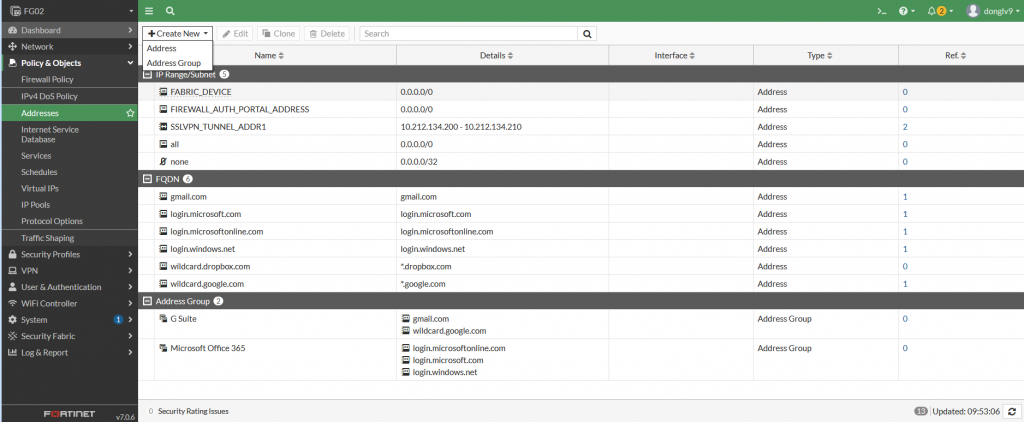
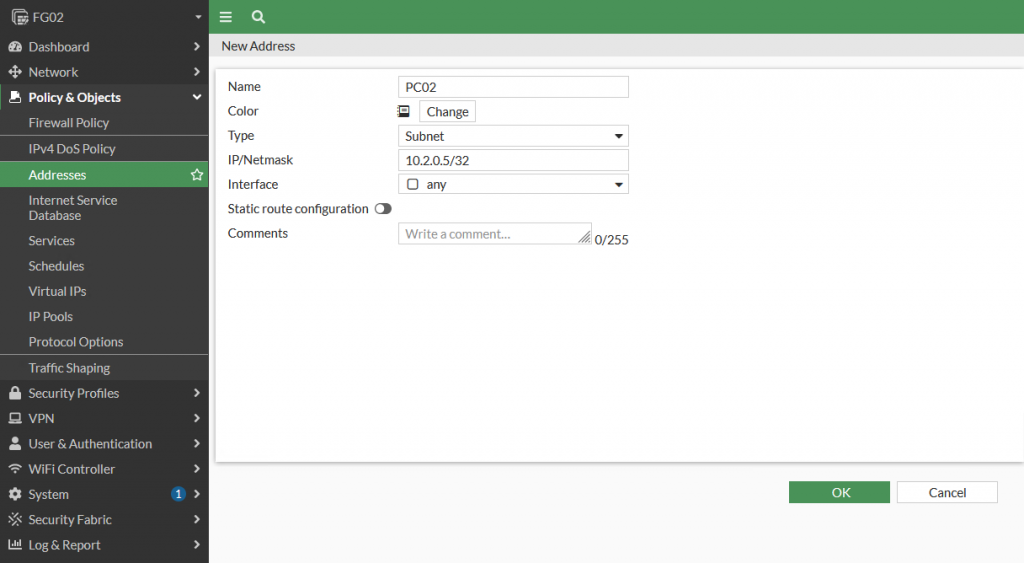
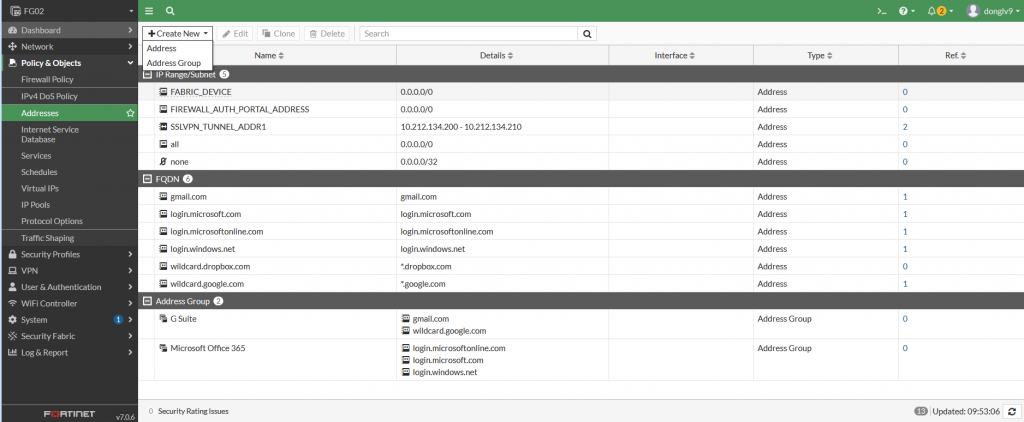
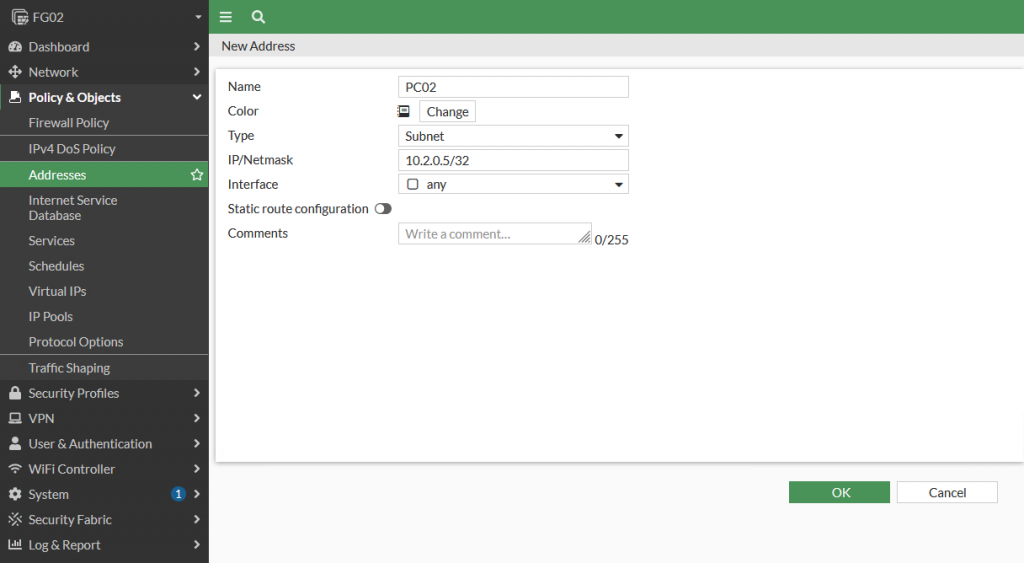
Configure a Firewall Address to define the IP addresses to be used:
Policy & Objects > Addresses > Create new > Address
-
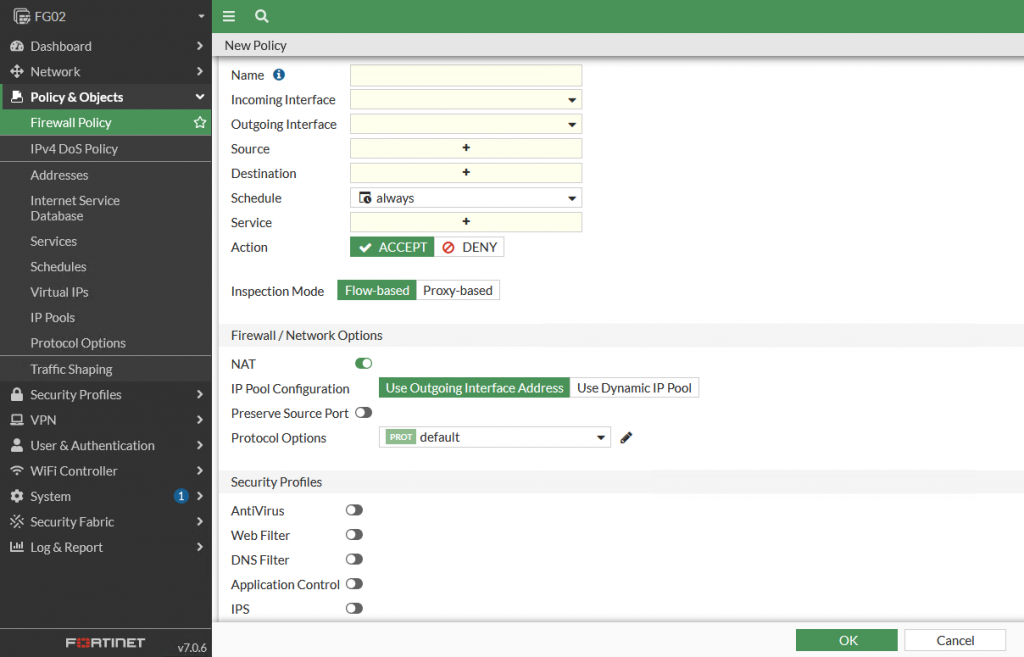
Create the Firewall Policy:
Policy & Objects > Firewall Policy > Create new
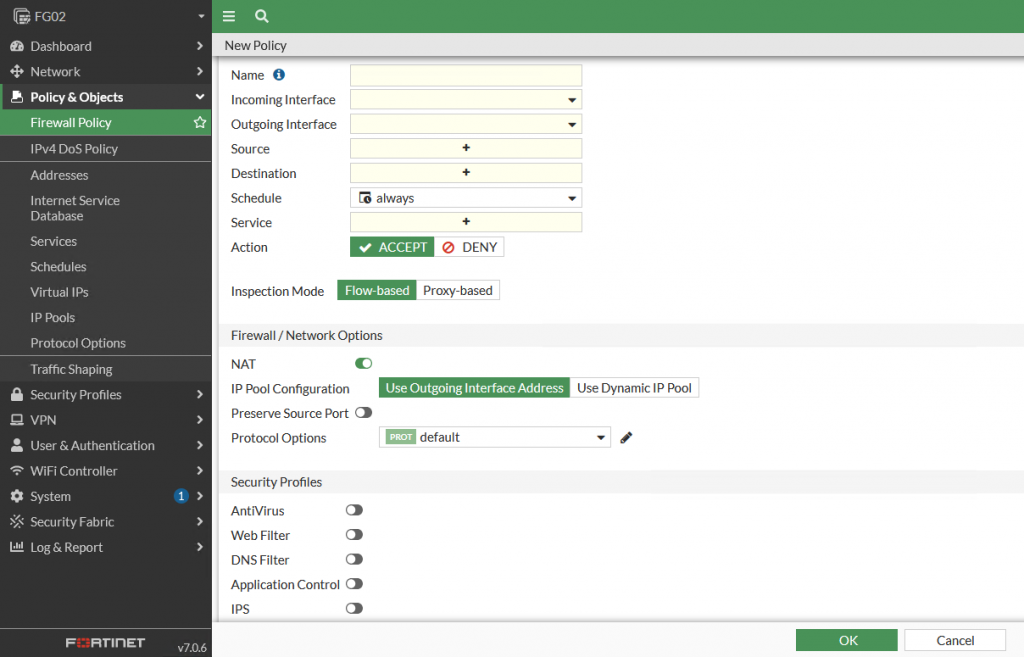
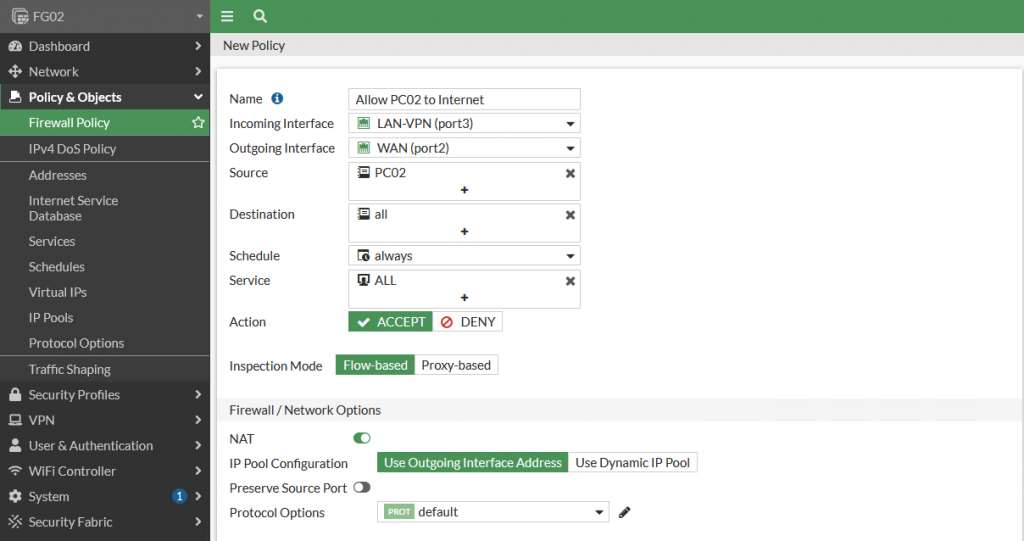
Configure Interfaces, Action, Service, and Security Profiles:
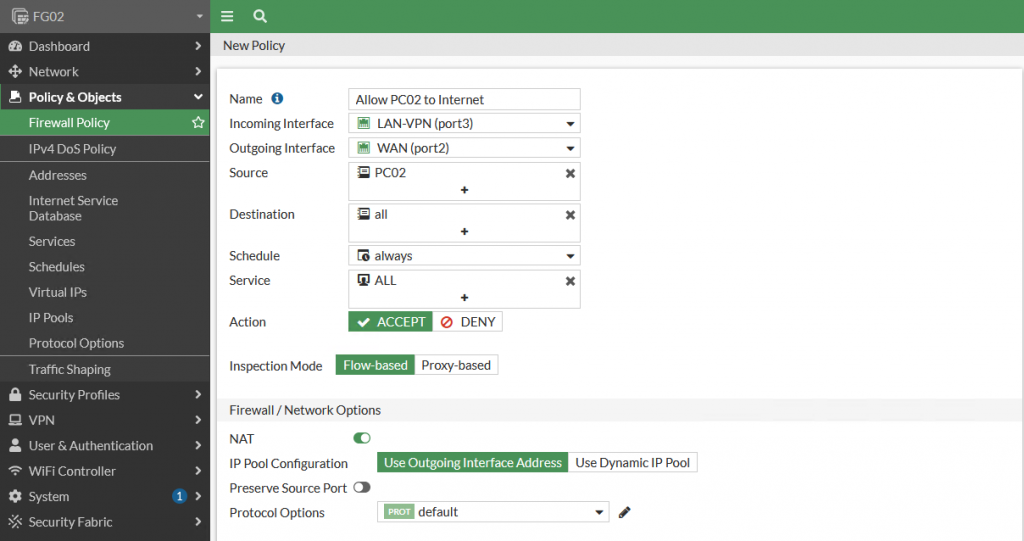
- Incoming Interface: Select VLAN 10.2.0.0/24 (Port 3).
- Outgoing Interface: Select Port 2 (WAN).
- Source: Select the Address created in step 1.
- Destination: Select ALL (or limit destinations by selecting specific ones).
- Service: Select ALL.
- NAT: Select Use Outgoing Interface Address — NAT using the public IP assigned to Port 2 (WAN).
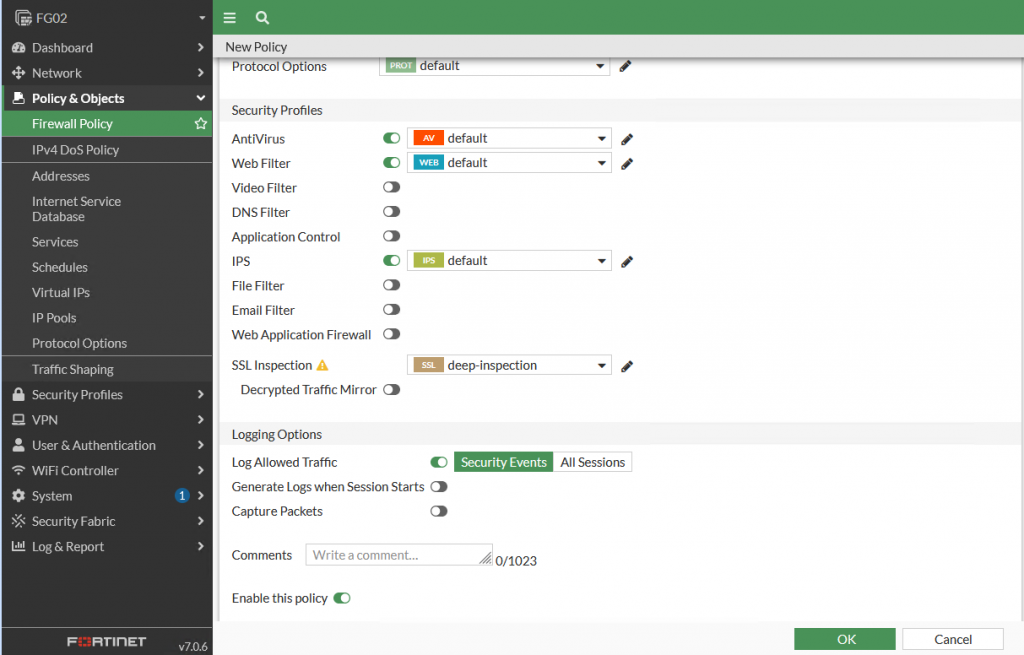
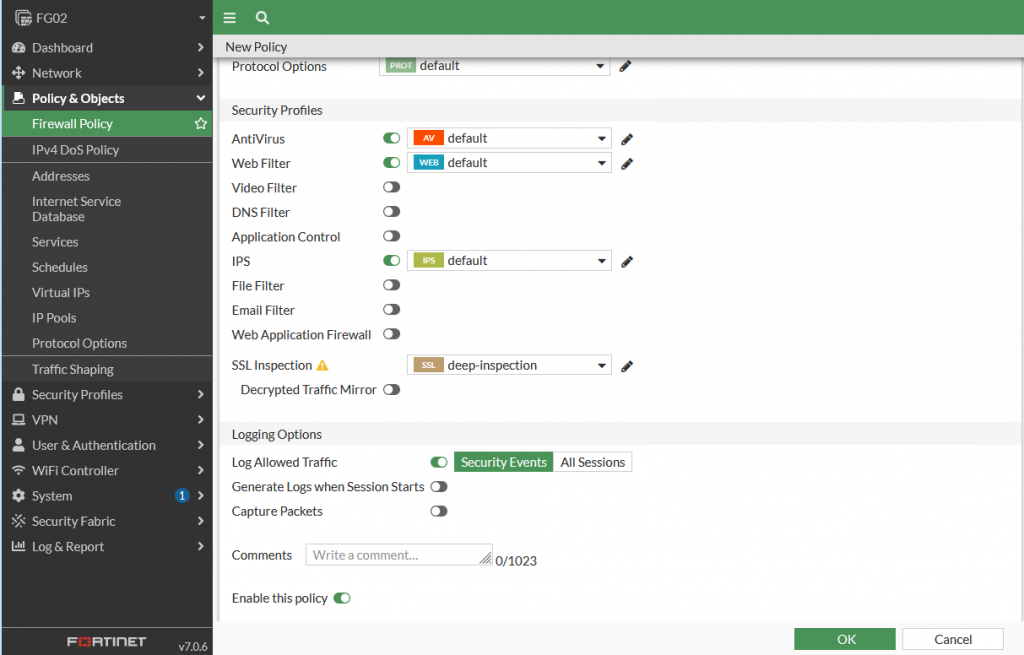
Add security profiles to protect the system from internet threats:
- SSL Inspection: Switch to deep-inspection mode. This requires installing the certificate on the user's browser. (Download the certificate by clicking Deep-inspection > Edit > Download certificate.)