Delete a Budget Alert
danger
Deleting a Budget Alert cannot be undone. After deletion, the system stops calculating costs and sending alerts for that Budget Alert.
-
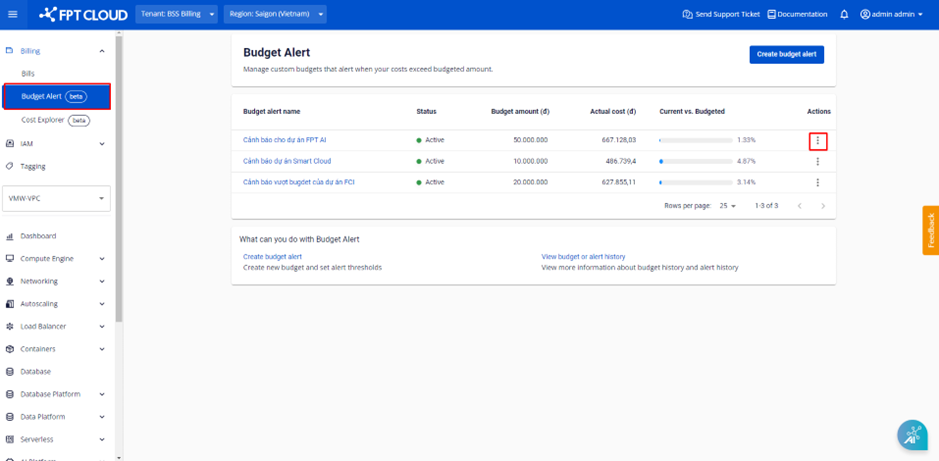
Select Billing → Budget Alert. The system displays the list of existing Budget Alerts. Select Actions on the Budget Alert you want to delete.
-
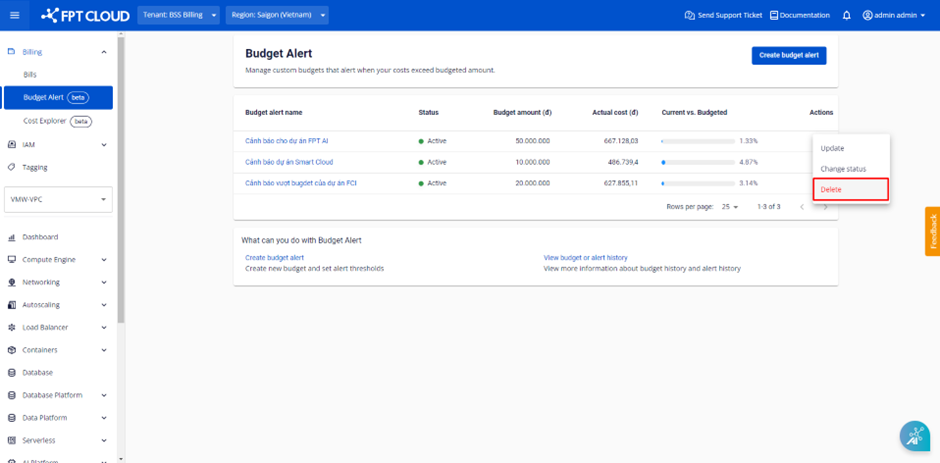
Select Delete.
-
A confirmation dialog appears. Click Delete.
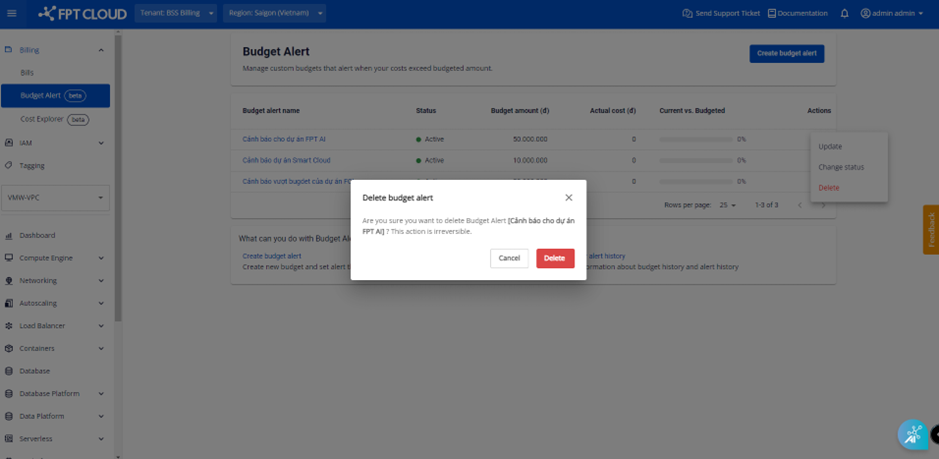
The Budget Alert is removed from the list.