Create a Budget Alert
Budget Alert notifies you when cloud costs reach a defined budget threshold — reducing the risk of overspending and giving you proactive cost control.
Prerequisites
- An FPT Cloud account with access to Billing.
- Signed in to FPT Cloud Portal.
Create a Budget Alert
-
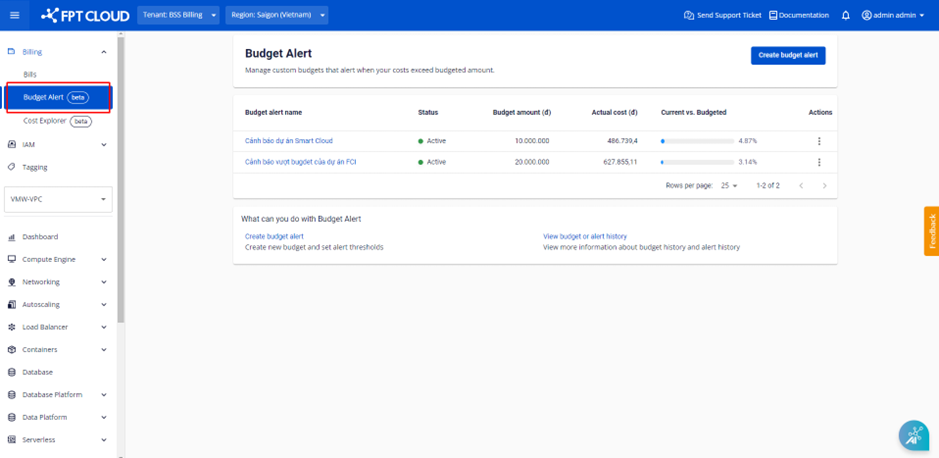
Select Billing → Budget Alert. The system displays the list of existing Budget Alerts.
-
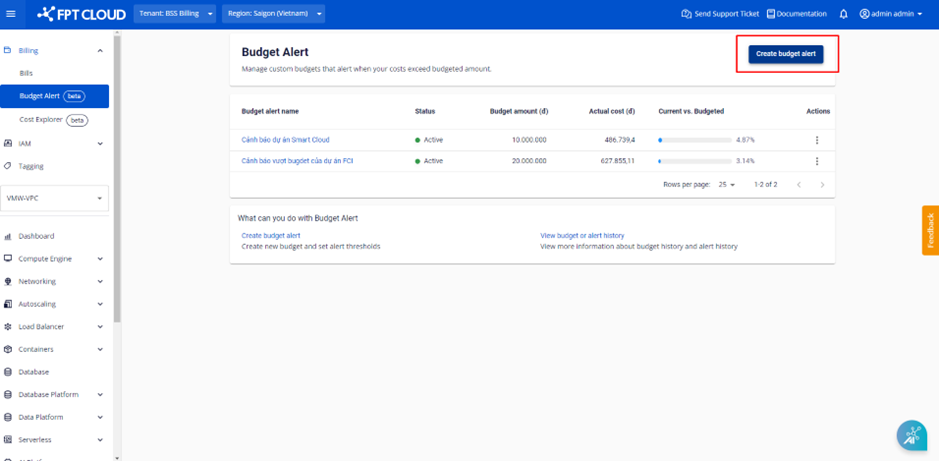
Click Create Budget Alert. The system navigates to the information entry screen.
-
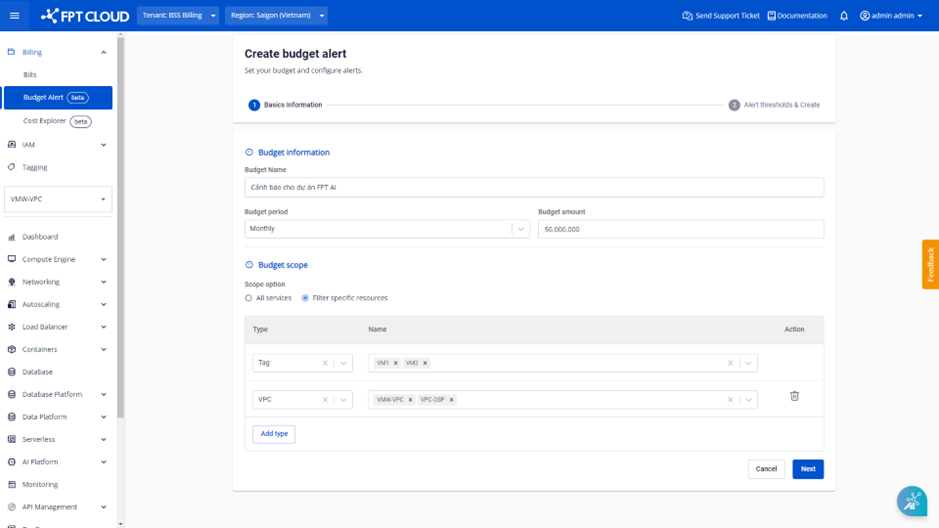
Fill in the Basic Information:
- Budget Name (required): name of the Budget Alert, up to 50 characters, including uppercase letters, numbers, hyphens, and underscores.
- Budget period (required):
- Select Monthly to calculate costs and trigger alerts by month (from 00:00 on the 1st to 23:59 on the last day of the month).
- Select Daily to calculate costs and trigger alerts by day (from 00:00 to 23:59 each day).
- Budget amount (required): total budget for one day or one month (default currency is VND).
- Budget scope (required):
- Select All services to calculate the alert threshold based on actual costs across all services and resources in the current tenant.
- Select Filter specific resources to calculate the alert threshold for specific services filtered by VPC or tag.
noteYou can select multiple VPCs and tags. Actual cost is calculated from usage of services that belong simultaneously to all selected VPCs and tags. Services belonging to only one VPC or tag but not the others are excluded.
-
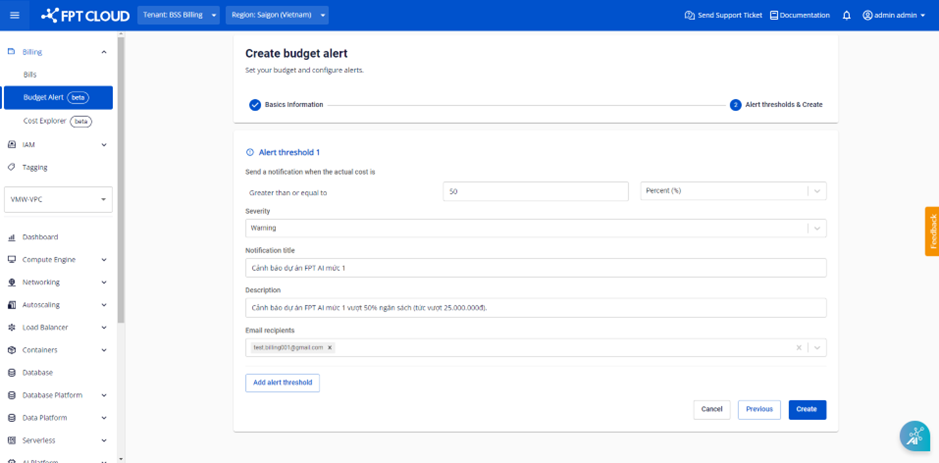
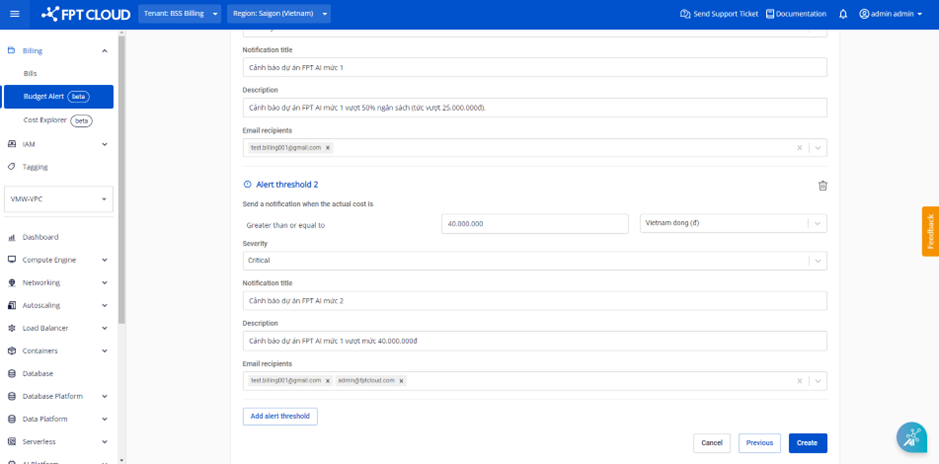
Click Next. The system navigates to the Alert thresholds & Create screen:
- Threshold number (required): enter the alert threshold value.
- Threshold unit (required):
- Select Percent (%) — the system alerts when actual cost is >= x% of the Budget amount (x = threshold number).
- Select Vietnam dong (d) — the system alerts when actual cost is >= the threshold number amount.
- Severity (required): select the alert level — Warning or Critical.
- Notification title (required): subject of the alert email, up to 255 characters (excluding single quotes, double quotes, and slashes).
- Description (required): body of the alert email, up to 500 characters.
- Email recipients (required): enter the email addresses to receive alerts (multiple addresses allowed).
- Add Alert Threshold (optional): create additional alert thresholds for the same budget.
noteEach alert threshold sends a maximum of 3 notifications.
-
Click Create to save the Budget Alert, or click Previous to return to the Basic Information screen.
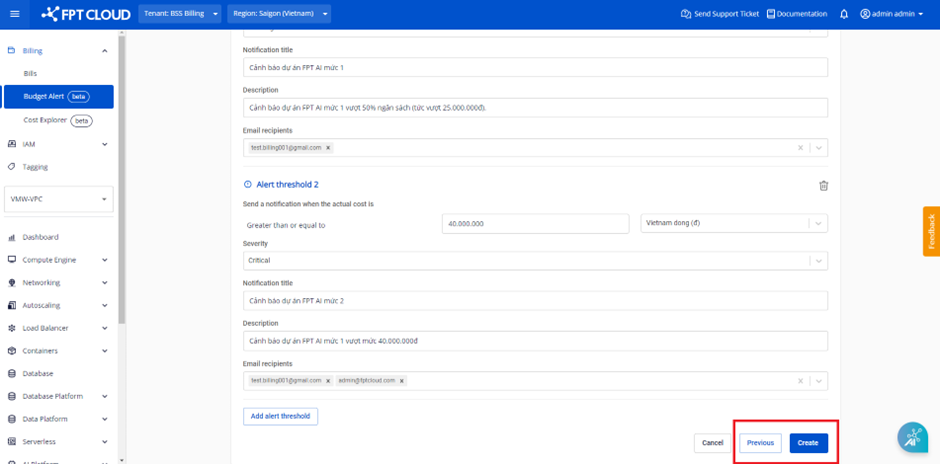
The new Budget Alert appears in the list.