Edit a Budget Alert
When you need to change the budget, alert thresholds, or resource groups, you can edit an existing Budget Alert. After updating, the system recalculates actual costs and sends alerts based on the new configuration.
-
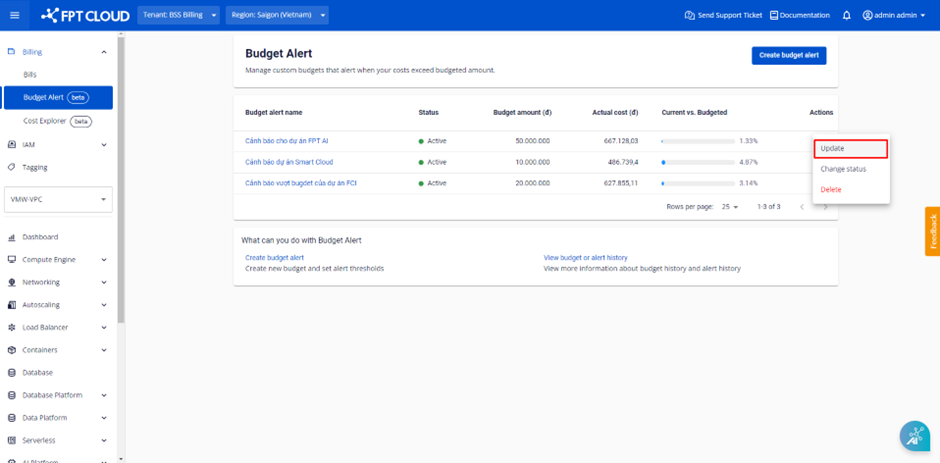
Select Billing → Budget Alert. The system displays the list of existing Budget Alerts. Select the Budget Alert to edit, then select Actions → Update.
-
Edit the information the same way as when creating a Budget Alert.
-
Click Update to save the changes.
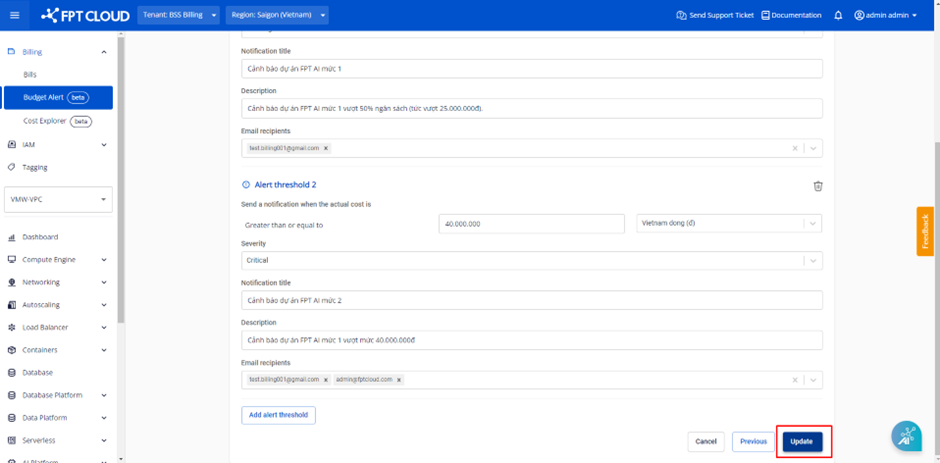
After saving, the system calculates Actual cost based on the new configuration and sends alerts based on the new thresholds.