View cost information and alert history
Tracking actual costs against your budget and reviewing alert history helps you evaluate the effectiveness of your cloud cost controls.
-
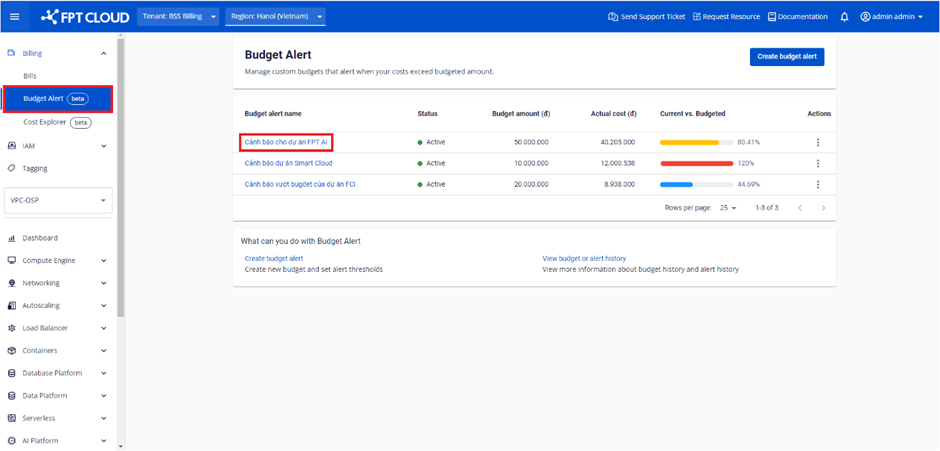
Select Billing → Budget Alert. The system displays the list of existing Budget Alerts. Select the name of the Budget Alert you want to view.
-
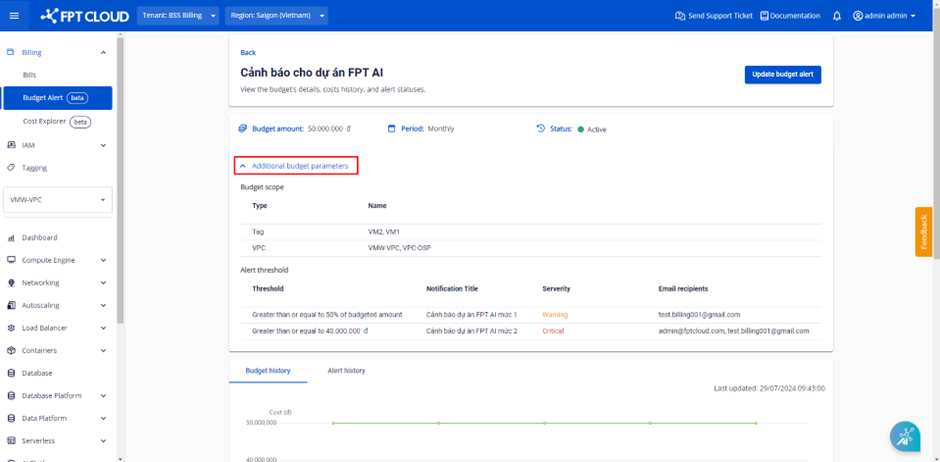
On the View budget details screen, select Additional budget parameters to review the budget and alert threshold settings.
-
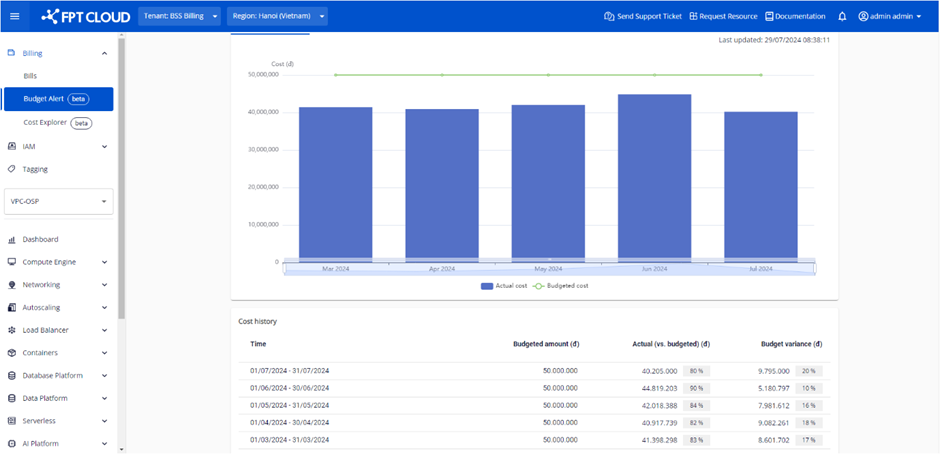
In the Budget history section, scroll to zoom in or zoom out the comparison chart between Actual cost and Budget amount.
- If Budget Period is Monthly, the chart shows the last 6 months.
- If Budget Period is Daily, the chart shows the last 30 days.
-
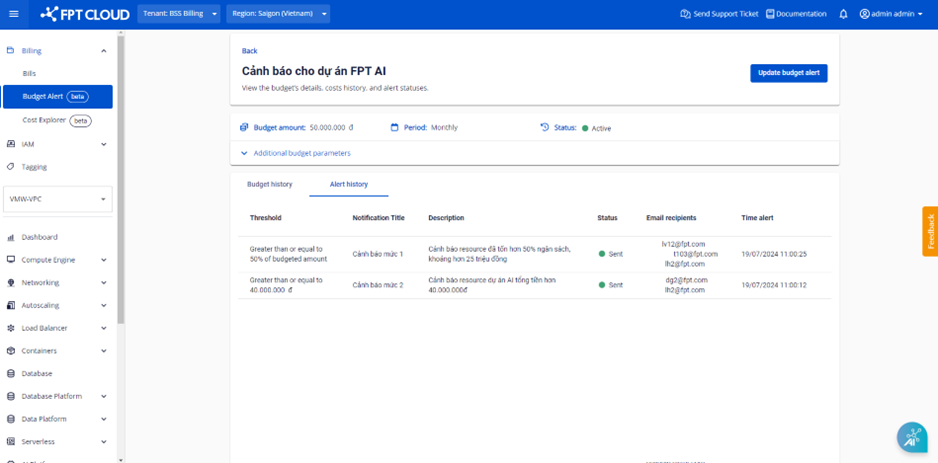
In the Alert history section, view the alert send history for the Budget Alert.
- If Budget Period is Monthly, the history shows the last 6 months.
- If Budget Period is Daily, the history shows the last 30 days.