My account
How to view your API keys?
To check your API keys, follow the instructions below.
Ensure your account is subscribed to a paid plan. If you do not have one, please contact us.
- Click on the account icon in the header.
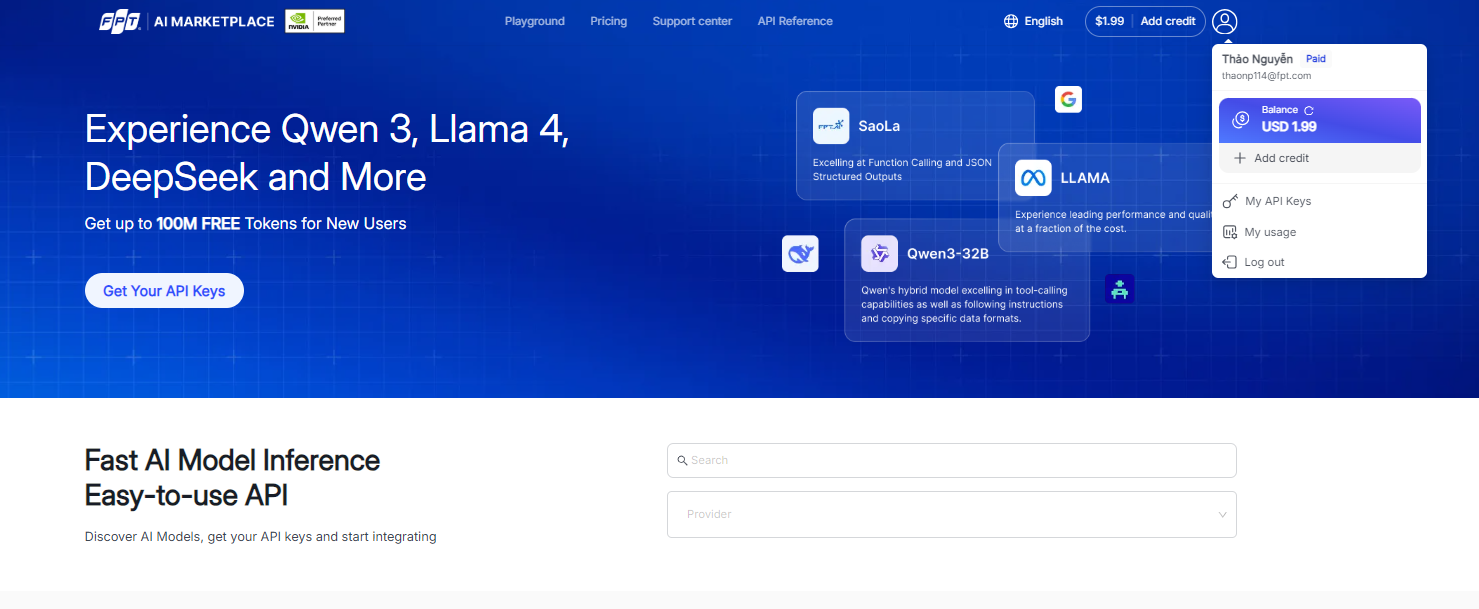
- Select My Account.
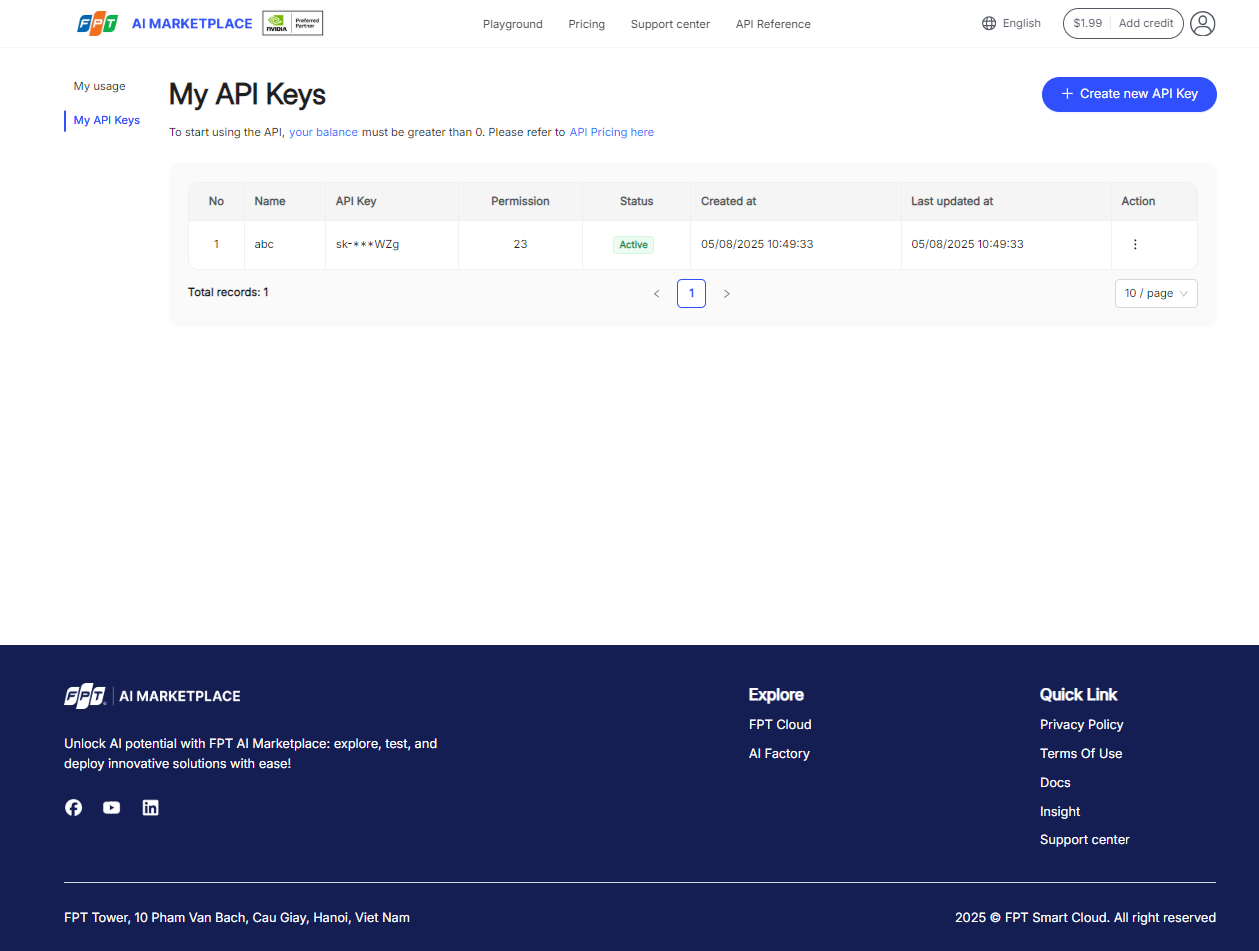
Your list of API keys will be shown on the My API Keys page.
How to create a new API key?
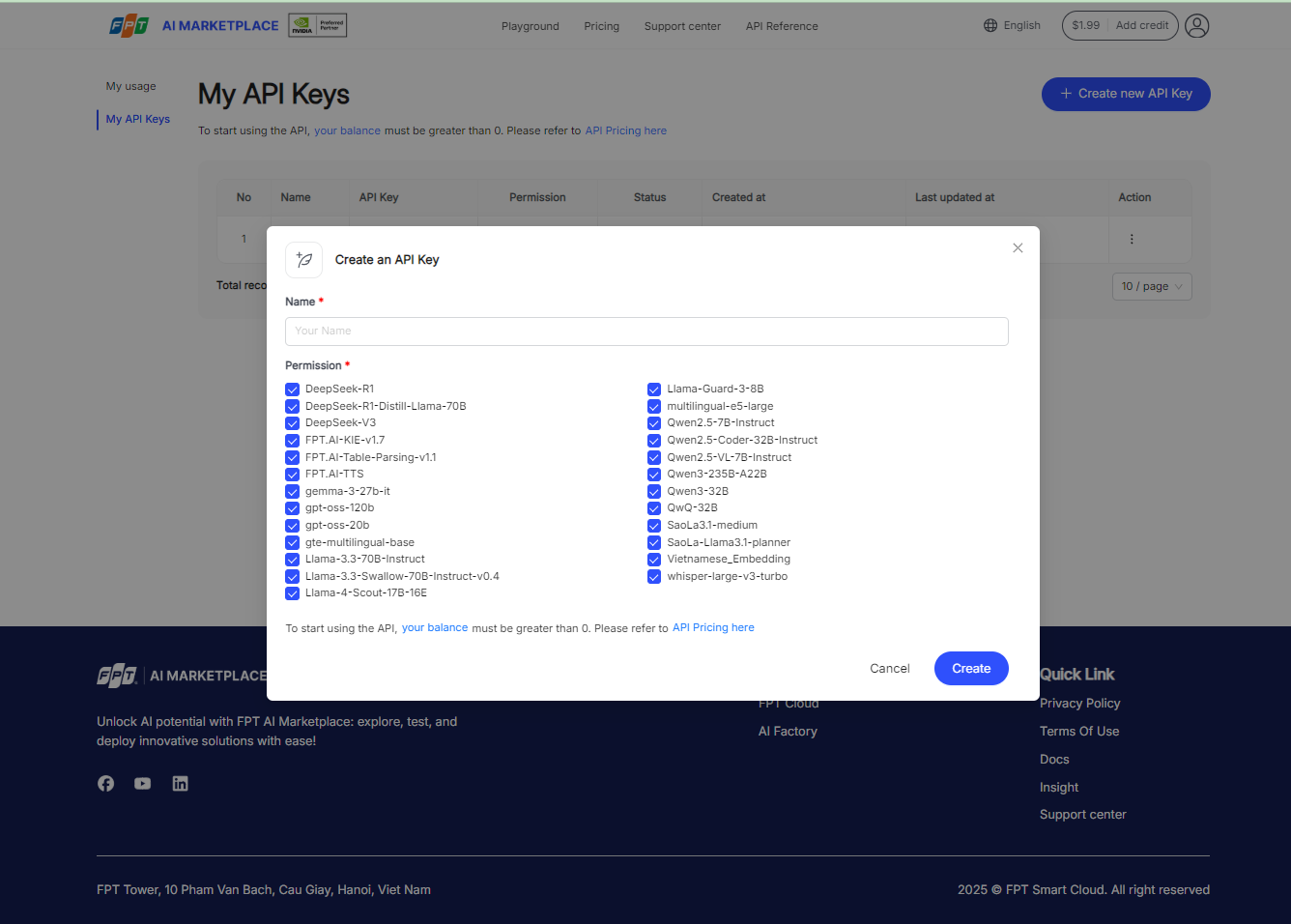
- Go to the My API Keys page and click the Create New API Key button.
- Enter a Name for the key.
- Choose the models you would like to access.
- Click the Create button to generate your new API key.
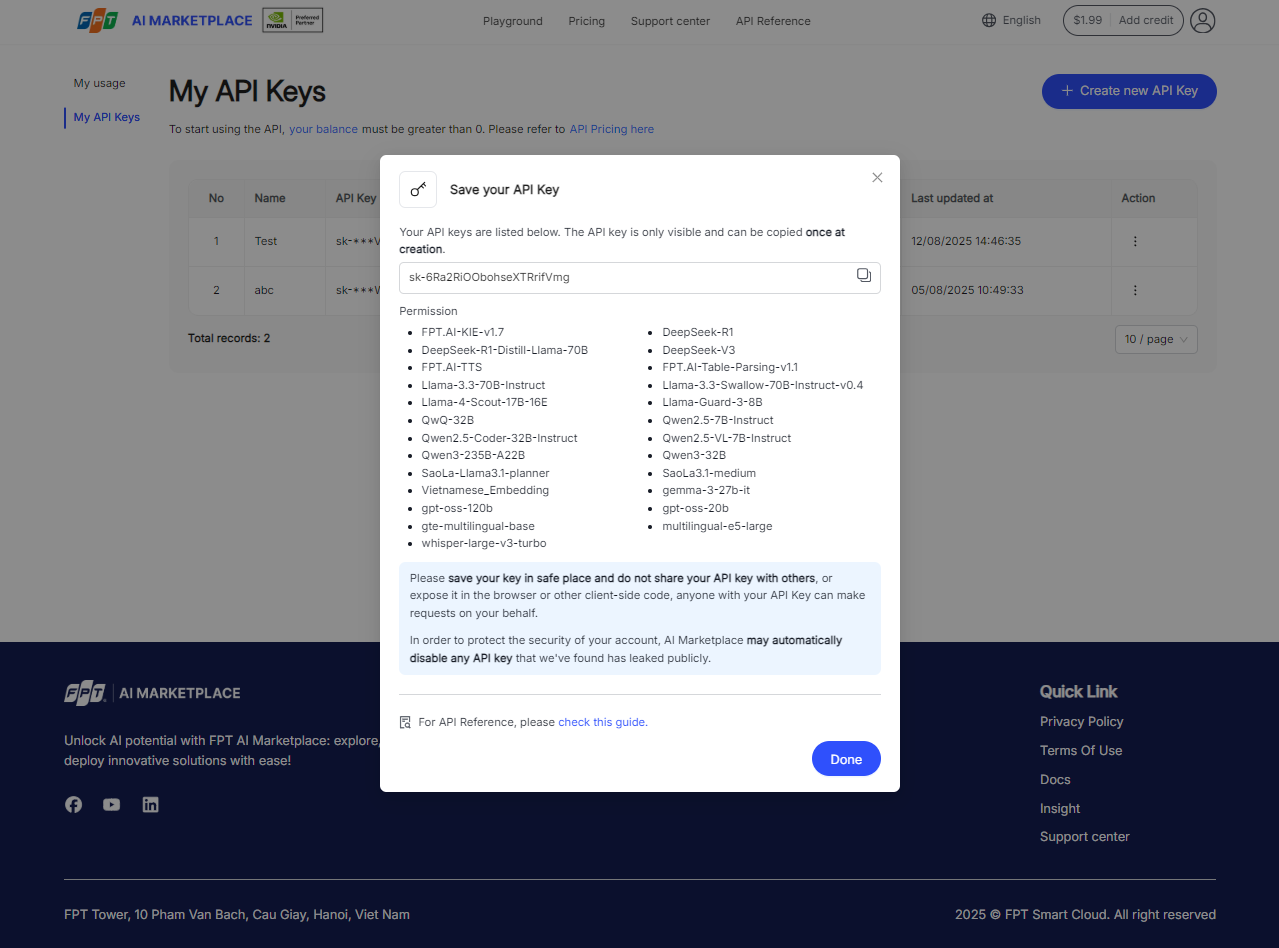
After your new API key is created, copy or save your key.
The API key is only visible and can be copied once at creation. Save your key in a safe place and do not share it with others or expose it in the browser or other client-side code. Anyone with your API key can make requests on your behalf. AI Marketplace may automatically disable any API key found to have leaked publicly.
Click the Done button to finish.
How to edit an existing API key?
You can edit the Name and Permission of an API key.
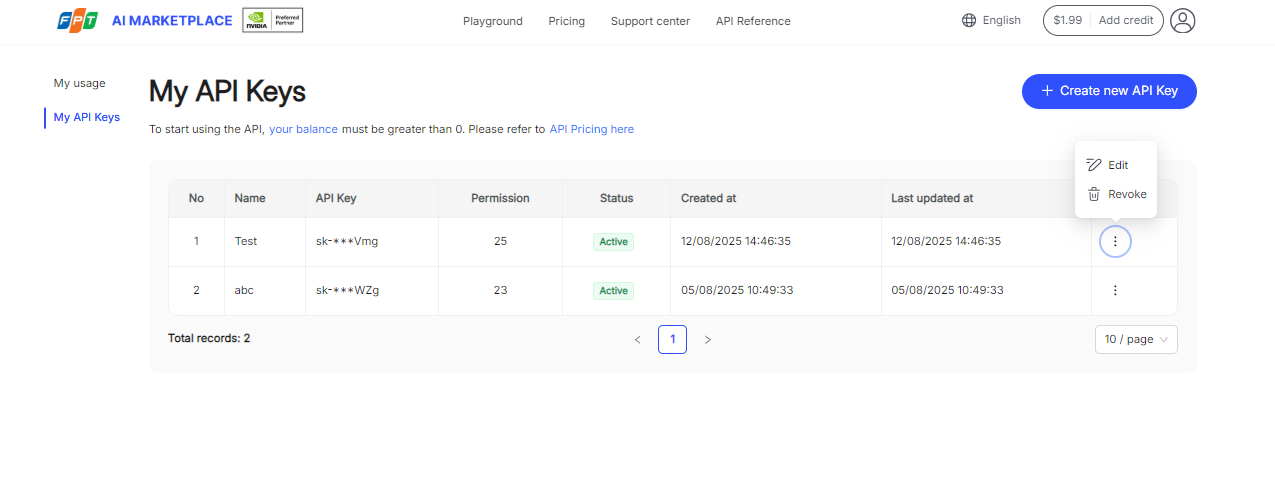
- Go to the My API Keys page and click Action next to the API key you want to edit.
- Select Edit from the dropdown menu.
- Edit your information.
- Click Save to finalize the changes.
How to revoke an API key?
After revoking, the API key will be immediately disabled. API requests made using this key will be rejected, which could cause any systems still depending on it to break.
- Go to the My API Keys page and click Action next to the API key you want to revoke.
- Select Revoke from the dropdown menu.
- Click Revoke key to confirm and delete the API key.
How to check your usage?
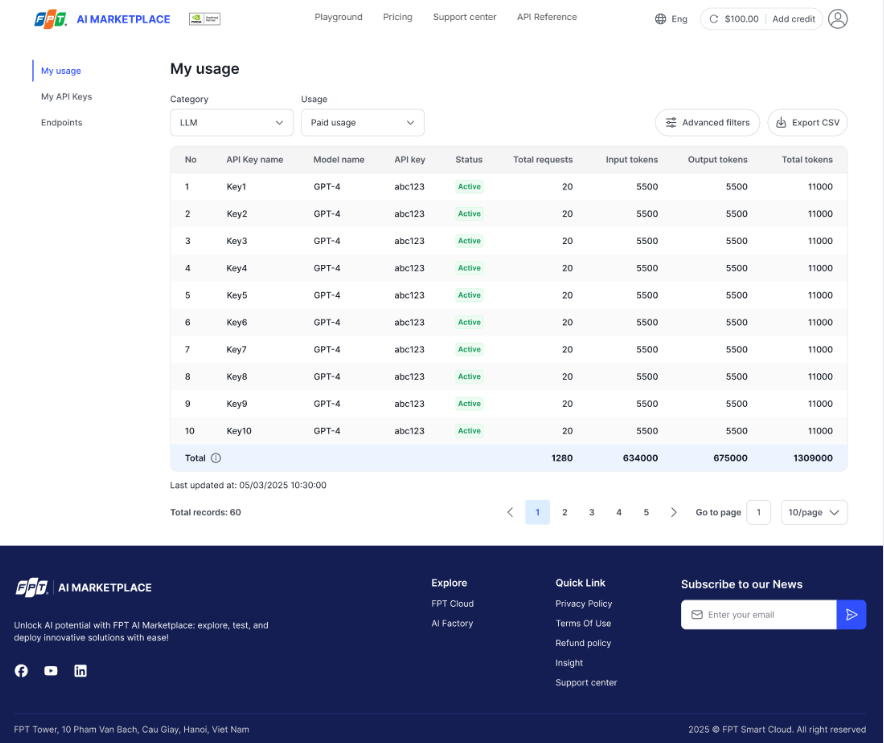
To check your usage including input tokens, output tokens, and total usage for each model and API key, go to My Account > My Usage.