Notes for creating VM from ISO file
FPT Cloud Server supports creating virtual machines from ISO files, allowing you to install a custom operating system. Review the notes below to ensure the process completes successfully.
Notes for creating VM from ISO file
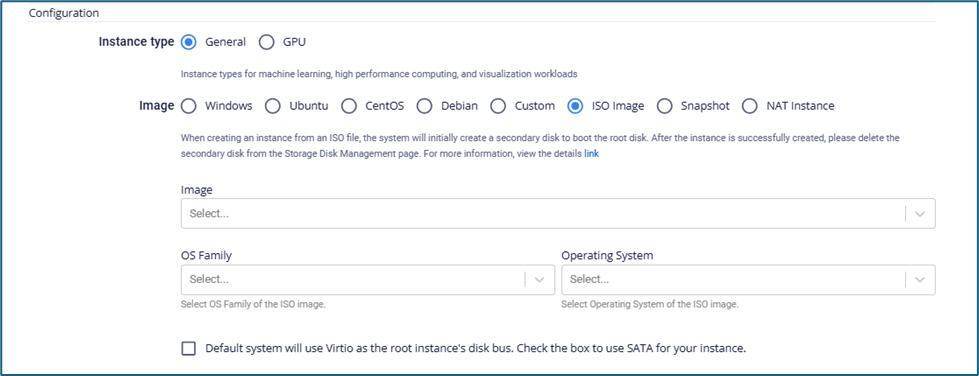
- When you create a virtual machine from an ISO file, the system automatically creates an additional boot disk for the Root volume. Do not delete this disk while the virtual machine is being created.
- The free disk capacity must be equal to or greater than the size of the ISO file. The system rounds up to the nearest whole unit (for example: a 0.5 GB file requires 1 GB, a 1.5 GB file requires 2 GB).
warning
After the virtual machine is created successfully, delete the temporary boot disk. You must un-mount the disk from the virtual machine before deleting it.
SATA disk bus support for the Root volume
The system uses the Virtio disk bus for the Root volume by default. If the ISO file is not compatible with Virtio, select the SATA checkbox to switch to SATA mode.
note
The SATA disk bus may reduce disk performance. Only use it when the ISO file is not compatible with Virtio.