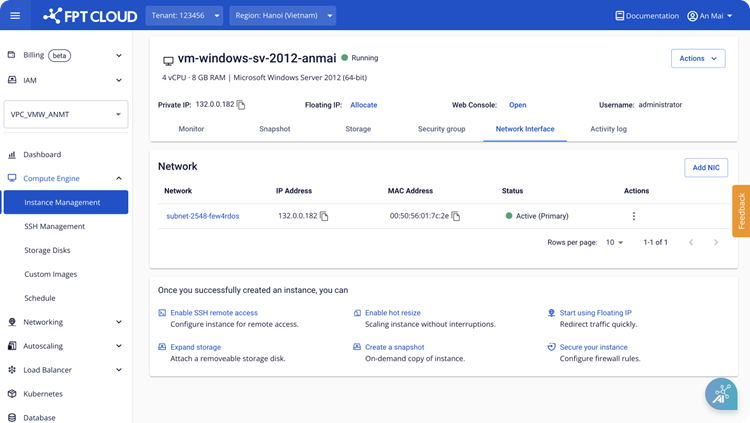
Change MAC address
This feature allows the system to automatically assign a new MAC address to a NIC card, replacing the existing one. It is available for both primary and standard NIC cards.
- Select the NIC card whose MAC address you want to reset.
warning
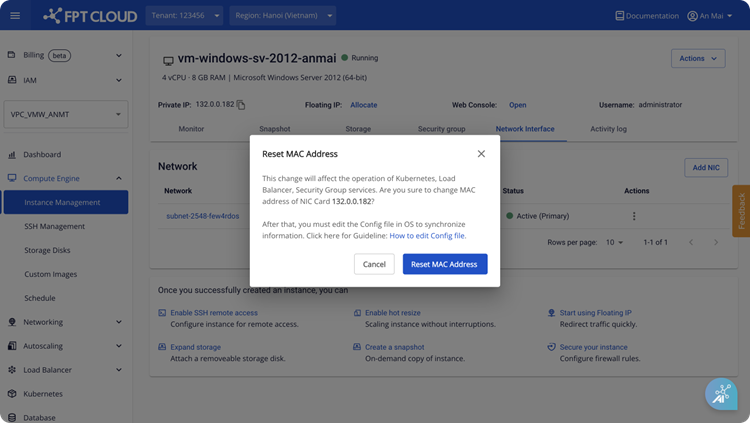
This action may affect services such as Kubernetes and Load Balancer. Consider carefully before proceeding. After the change, update the network settings in the operating system configuration file. See: How to change Config file/.
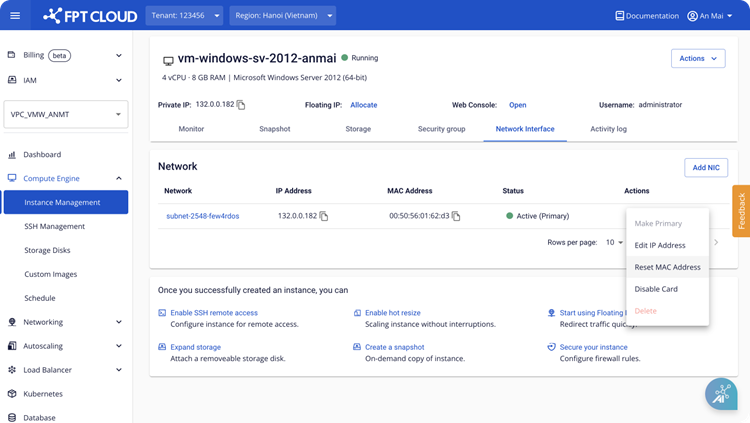
- Confirm the MAC address change.
- Wait for the system to process.
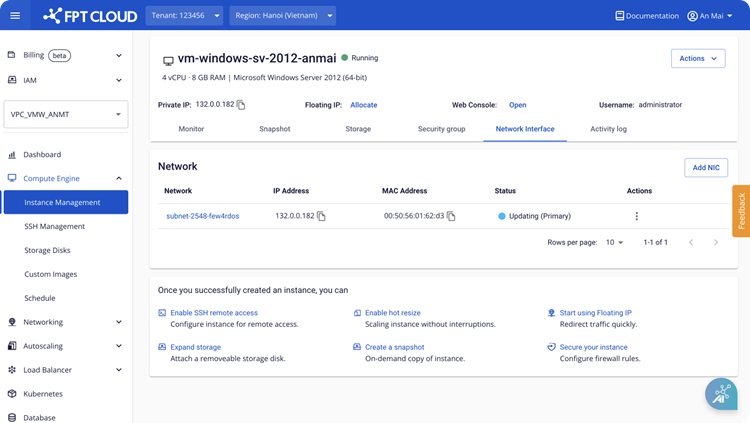
- The system has assigned a new MAC address to the NIC card.