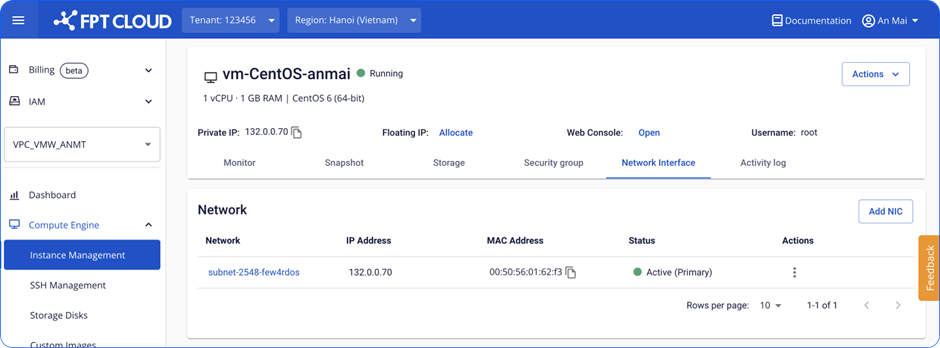
Delete a NIC card
You can delete a standard NIC card when it is no longer needed. Deleting the primary NIC card is not supported.
- Select the NIC card you want to delete.
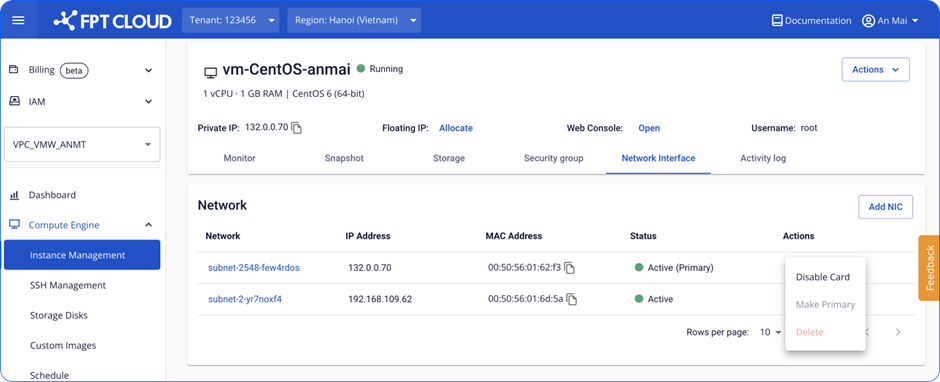
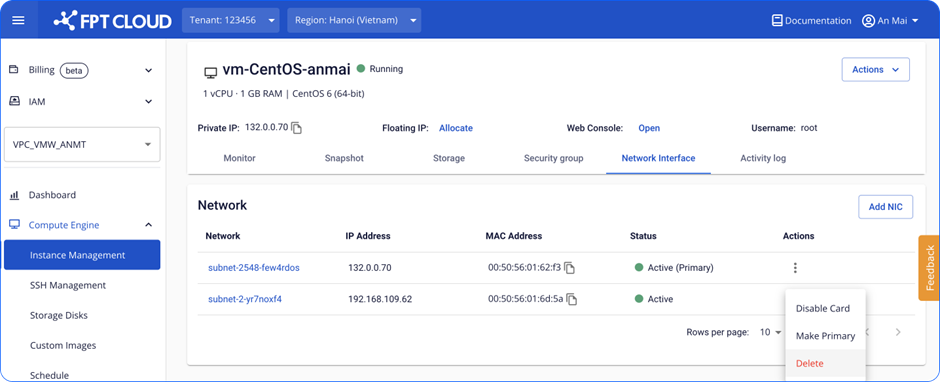
- Confirm the deletion.
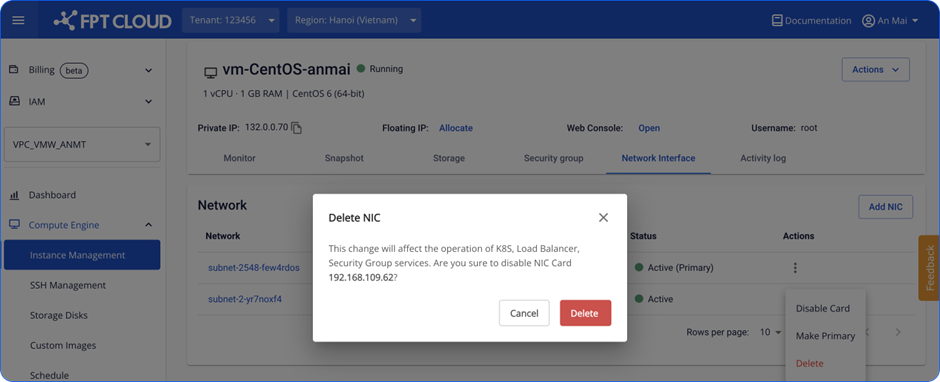
- Wait for the system to process.
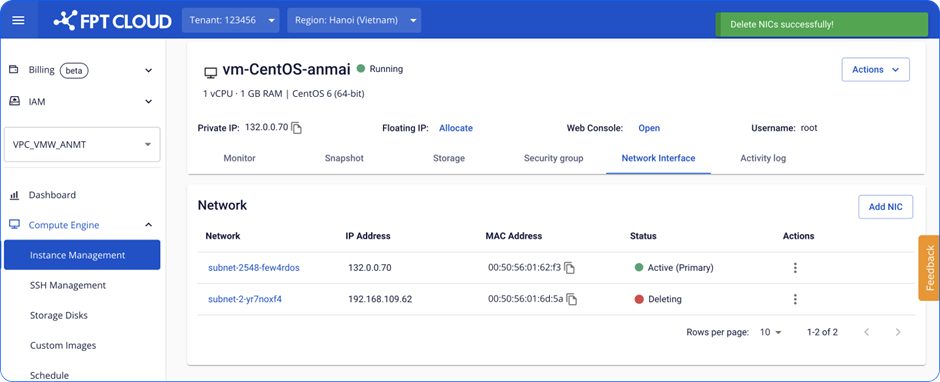
- The card is deleted successfully. The Instance can no longer connect to the network through this card. To keep network settings in sync, update the network configuration in the operating system configuration file. See: How to change Config file/.