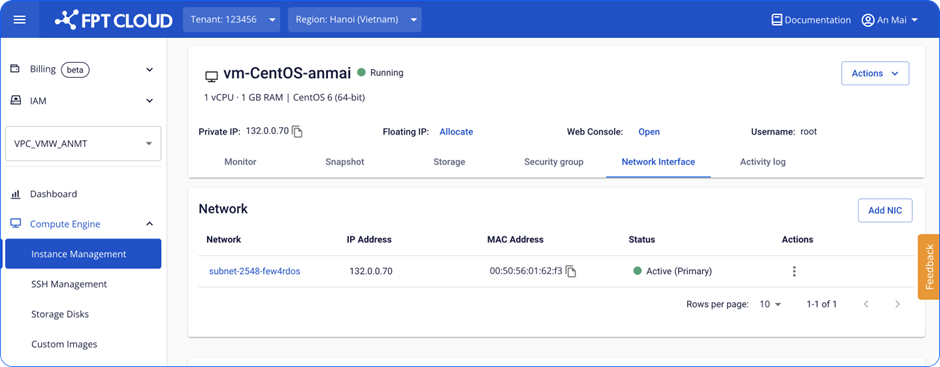
Enable a NIC card
For a NIC card in Inactive status, you can enable it to restore network connectivity.
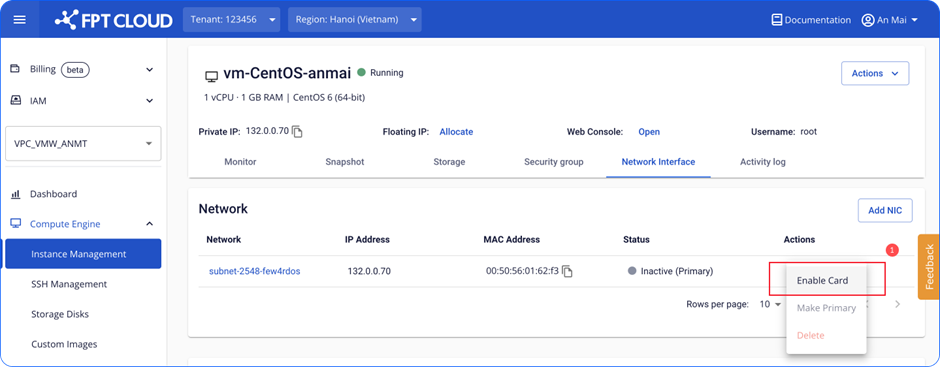
- Click Enable Card on the NIC you want to enable.
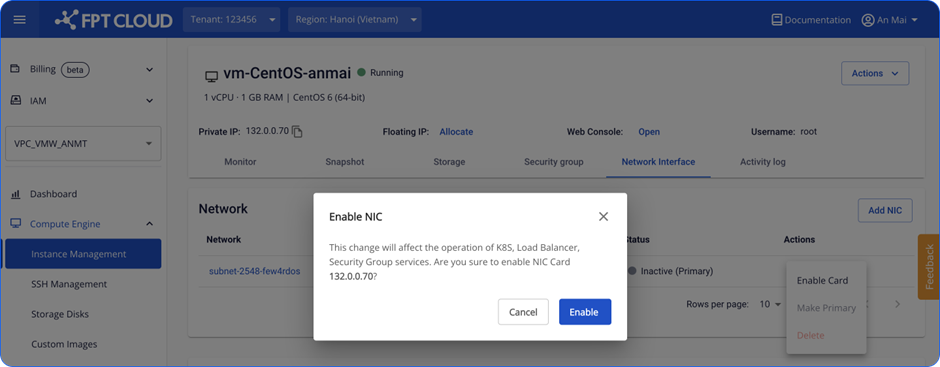
- Confirm the enable action.
- Wait for the system to process the request.
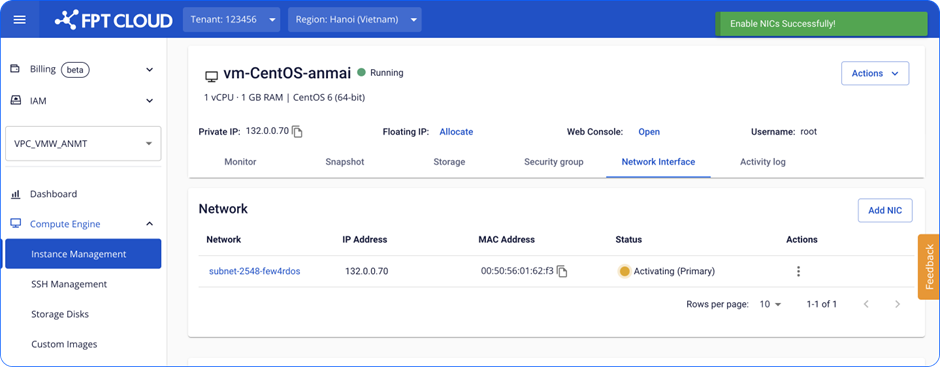
- The card moves to Active status. The Instance can connect to the network through this card.