Schedule Hibernate & Wake-up feature
Building on the direct Hibernate & Wake-up feature on the Portal, FPT Cloud provides the Schedule Hibernate & Wake-up service, allowing users to automate cluster Hibernate and Wake-up operations. FPT Cloud lets you create, edit, or delete one or more schedules at the same time as needed.
Step 1: From the menu, select Kubernetes. The Kubernetes Management page appears.
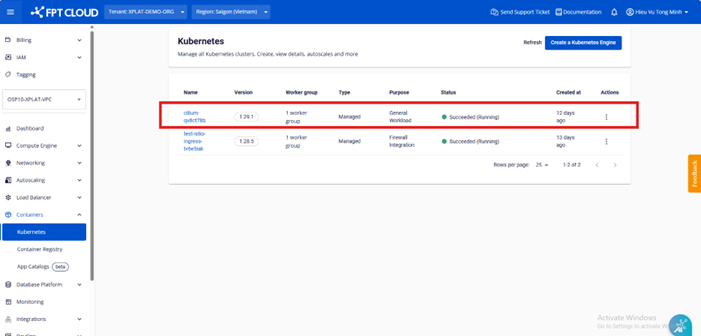
Step 2: Access the cluster detail page and select Schedule Hibernation under the Advanced section to set up a schedule.
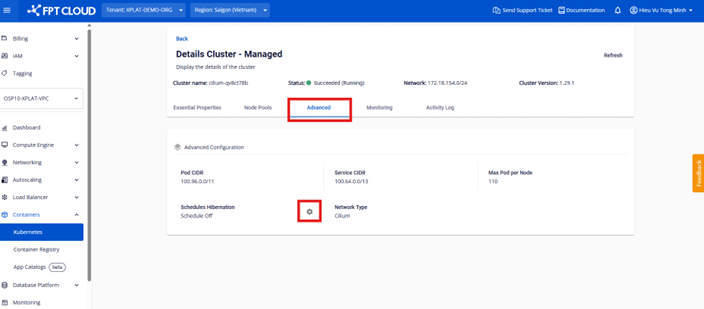
Step 3: Configure the schedule settings.
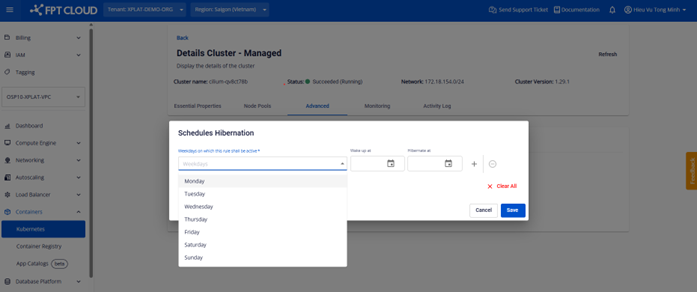
Step 4: Select the time to Wake-up and Hibernate the cluster (Timezone: UTC+7).
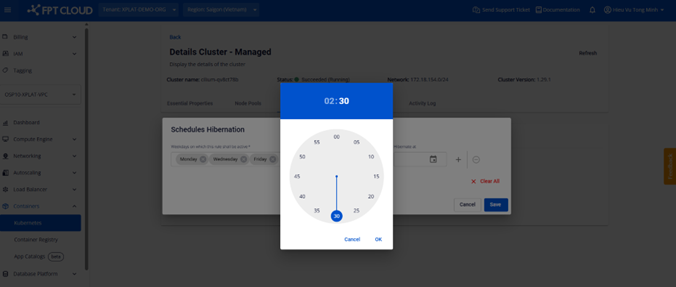
- Option 1: Click the calendar icon on each field to set the time.
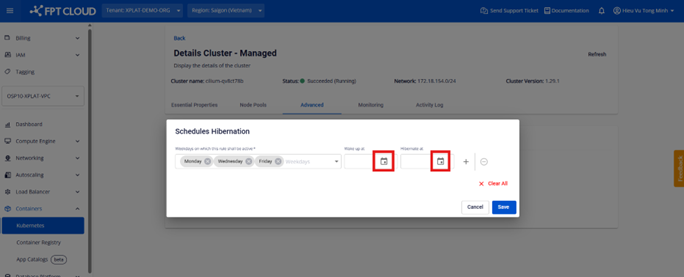
- Set time using the clock.
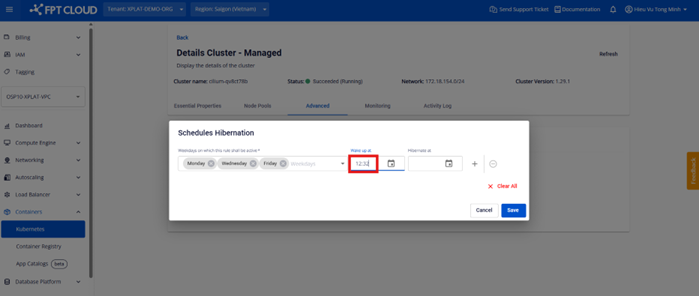
- Option 2: Enter the time directly as text.
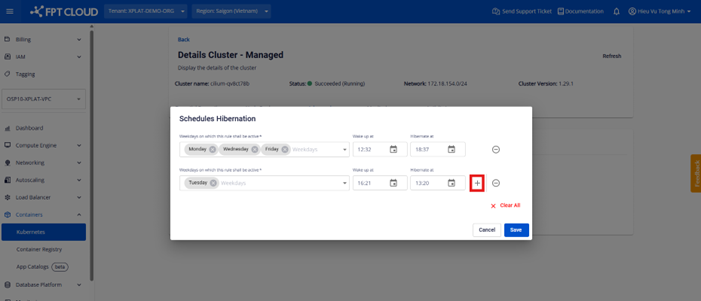
Step 5: Add or remove schedules.
- Add a schedule.
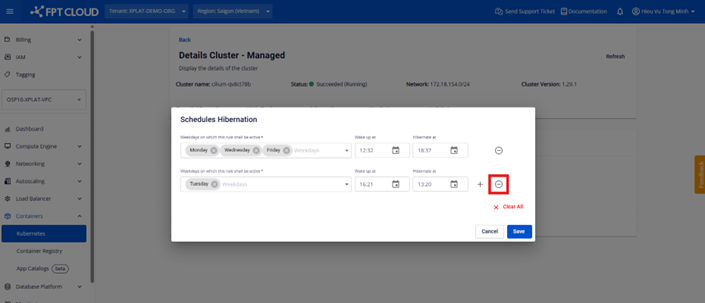
- Remove a schedule.
Step 6: Save the new schedule after creating or modifying it.
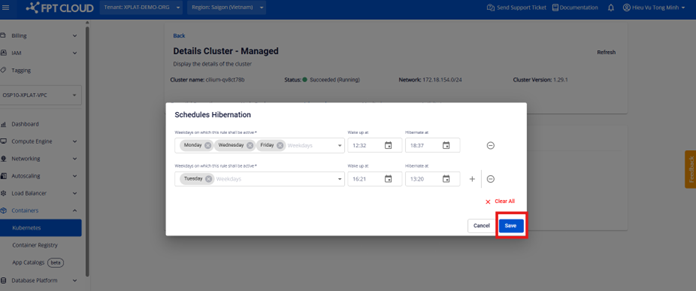
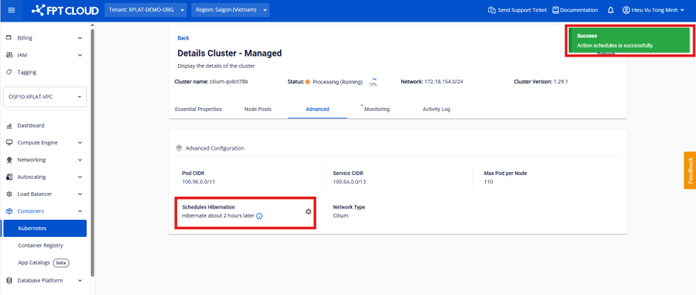
The system returns a Success status when the schedule has been successfully saved. The display also shows the time remaining until the next Hibernate or Wake-up event.
Note: You can create or delete multiple schedules at once, for multiple days and times. However, the interval between the Hibernate and Wake-up times must be at least 15 minutes apart.