Hibernate & Wake-up feature
Clusters are typically used 24/7 when running in a production environment. For clusters used in dev, test, staging, or demo environments, scaling down resources when not in use can save costs. However, manual scale-down can be time-consuming, so the Hibernate feature automates this process.
When you use the Hibernate feature, the cluster resources change as follows:
- Worker nodes (instances) are deleted.
- Pods move to Pending status.
- Services are preserved.
- Stateful storage components (PVCs, etc.) and states in etcd are also preserved.
Wake-up is the reverse of Hibernate — it restores the cluster to its state before it was hibernated.
You can use the Hibernate and Wake-up features on the Portal as follows:
Hibernate
Step 1: From the menu, select Kubernetes. The Kubernetes Management page appears.
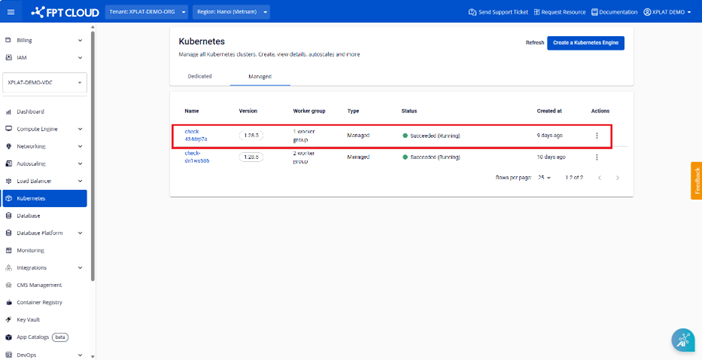
Step 2: Click the Hibernate button to start the process.
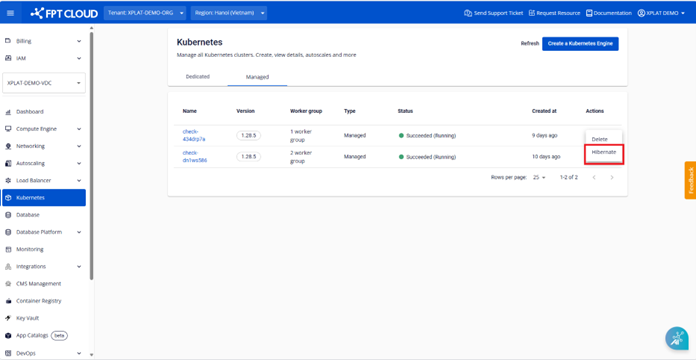
Step 3: Enter the cluster name to confirm and start the process.
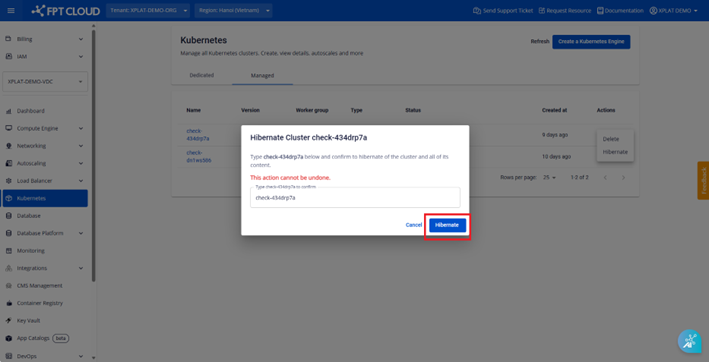
After the confirmation, the Hibernate process starts and the Portal status changes to Hibernating (Running).
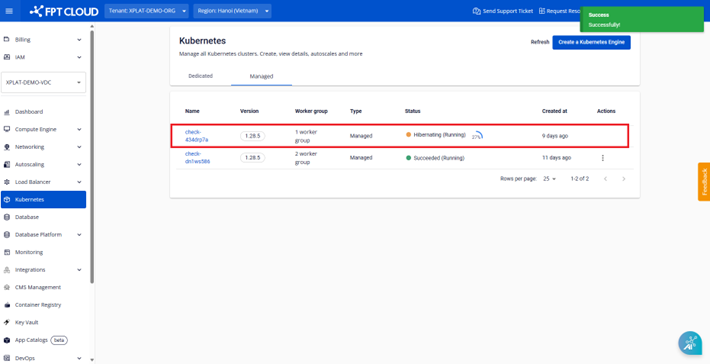
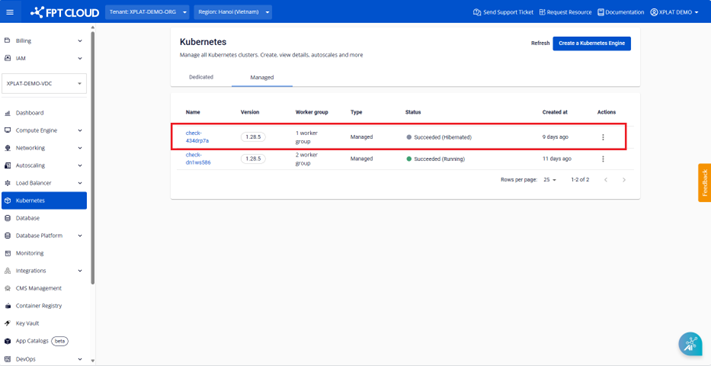
When the process completes, the cluster status changes to Succeeded (Hibernated), indicating a successful Hibernate.
Wake-up
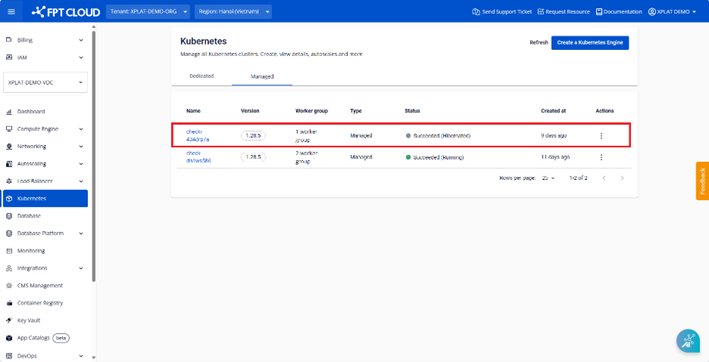
For clusters showing Succeeded (Hibernated) status, use the Wake-up feature to restore the cluster to its previous state.
Step 1: From the menu, select Kubernetes. The Kubernetes Management page appears.
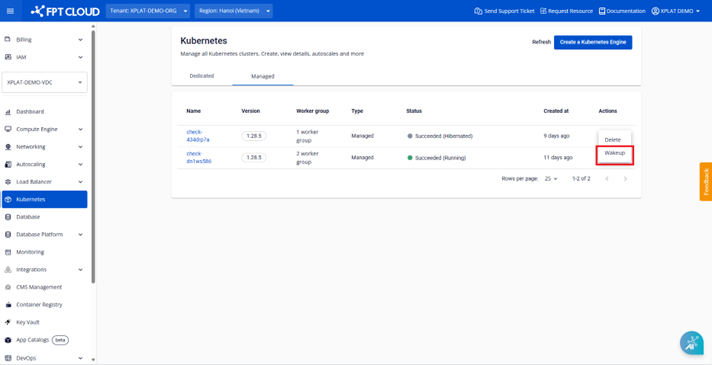
Step 2: Click the Wakeup button to start the process.
Step 3: Enter the cluster name to confirm.
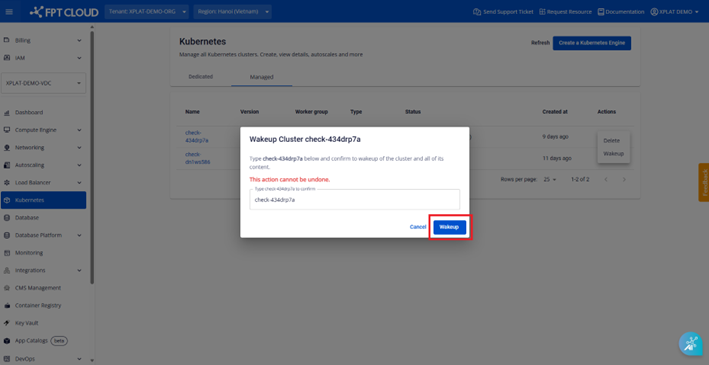
After the confirmation, the Wake-up process starts and the Portal status changes to Processing (Running).
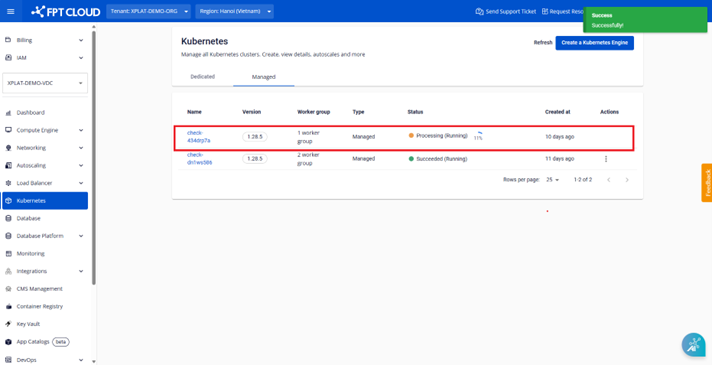
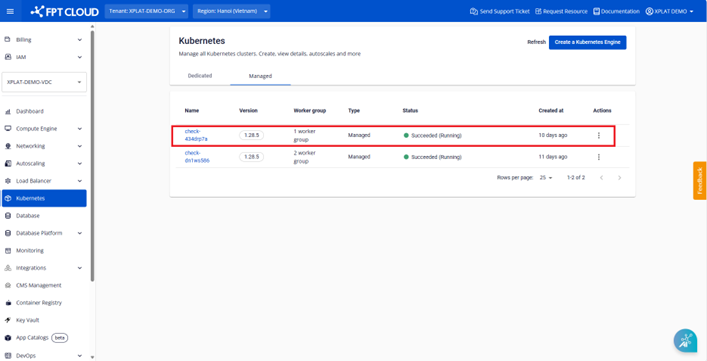
When the process completes, the cluster status changes to Succeeded (Running), indicating a successful Wake-up.
Notes:
- Before starting the Hibernate process, ensure all pods in the cluster are in Running status and other resources are working normally (LoadBalancer services, ingress, Persistent Volumes, secrets, configmaps, etc.).
- While the cluster is hibernated, if you deploy additional deployments, the new resources will remain in Pending status until you select Wake-up for the cluster.