Update agent configuration
To update an agent's configuration:
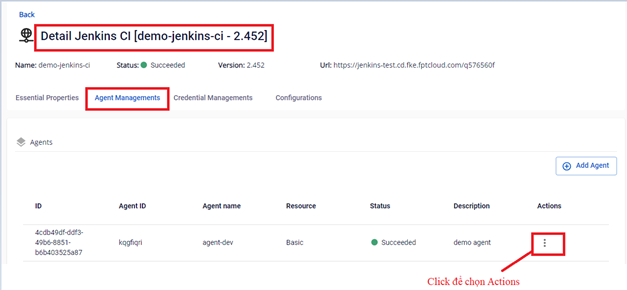
Step 1: In the FPT Portal menu > Jenkins CI > Detail Cluster > Agent Managements > click Actions for the agent to update.
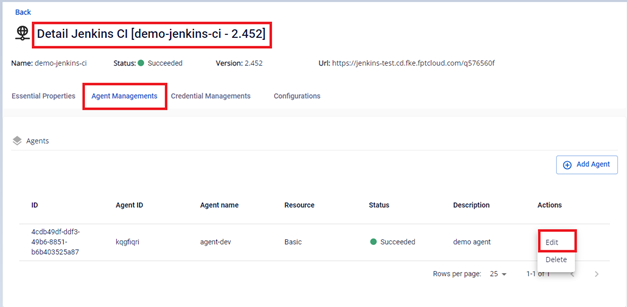
Step 2: Select Edit to modify the agent configuration.
Step 3: Edit the configuration: select the resources to update.
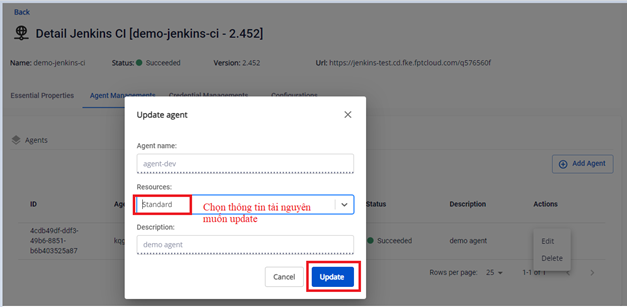
Step 4: Click Update to apply the changes.
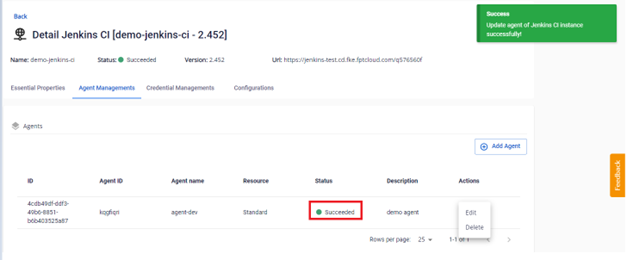
note
You can only upgrade to a higher resource tier, not downgrade.