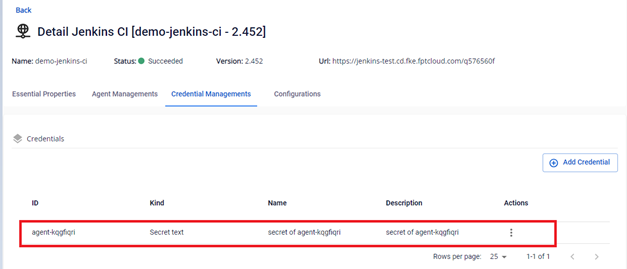
Add a new agent
Step 1: In the FPT Portal menu > Jenkins CI > Detail Cluster > Agent Managements.
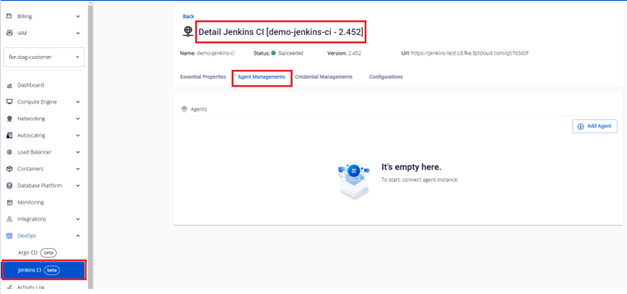
Step 2: Click Add Agent to enter the information for the new agent.
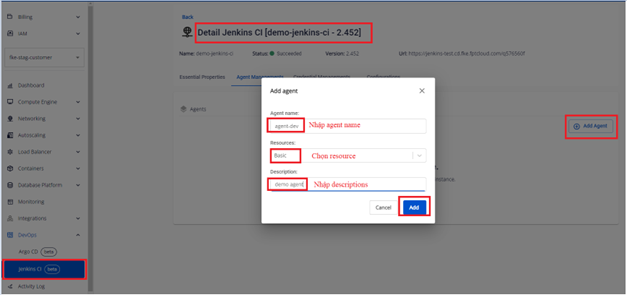
- Agent name: Enter the agent name.
- Resources: Select the resources for the agent.
- Descriptions: Enter an optional description.
Step 3: Click Add to create the agent. The system creates the agent and displays the result on the Portal.
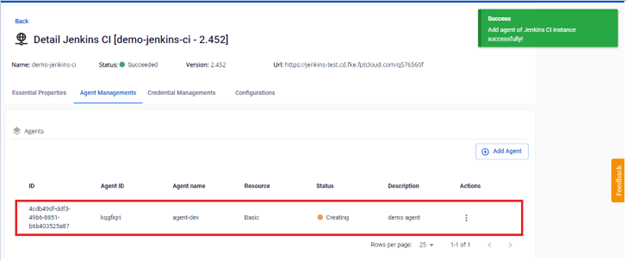
Once created, the agent status changes to Succeeded.
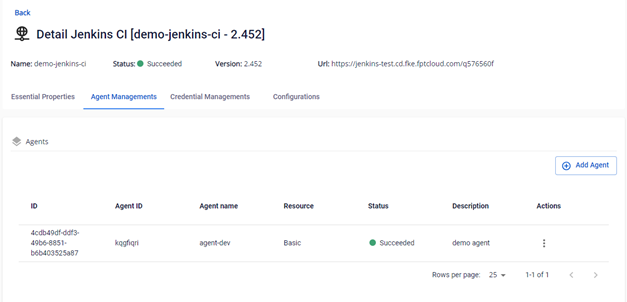
Step 4: Verify the agent was created in the Jenkins instance.
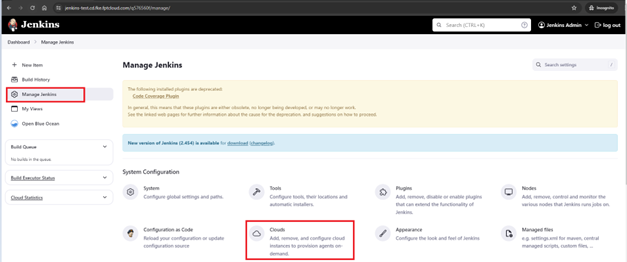
Log in to Jenkins > Manage Jenkins > Cloud.
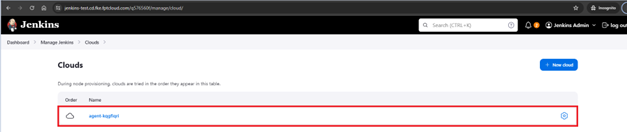
The Jenkins Agent created under Jenkins:
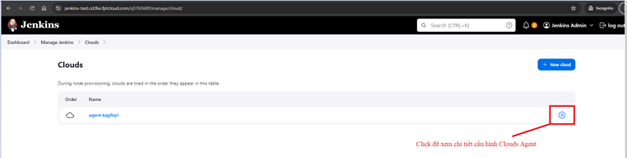
You can view the detailed configuration of the agent:
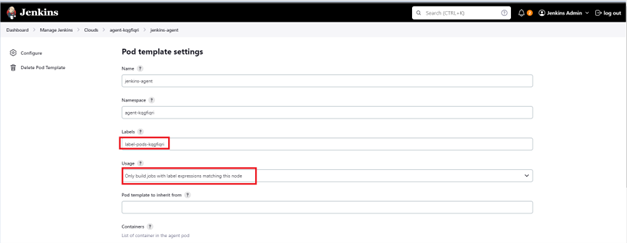
When creating an agent, the system automatically creates labels for the agent and configures them with "Only build jobs with label expressions matching this node". Make sure to enter the correct labels in Jenkins jobs.
Additionally, during agent creation, the system automatically creates a secret for connecting to the Kubernetes cluster that manages the agent. If you delete this secret, the system will not be able to connect to the agent.