Change Applications Configuration
From the application details page, you make changes to the configuration of applications by changing the value of User Define Values as follows: Step 1 : View the application's detail as per section 5.5.2. Step 2 : From the detail screen > click Reconfig
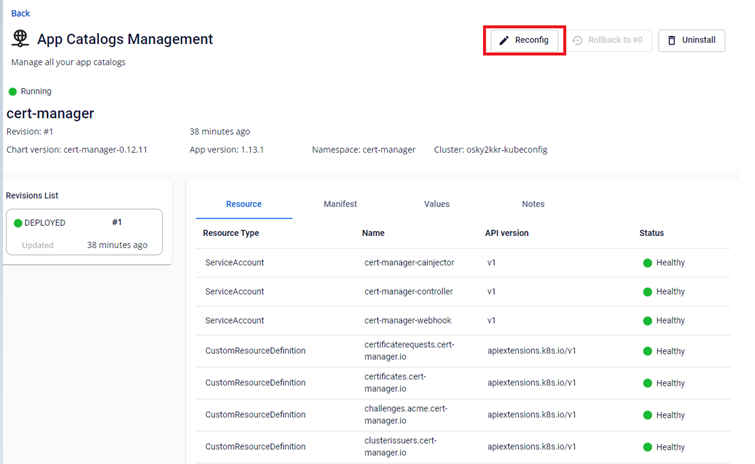
Step 3 : Change the value of User Define Values :
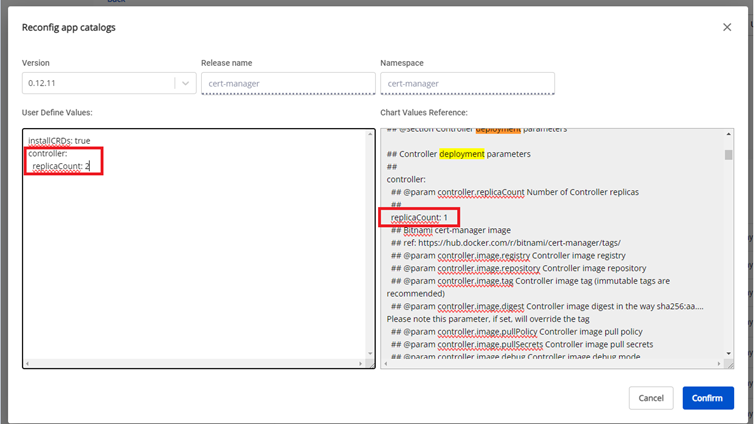
Step 4 : Click Confirm to apply the new config and view the deployment results of the config
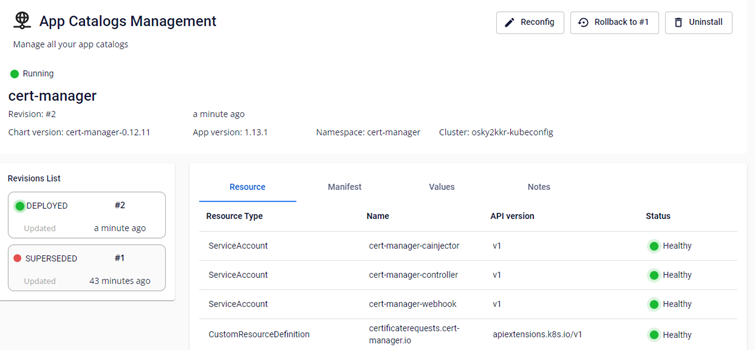
Step 5 : View the configuration detail deployed to the cluster by running this command:
Copyhelm -n ||NAMESPACE|| get values ||CHART-NAME||

Copykubectl -n ||NAMESPACE|| get pods

The number of replicas changes according to the number that has been configured.