Update Router Group Information
To update Router Group information, follow the steps below:
Step 1: In the menu bar, select Integration > Event Gateway.
Step 2: In the Event Gateway list, select an Event Gateway > select the Security tab.
Step 3: In the Router group list, select the Router Group whose details you want to update.
Step 4: Click the Edit icon next to the section you want to update.
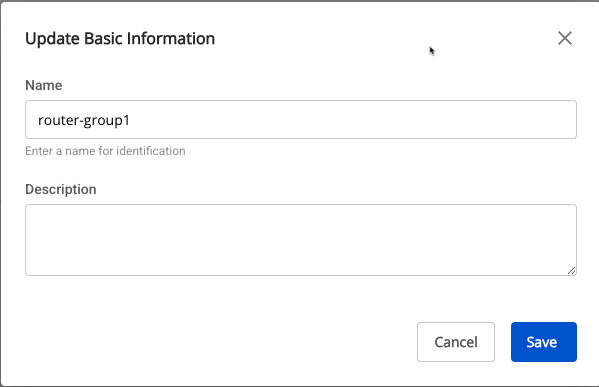
- Popup: Update Basic Information
- Name (required): Router Group name.
- May contain a–z, A–Z, hyphens (-), underscores (_), and digits; must start with a letter; maximum 30 characters.
- Description (optional): Description.
- Name (required): Router Group name.
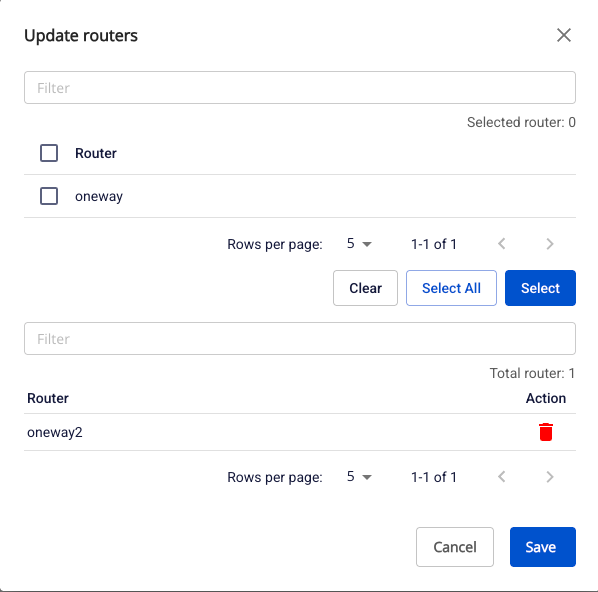
- Popup: Update routers
- Displays a popup that allows adding or removing routers within the group.
Step 5: After making updates in each popup, click Save to save the changes.