Edit a report
-
Go to Home > Apps > Reporting.
-
Click a report name to open its details.
-
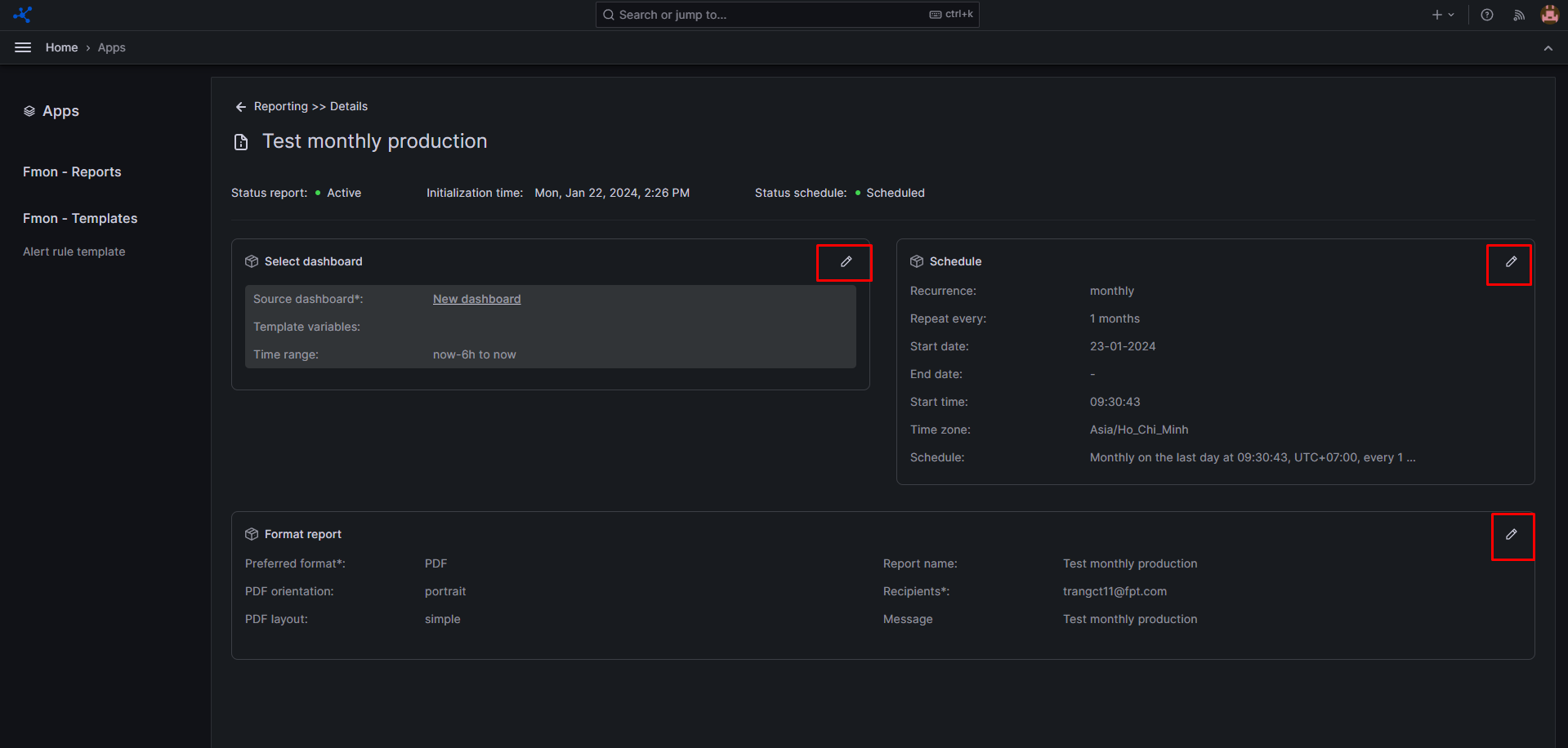
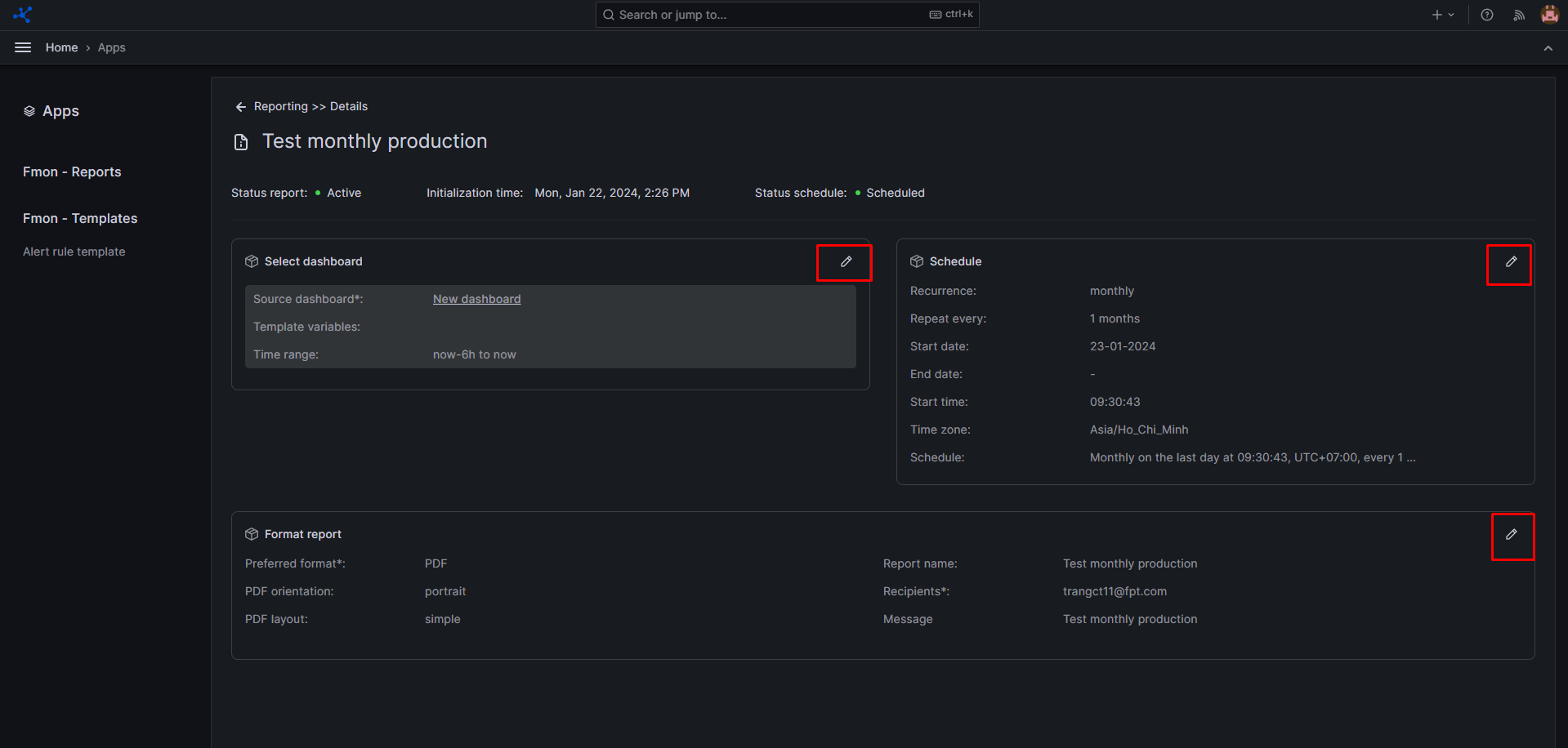
On the Detail report screen, click the Pencil icon in the section you want to edit — Dashboard, Schedule, or Format report.
The system navigates to that section so you can update the relevant information.