View report details
-
Go to Home > Apps > Reporting.
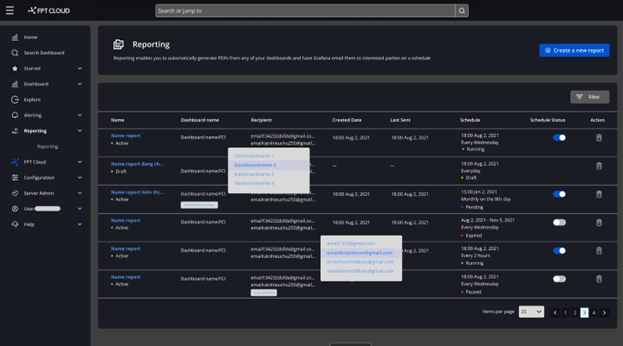
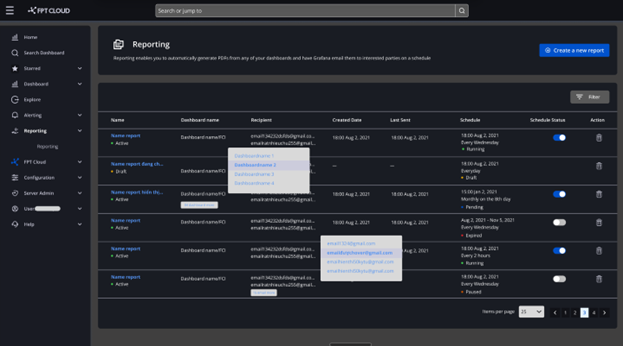
The report list is displayed in a table with the following columns:
Column Description Name Name of the report Report status Active or Draft Dashboard name Name of the selected dashboard Recipient Recipient email address Created date Date the report was created or last modified Last sent Date the report email was last sent Schedule The report send schedule Schedule status Active or Inactive. Not shown for Draft reports -
Click a report name to view its details.
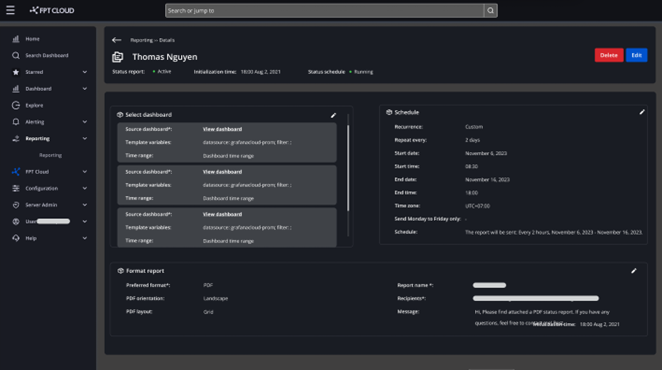
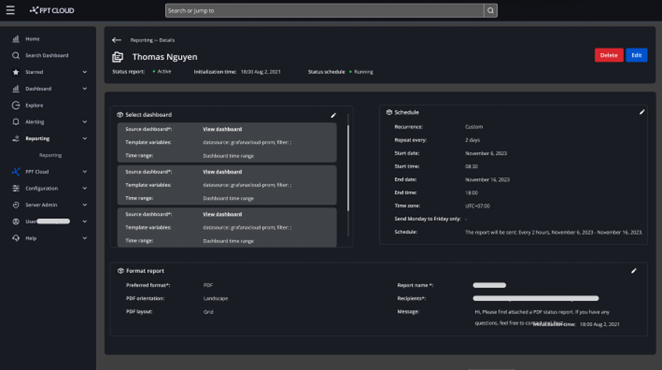
The report detail view includes:
- Report name
- Report status:
- Active: The report was created successfully.
- Draft: The user selected Save as Draft.
- Initialization time: When the report was created or last modified.
- Schedule status:
- Scheduled: A send schedule has been set.
- Expired: The report schedule has passed.
- Draft: The report is in draft state.
- Paused: The schedule is within its active period but the user has disabled sending (paused).