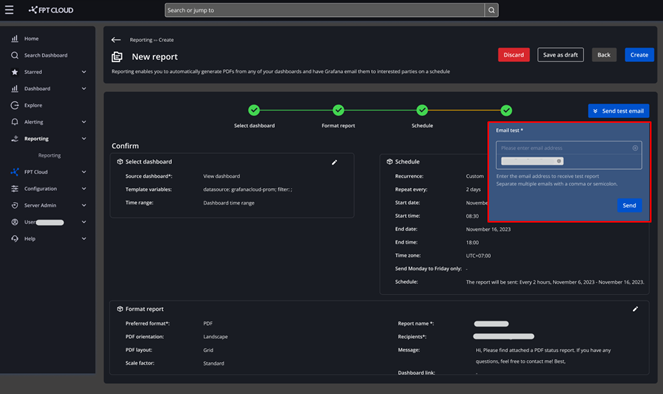
Test send email
The Test send email feature lets you verify report content and confirm that the report is successfully delivered to recipients.
To use this feature:
-
Go to Home > Apps > Reporting > Create a new report.
-
Fill in all report details: Select Dashboard, Format Report, Schedule, and Confirm.
-
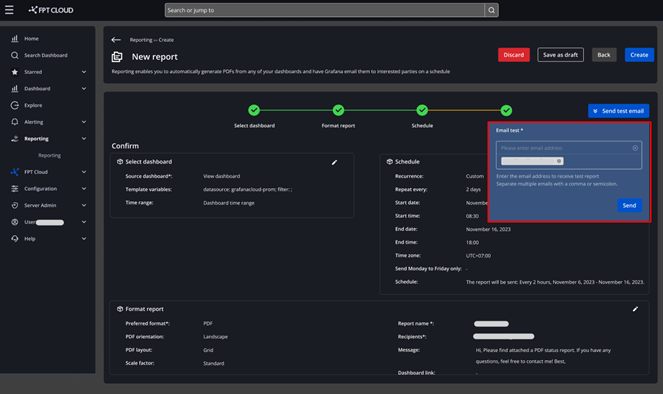
On the Confirm screen, click Send email test.
-
A dialog box appears — enter the test email address, then click Send.
-
Check the recipient's inbox to verify the report was received.