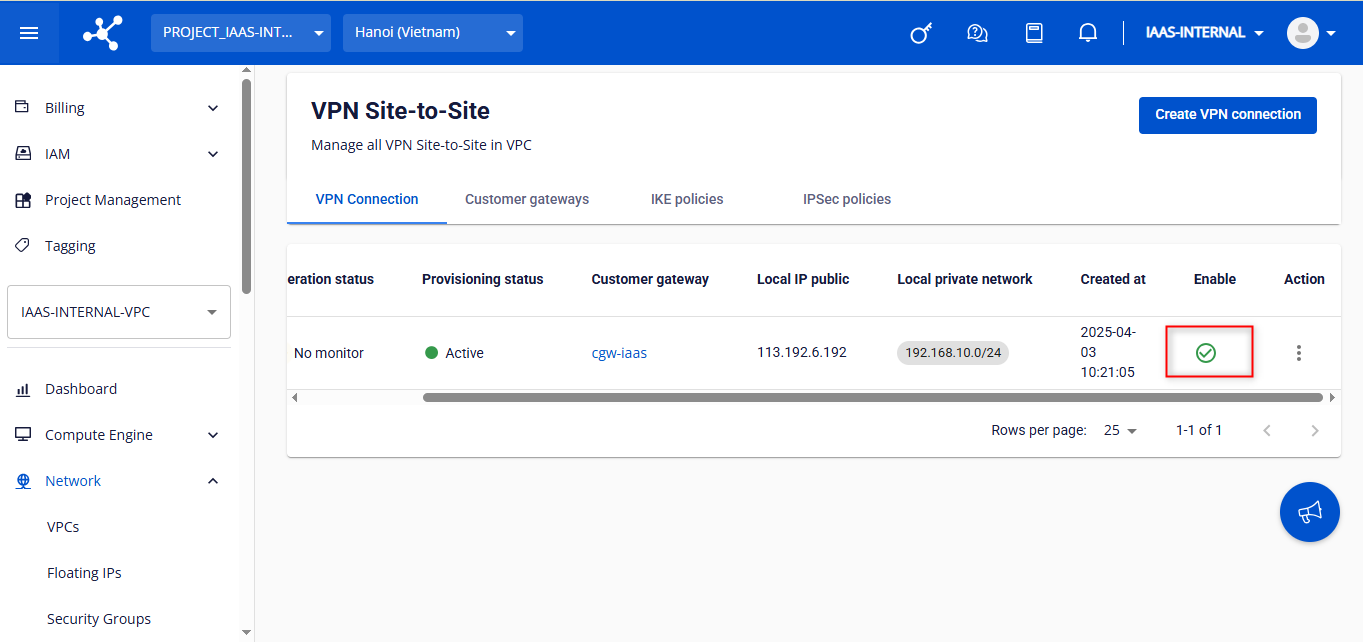
Enable/disable VPN connection
Disable a VPN connection
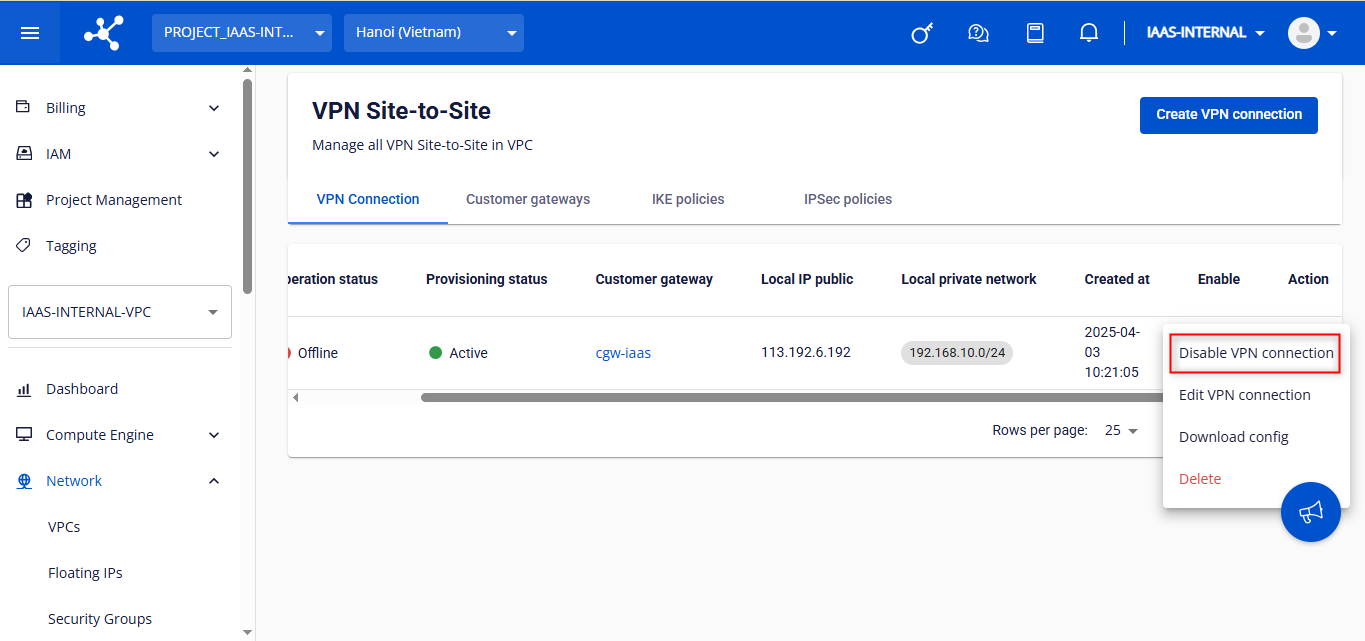
- Select Disable VPN connection from the Action menu.
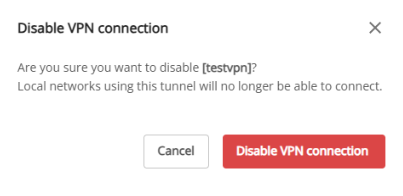
- In the dialog box, click Disable VPN connection to confirm, or Cancel to abort.
warning
Disabling a VPN connection may take some time. Wait until the process completes before performing further actions.
- Verify the VPN connection status after disabling.
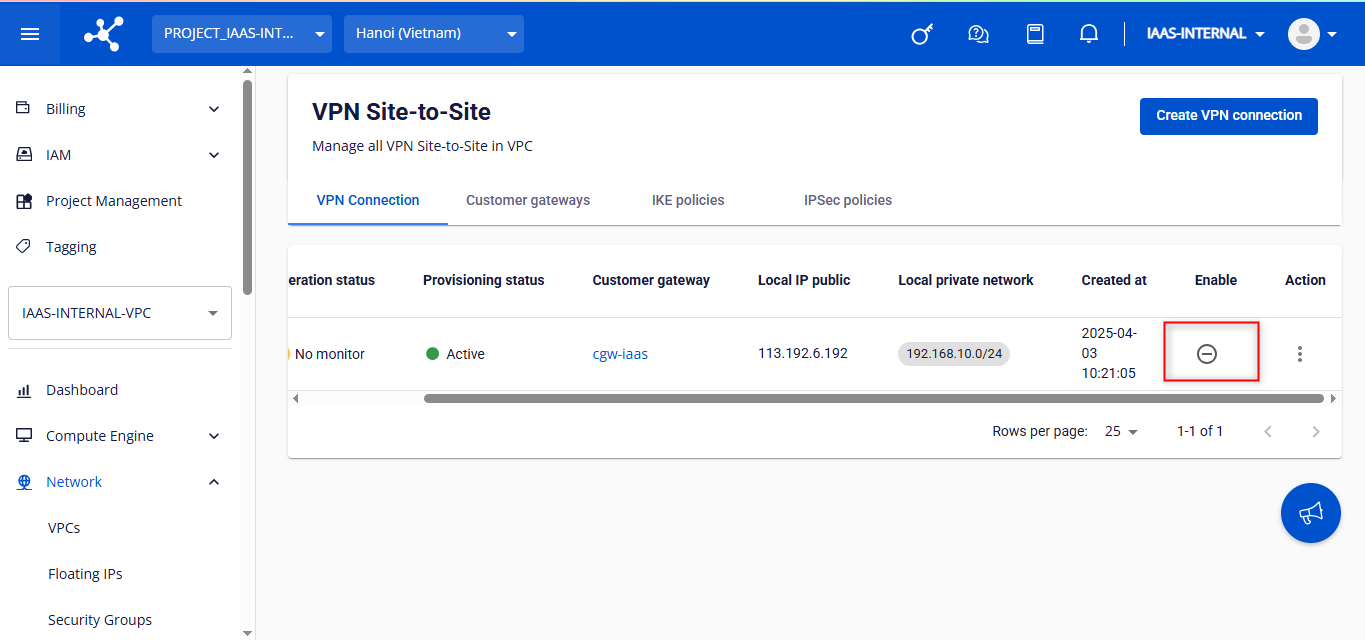
Enable a VPN connection
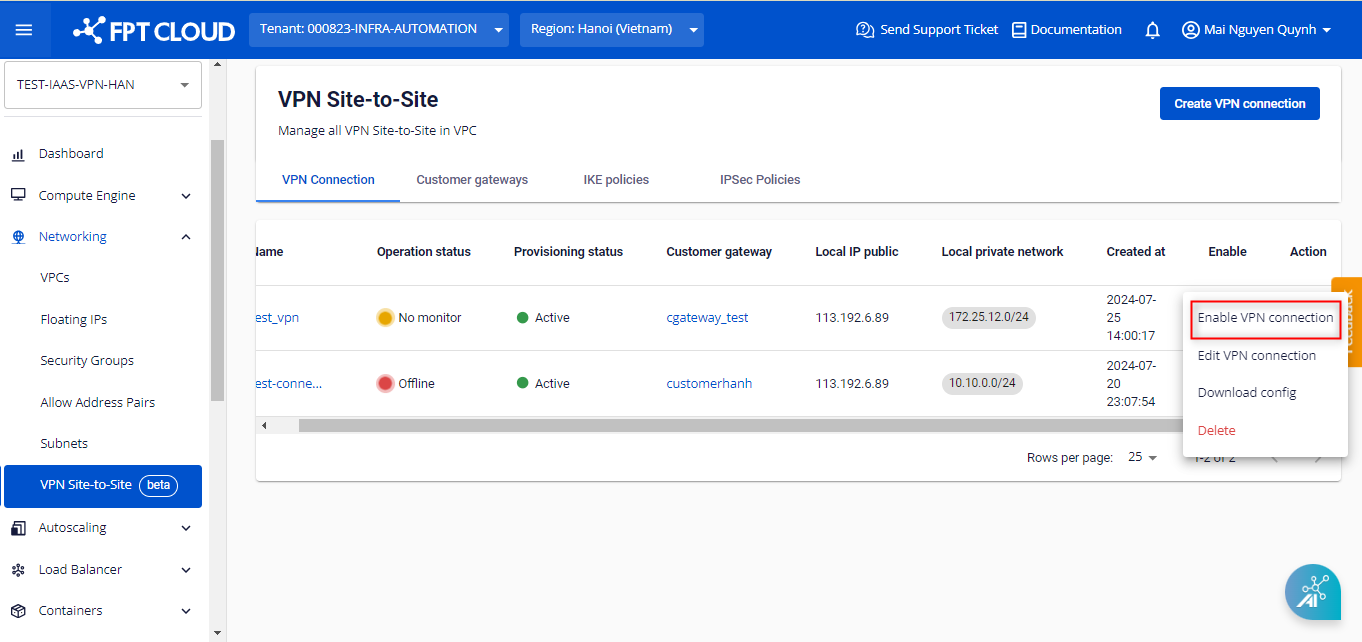
- Select Enable VPN connection from the Action menu.
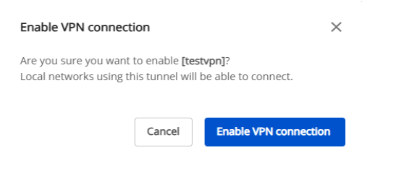
- In the dialog box, click Enable VPN connection to confirm, or Cancel to abort.
warning
Enabling a VPN connection may take some time. Wait until the process completes before performing further actions.
- Verify the VPN connection status after enabling.