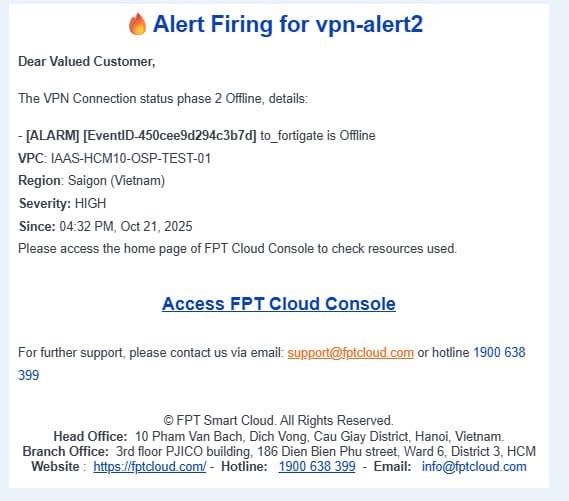
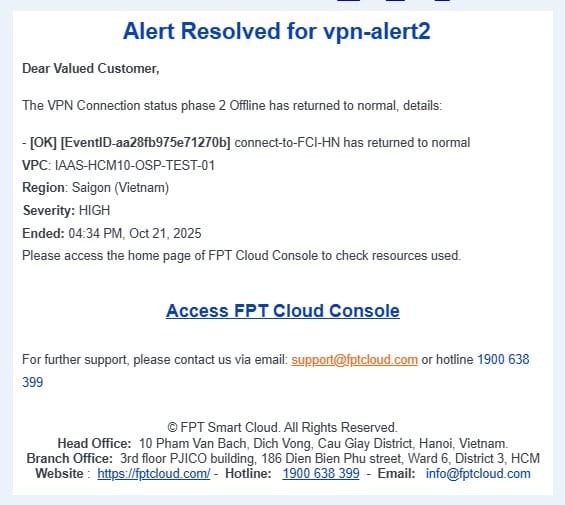
Set up alerts via Cloud Guard
Integrating Cloud Guard allows you to configure alert thresholds for the VPN service. When the system reaches or exceeds the configured threshold, Cloud Guard sends an alert notification through the configured channels (Email, Telegram, Slack, Teams, etc.).
Step 1: Create a recipient
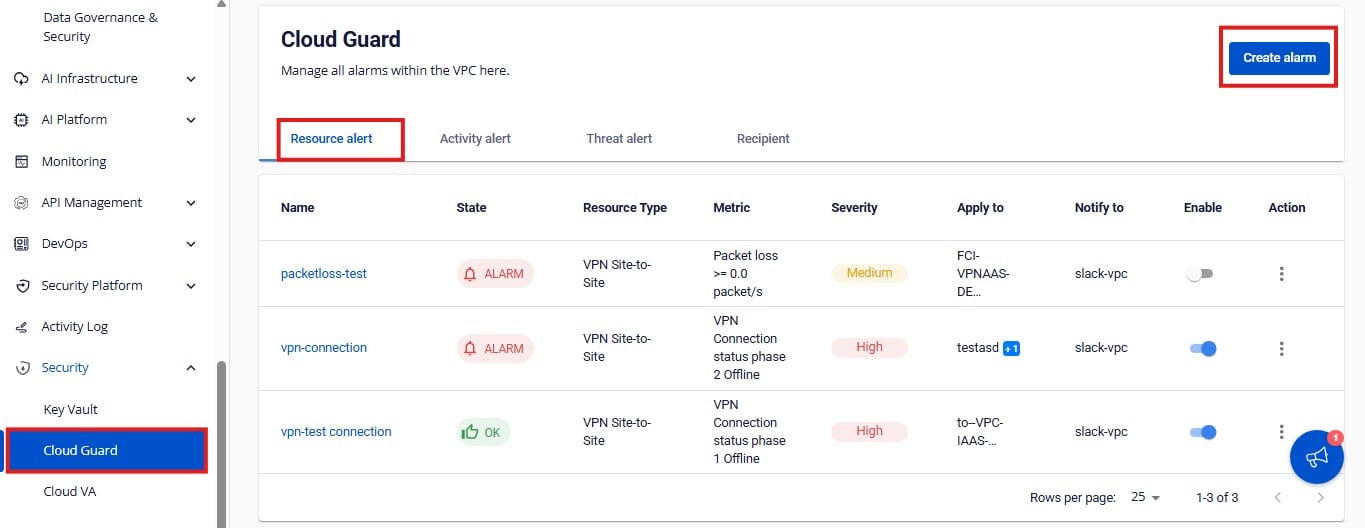
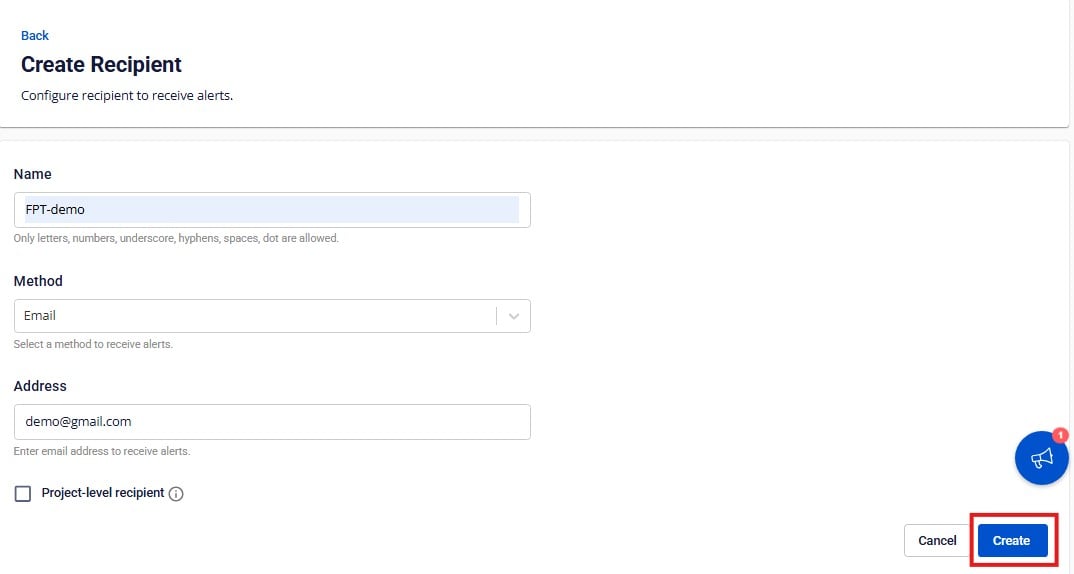
- From the menu, go to Security > Cloud Guard, open the Recipients tab, and click Create Recipient.
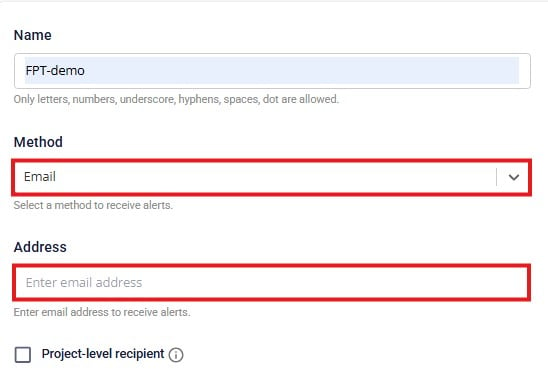
- Fill in the following information:
- Name: Name of the recipient.
- Method: Alert delivery method — Email, Telegram, Slack, or Teams.
- Address: Destination address for the alert.
Via Email: Enter the recipient email address.
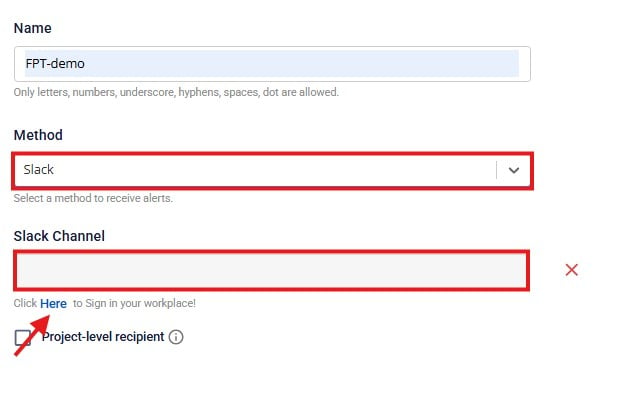
Via Slack: Select the Slack Channel. Log in to your Slack account and select a channel from the list.
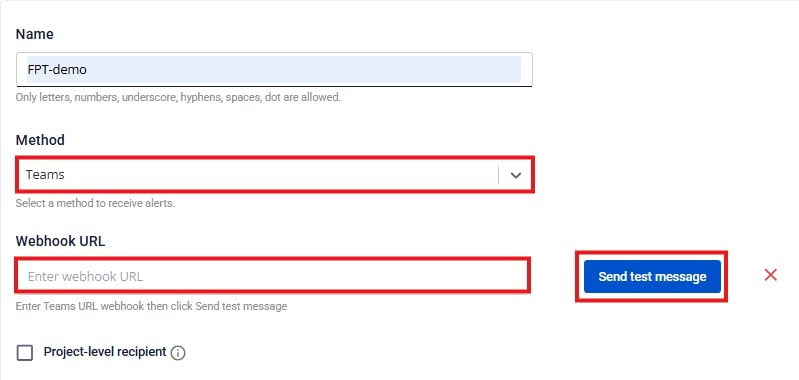
Via Teams: Enter the Teams channel URL and click Send test message.
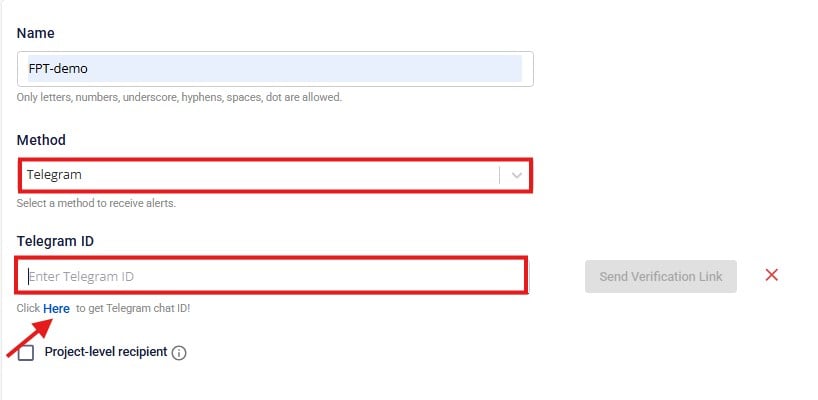
Via Telegram: Enter the Telegram ID of the recipient.
- Click Create to save the recipient.
Step 2: Create an alert for VPN
-
From the top menu, select Cloud Guard > Resource alert > Create alarm.
-
Enter the following details:
- Name: Display name of the alert.
- Type: Select VPN Site-to-Site.
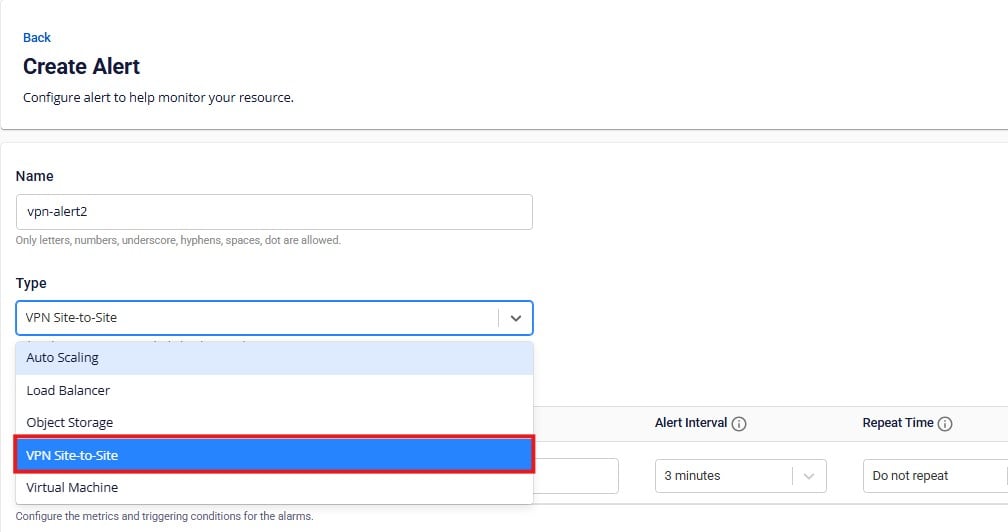
- Configure the alert condition:
| No. | Field | Description |
|---|---|---|
| 1 | Metric type | Select the VPN metric to monitor. |
| 2 | Operator | Select the comparison condition. |
| 3 | Threshold | Set the threshold value to trigger the alert. |
| 4 | Alert interval | Calculation frequency (minimum: 3 minutes). |
| 5 | Repeat time | How often the alert repeats if the condition remains above threshold. |
FPT Cloud Guard supports alerts for the following VPN metrics:
| No. | Metric | Description |
|---|---|---|
| 1 | CPU Usage (%) | CPU usage percentage on the VPN Gateway device. |
| 2 | Packet loss (packet/s) | Number of packets lost per second between the two VPN endpoints. |
| 3 | RAM Usage (%) | RAM usage percentage of the VPN Gateway. |
| 4 | VPN Connection Status Phase 1 Offline | Offline status for Phase 1 (IKE) of the VPN connection. |
| 5 | VPN Connection Status Phase 2 Offline | Offline status for Phase 2 (IPsec) of the VPN connection. |
| 6 | VPN Gateway Status Offline | Offline status of the VPN Gateway. |
For CPU Usage, Packet loss, and RAM Usage metrics, apply them to your VPN Gateway. For Phase 1/Phase 2 Offline and Gateway Status Offline metrics, select the VPN connections from the list.
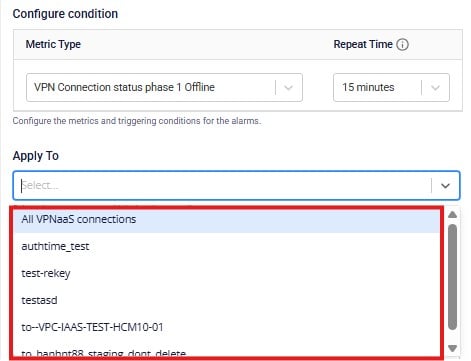
-
Select the Severity level and the Notify to recipient.
-
Click Create to finish. When the condition is triggered or returns to normal, the system automatically sends a notification via the configured method.