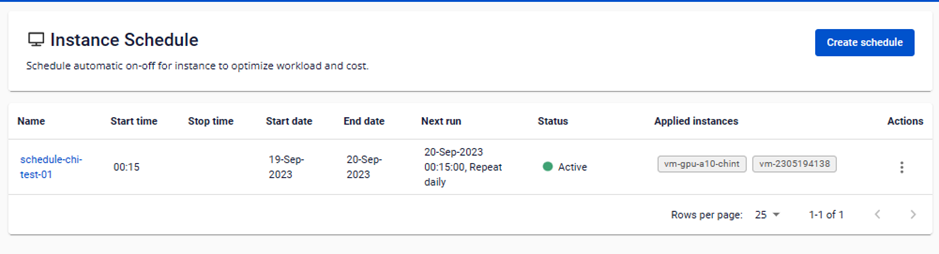
Create a new instance schedule
To create a new instance schedule, follow these steps:
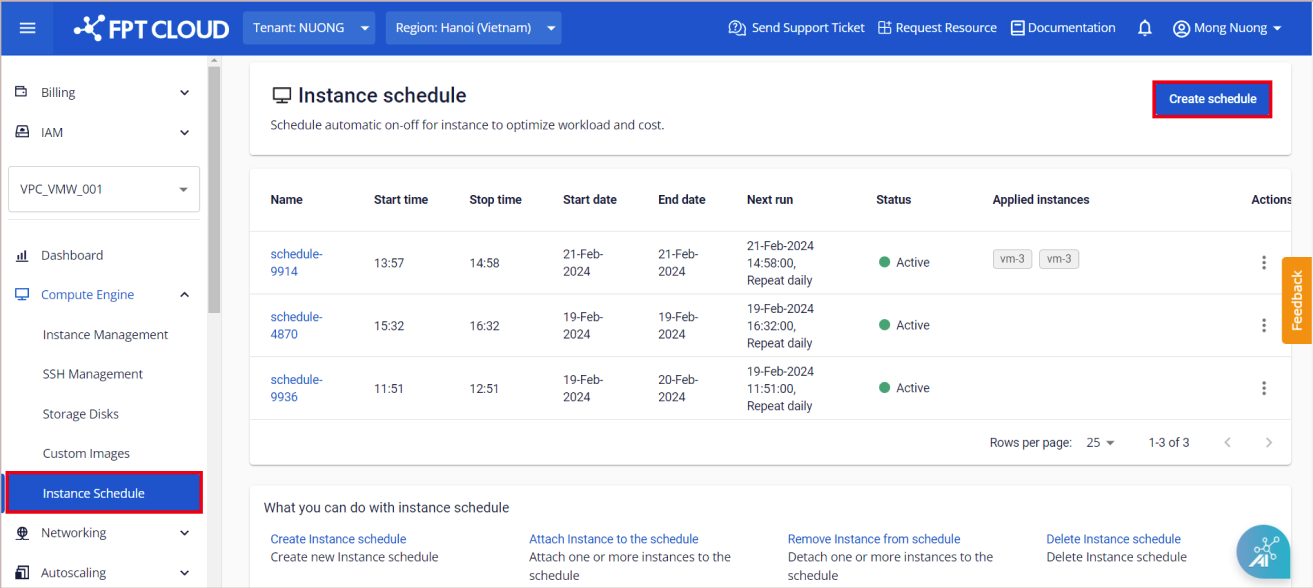
Step 1: In the menu, go to Compute Engine > Instance Schedule, then click Create schedule.
Step 2: Fill in the required fields:
- Name: Name of the instance schedule.
- Description: Description of the instance schedule.
- Start time: Time to turn the virtual machines on.
- Stop time: Time to turn the virtual machines off.
- Start Date: Date from which the schedule begins. (If left blank, the schedule runs indefinitely from creation.)
- End Date: Date on which the schedule ends. (If left blank, the schedule runs indefinitely until deleted.)
- Frequency: How often the on/off action runs — daily, weekly, or monthly.
- Applied instances: Virtual machines to attach to this schedule. (Each virtual machine can only be attached to one schedule at a time.)
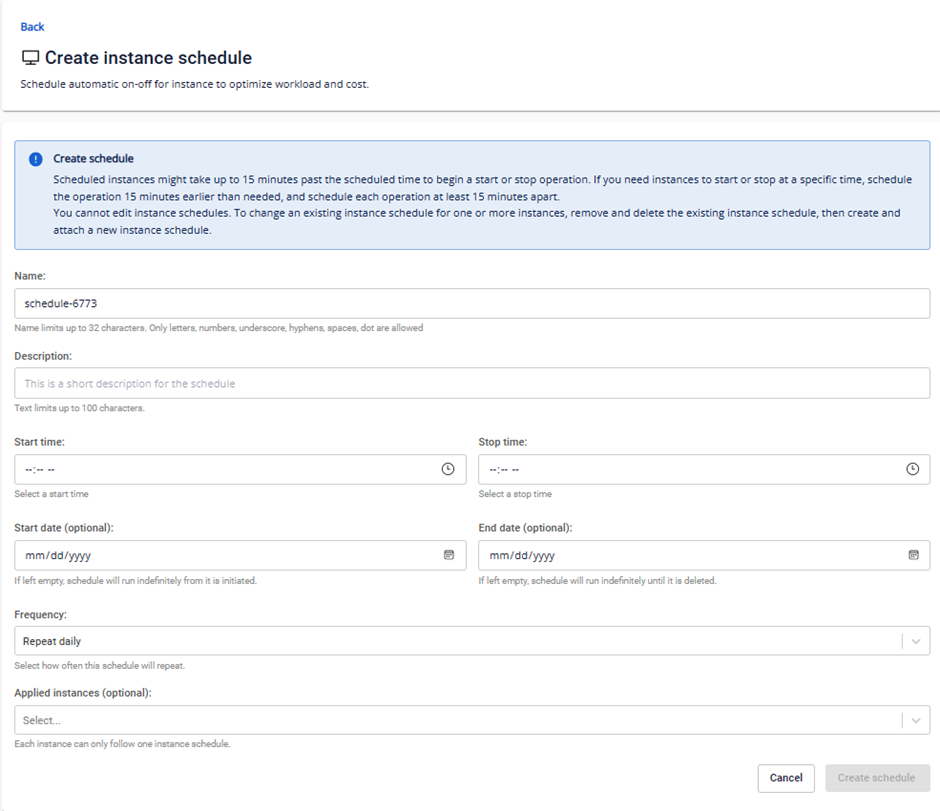
Step 3: Click Create schedule. The system will initialize the schedule and display the result.
If successful, the new instance schedule appears on the Instance Schedule Management page.