Create an address pair from Instance Management
-
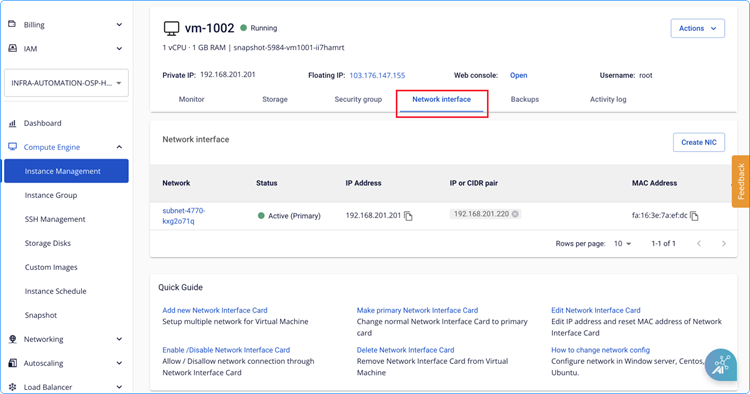
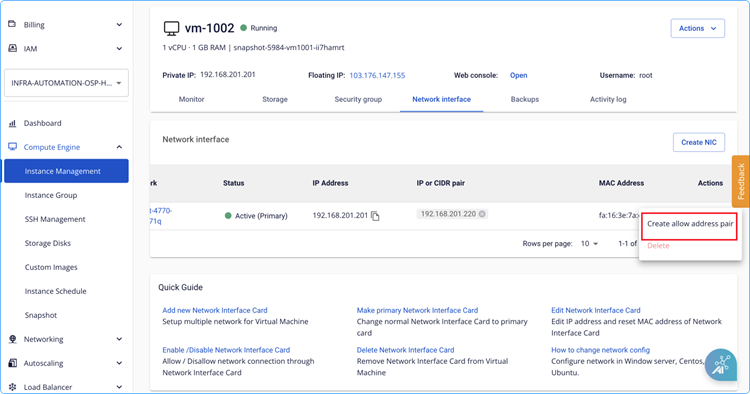
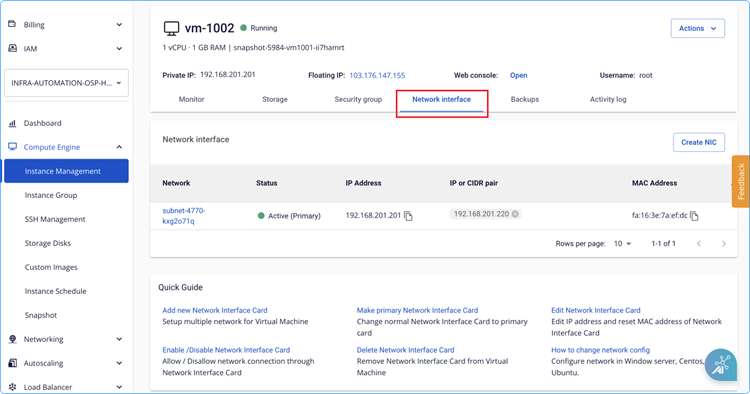
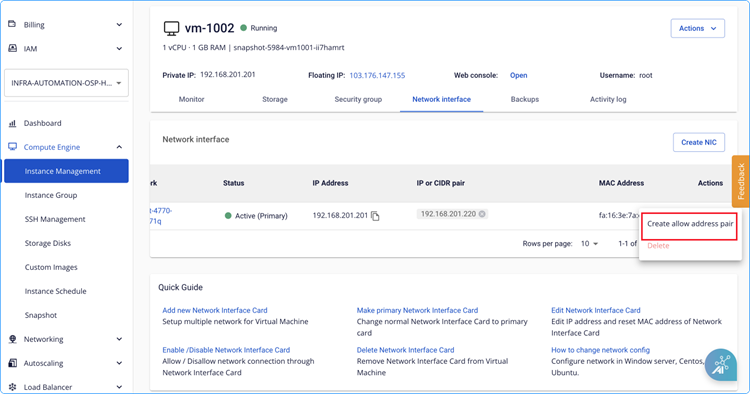
Go to Network Interface in Instance Management.
-
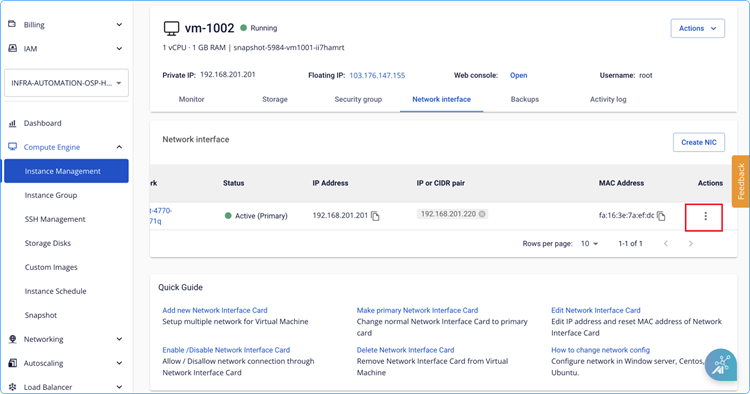
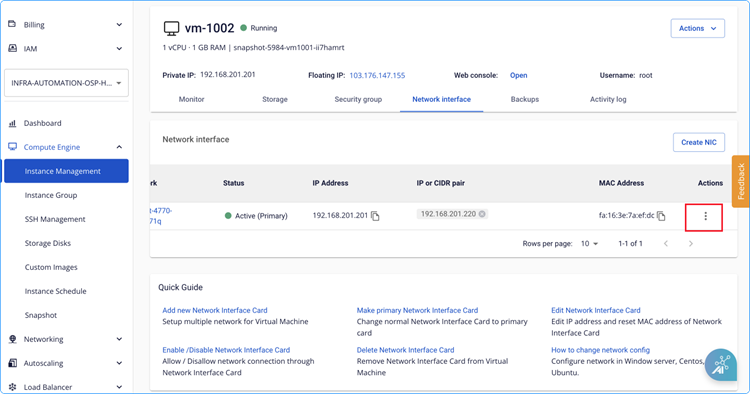
Click the three-dot action button.
-
Select Create allow address pair.
-
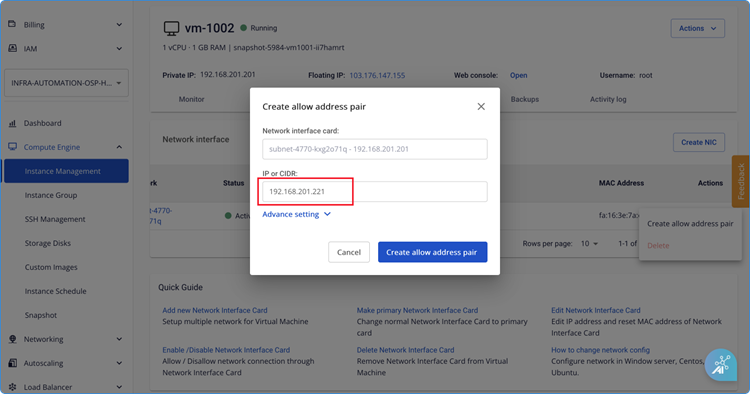
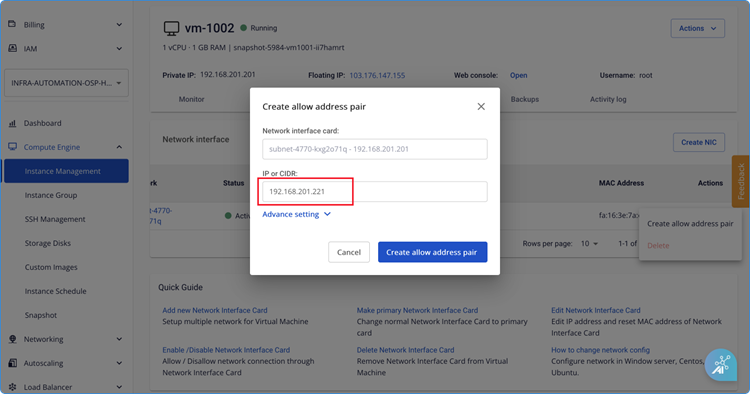
Configure the allow IP address pair:
- The system pre-selects the current network interface card.
- Enter the IP address (or CIDR) to allow.
-
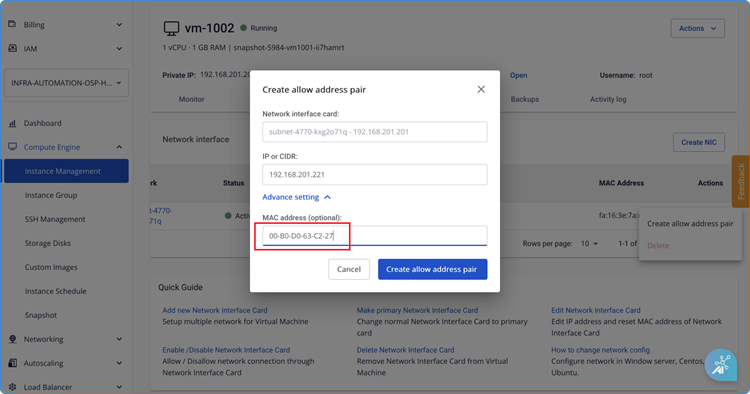
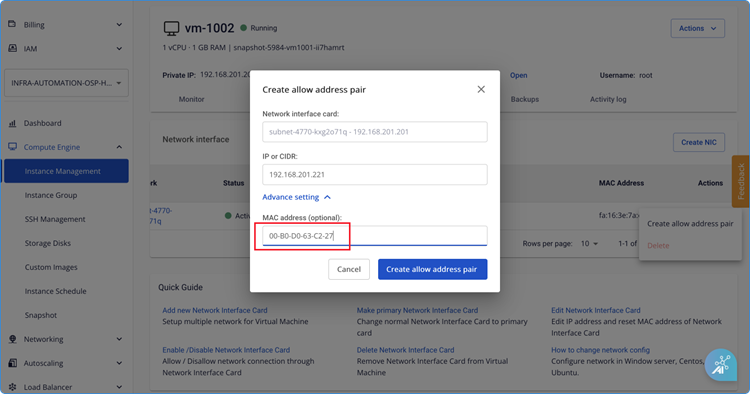
Configure the allow MAC address pair (optional). If left blank, the system defaults to the MAC address of the selected network interface card.
- Click Advanced Setting.
- Enter the MAC address.
-
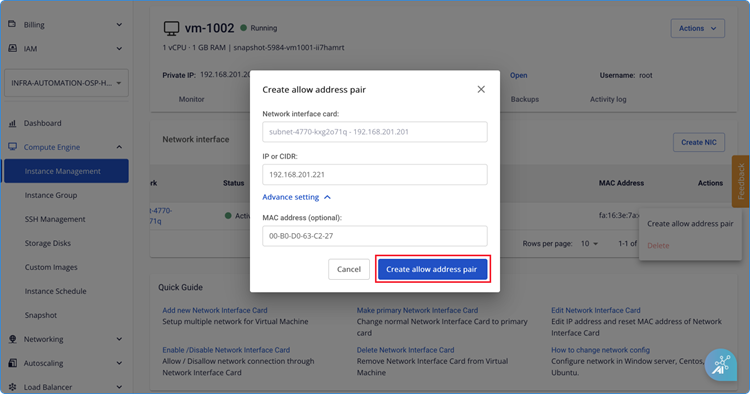
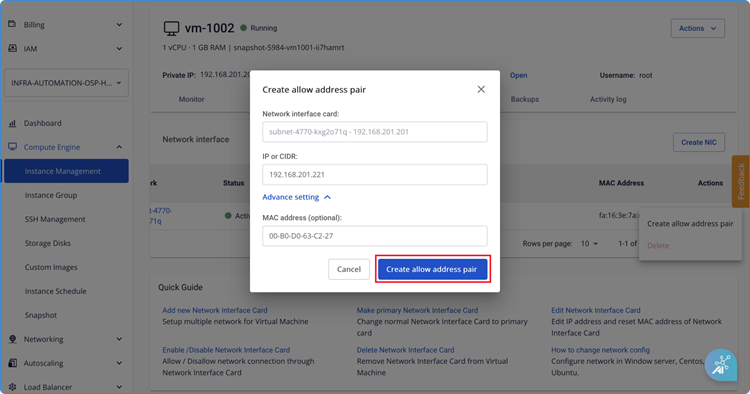
Click Create allow address pair.
-
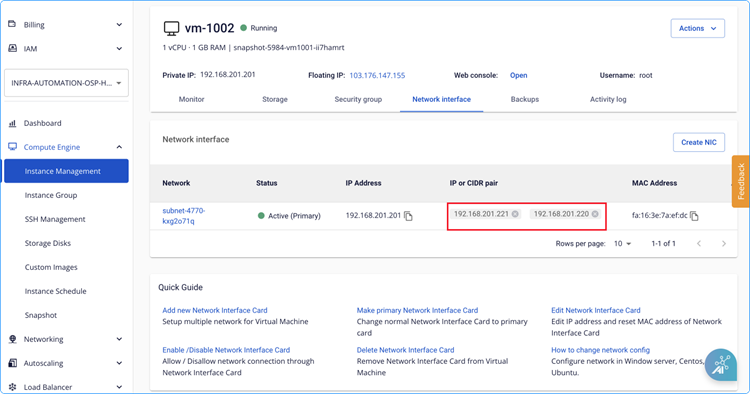
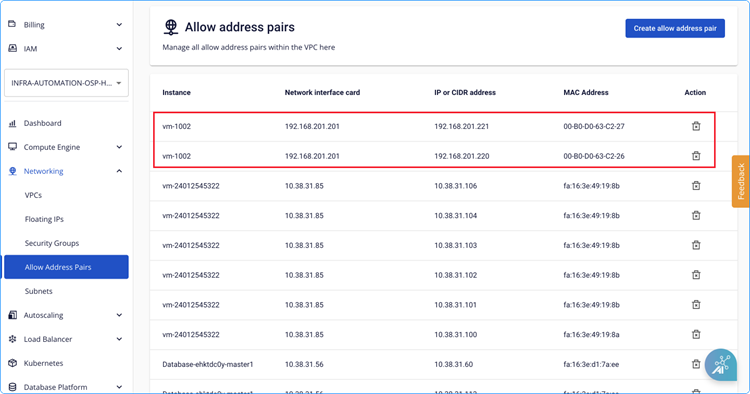
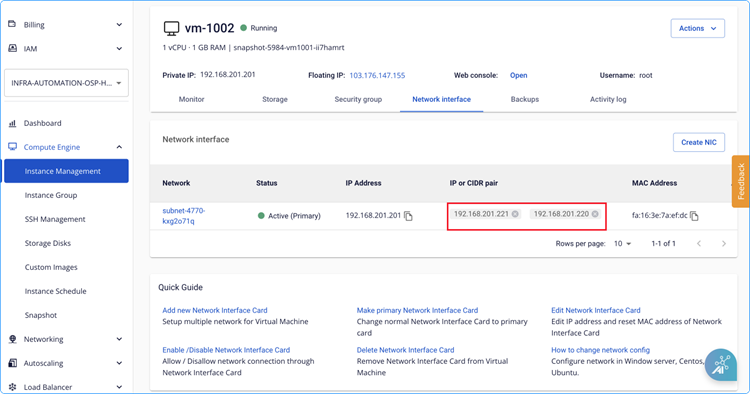
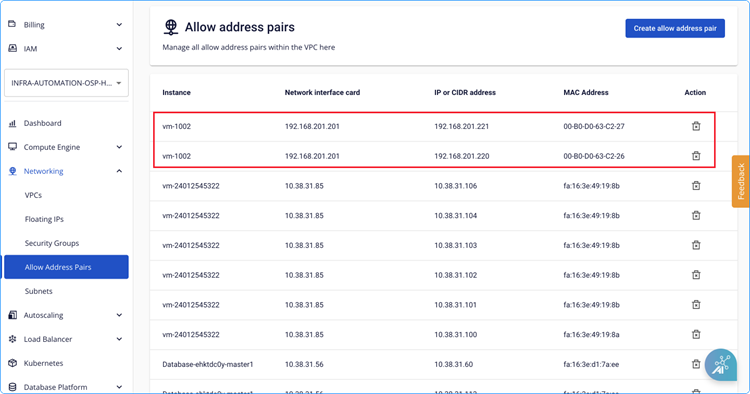
Verify the result. The new entry appears in the Allow address pair list and the instance's Network interface details are updated.