Delete an address pair
Method 1: Delete from the Allow address pair management screen
-
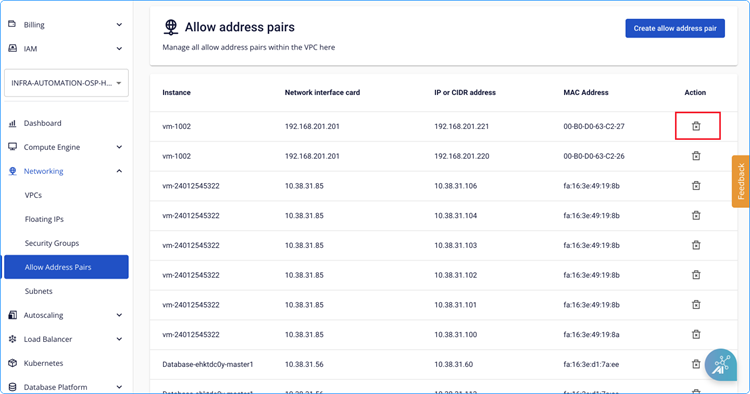
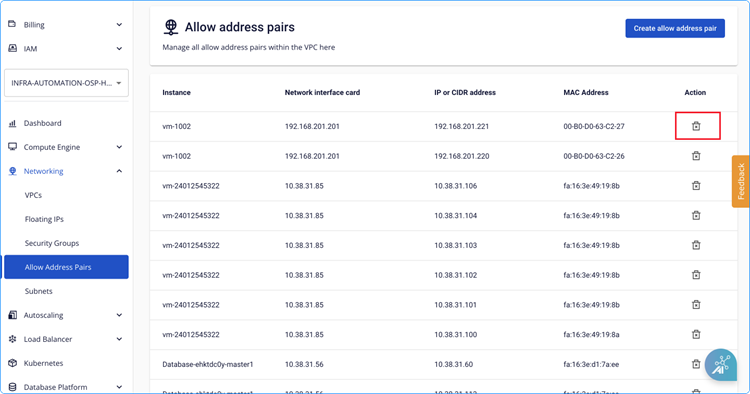
Click the delete icon next to the address pair you want to remove.
-
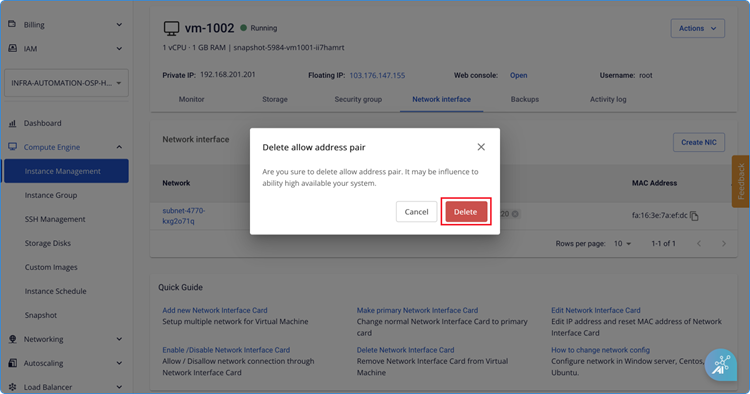
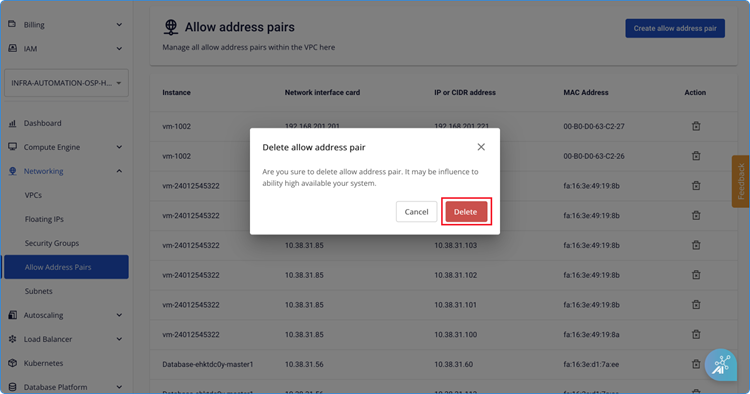
Confirm the deletion.
Method 2: Delete from Instance Management
-
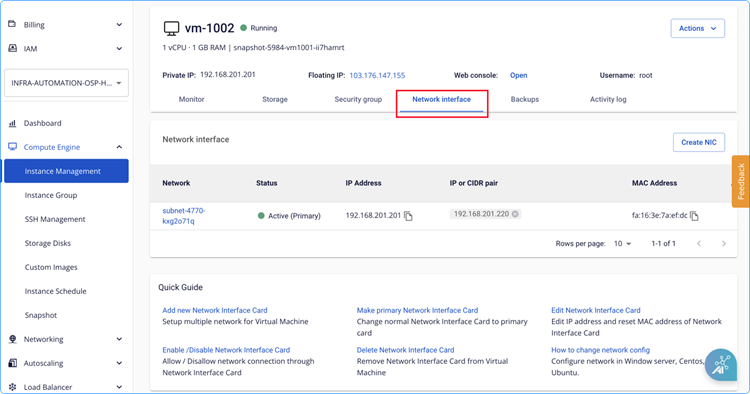
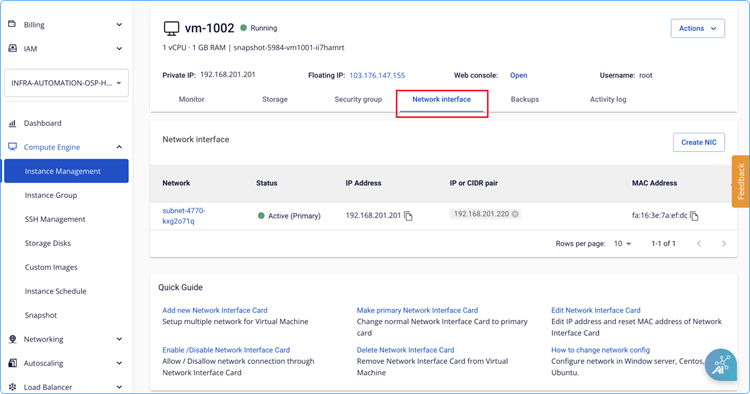
Go to Network Interface in Instance Management.
-
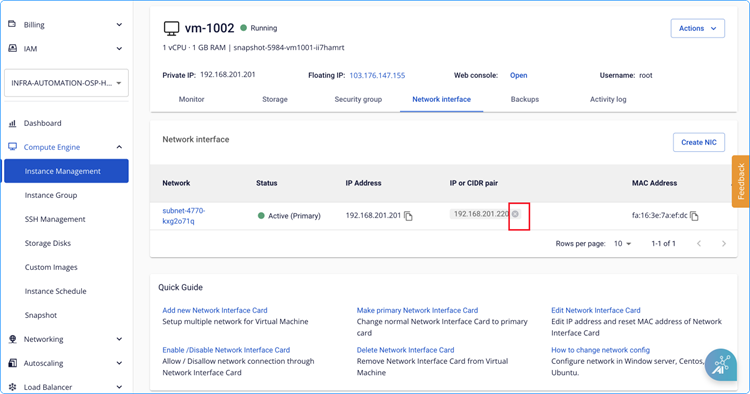
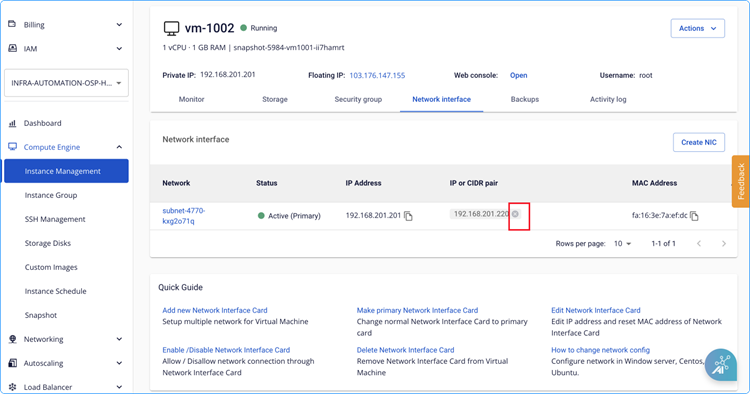
Click the X icon next to the address pair.
-
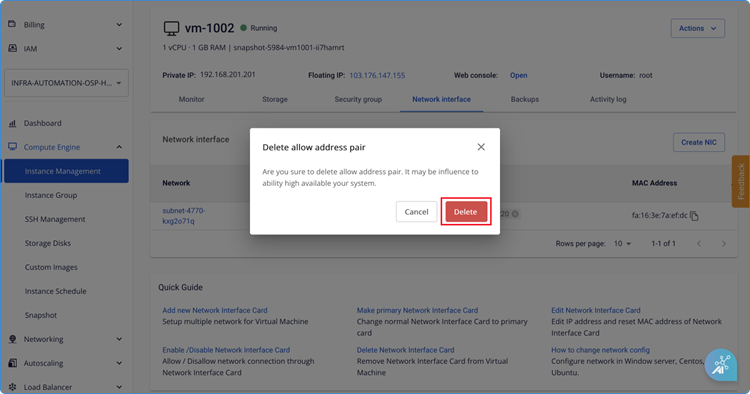
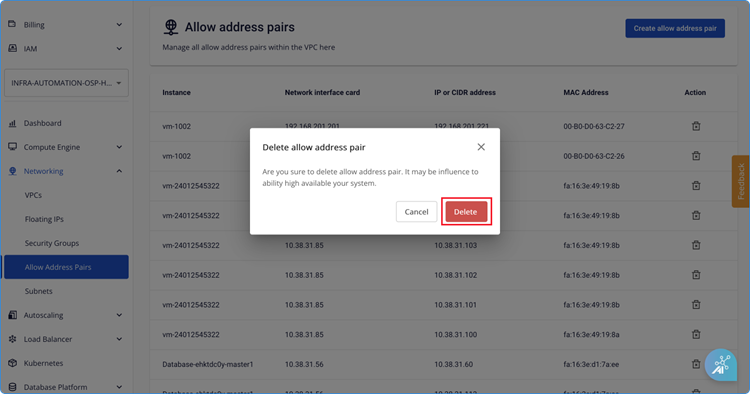
Confirm the deletion.