Create an address pair
A single network interface card can have multiple allow address pairs configured, and a single address pair can be applied to multiple network interface cards across different instances.
-
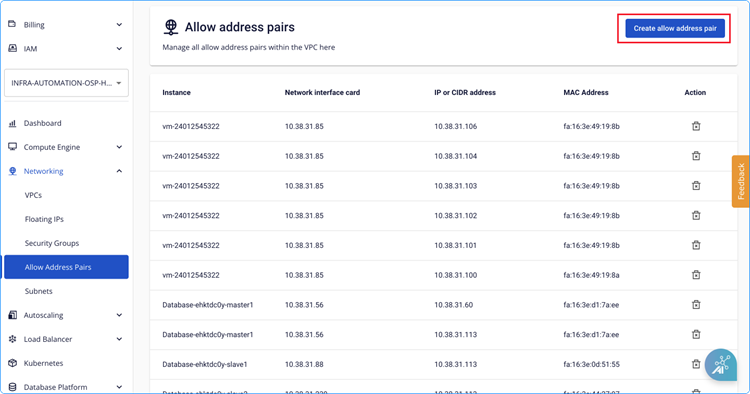
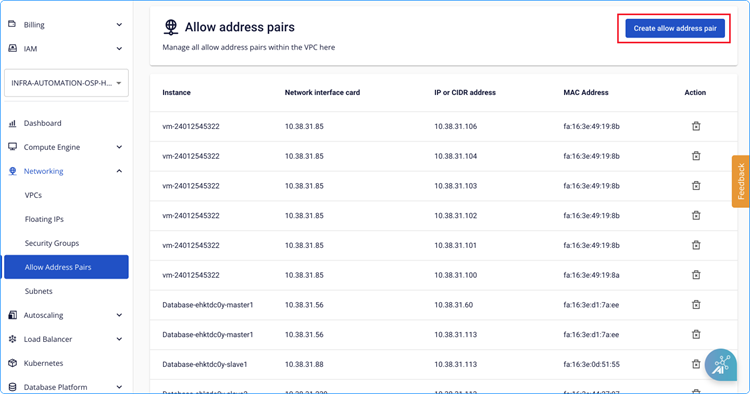
On the Allow address pair management screen, select Create allow address pair.
-
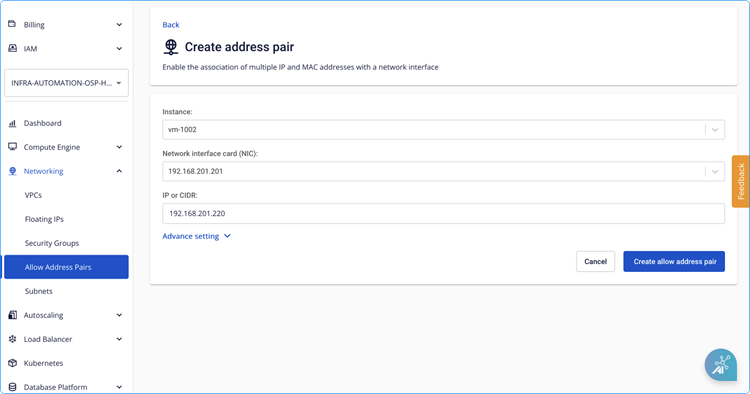
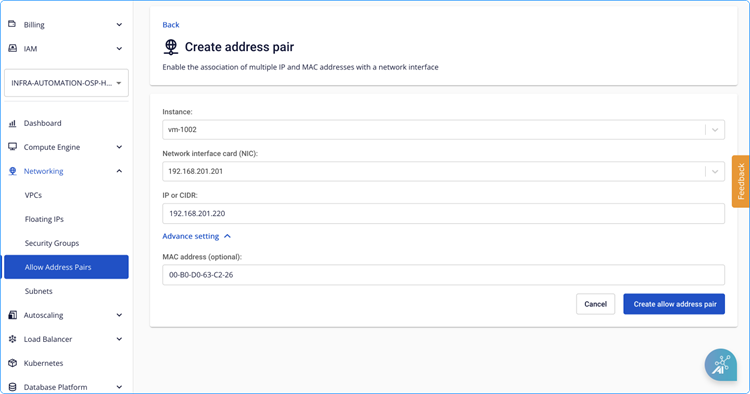
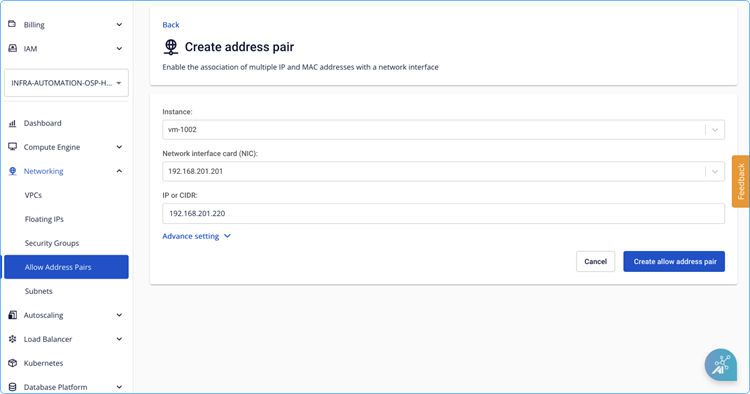
Configure the allow IP address pair:
- Select the instance.
- Select the network interface card to configure the allow address pair on.
- Enter the IP address (or CIDR) to allow.
-
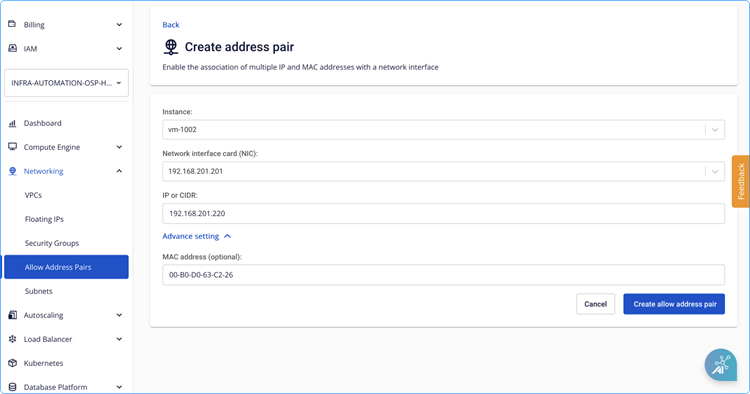
Configure the allow MAC address pair (optional). If left blank, the system defaults to the MAC address of the selected network interface card.
- Click Advanced Setting.
- Enter the MAC address.
-
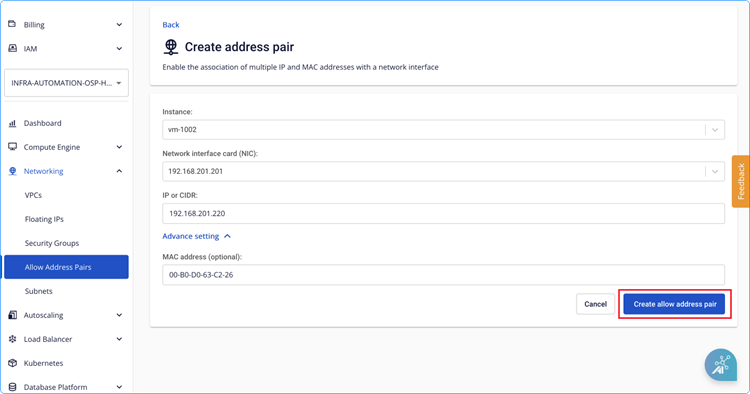
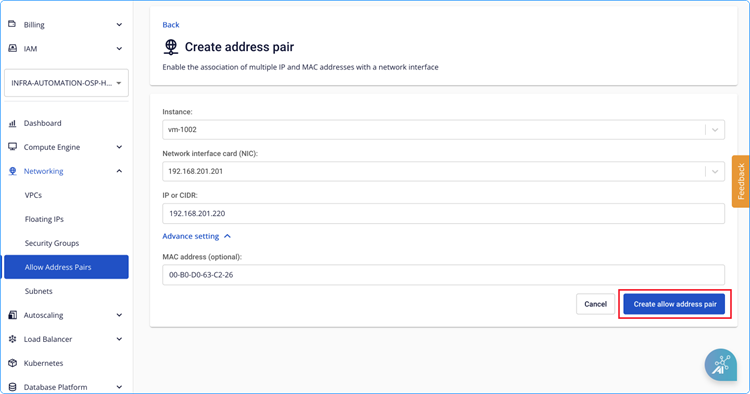
Click Create allow address pair.
-
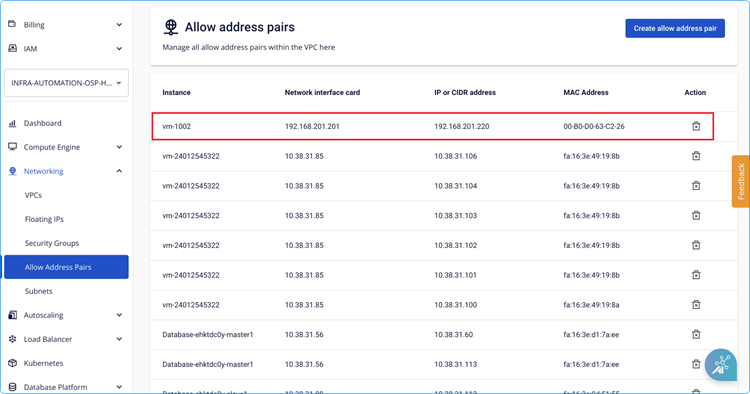
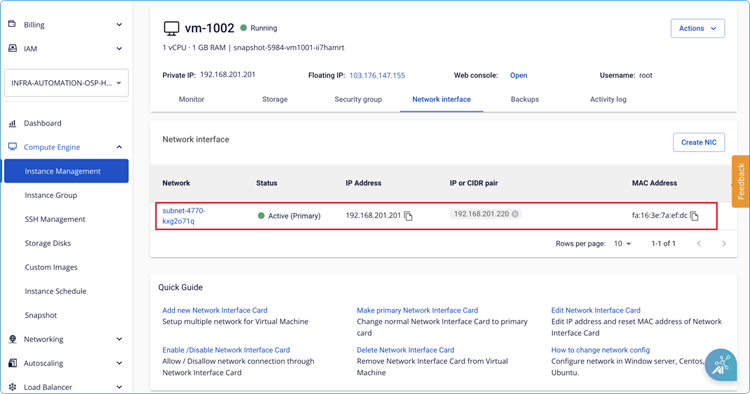
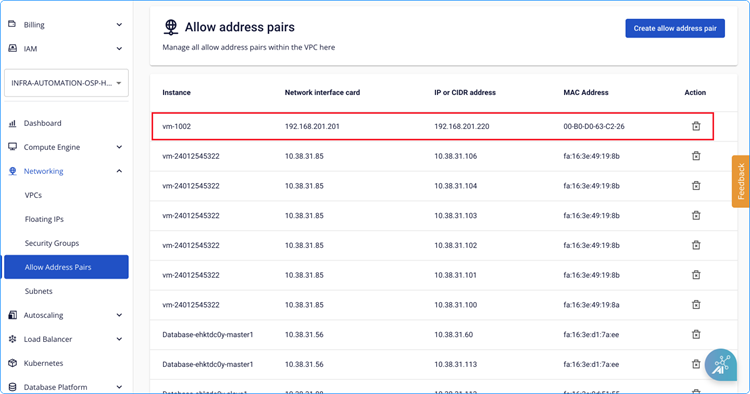
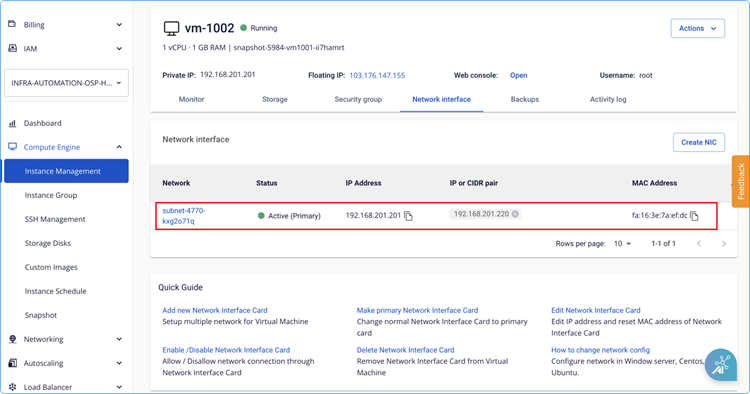
Verify the result. The new entry appears in the Allow address pair list and the instance's Network interface details are updated.