Get cluster access information
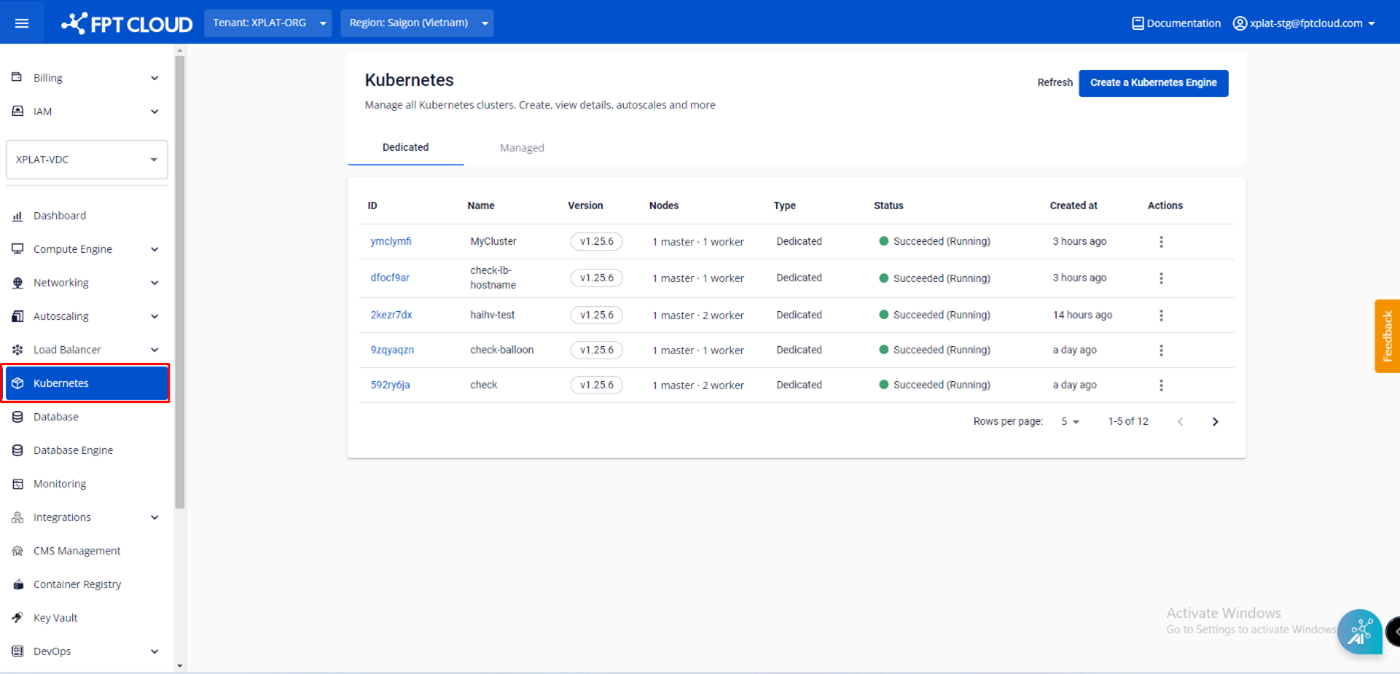
- From the menu, select Kubernetes. The Kubernetes Management page appears.
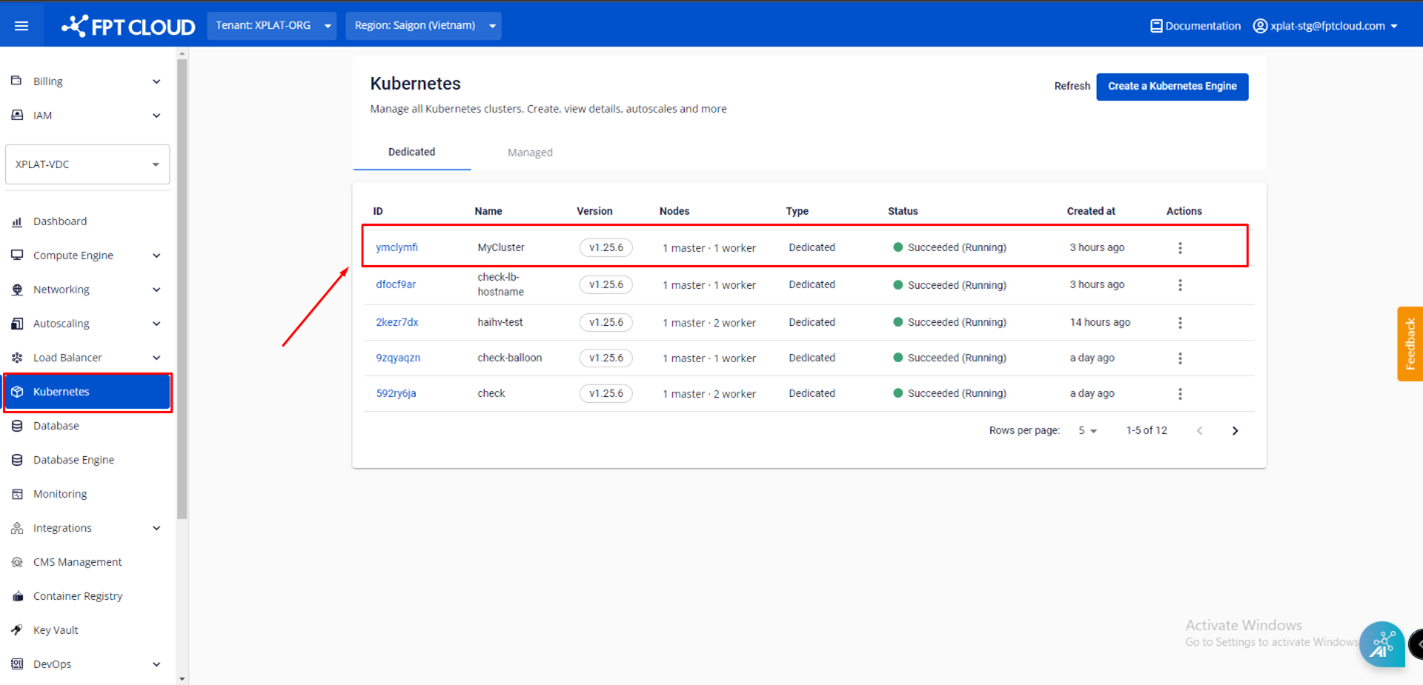
- Select the Cluster you want to view from the list.
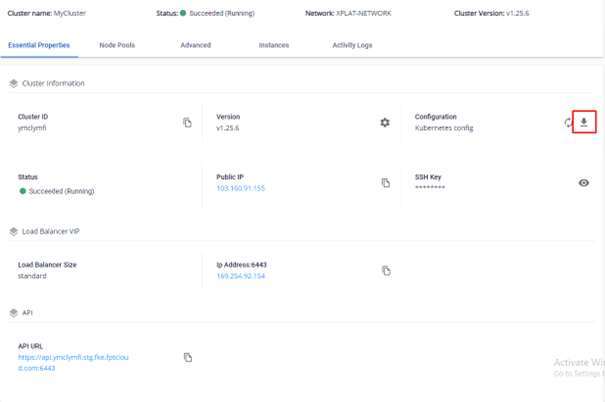
- From the Essential Properties tab > Cluster Information > Configuration, you can download the kubeconfig file to log in to the cluster via kubectl.
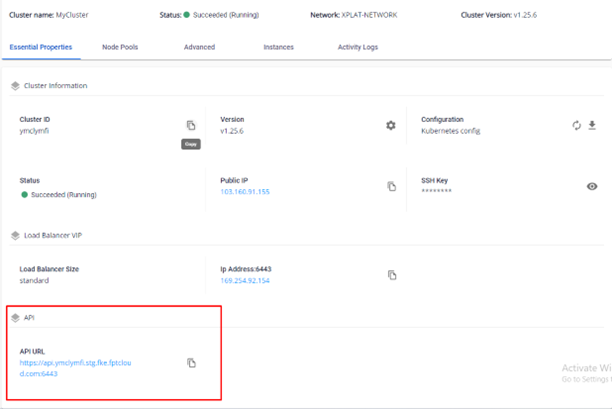
- In the API section, the FPT Portal displays the full API URL information. Click the copy icon to copy it.
Since FKE uses native Kubernetes, you can manage the cluster using standard tools such as kubectl, just like any regular Kubernetes cluster.