Upgrade Kubernetes version
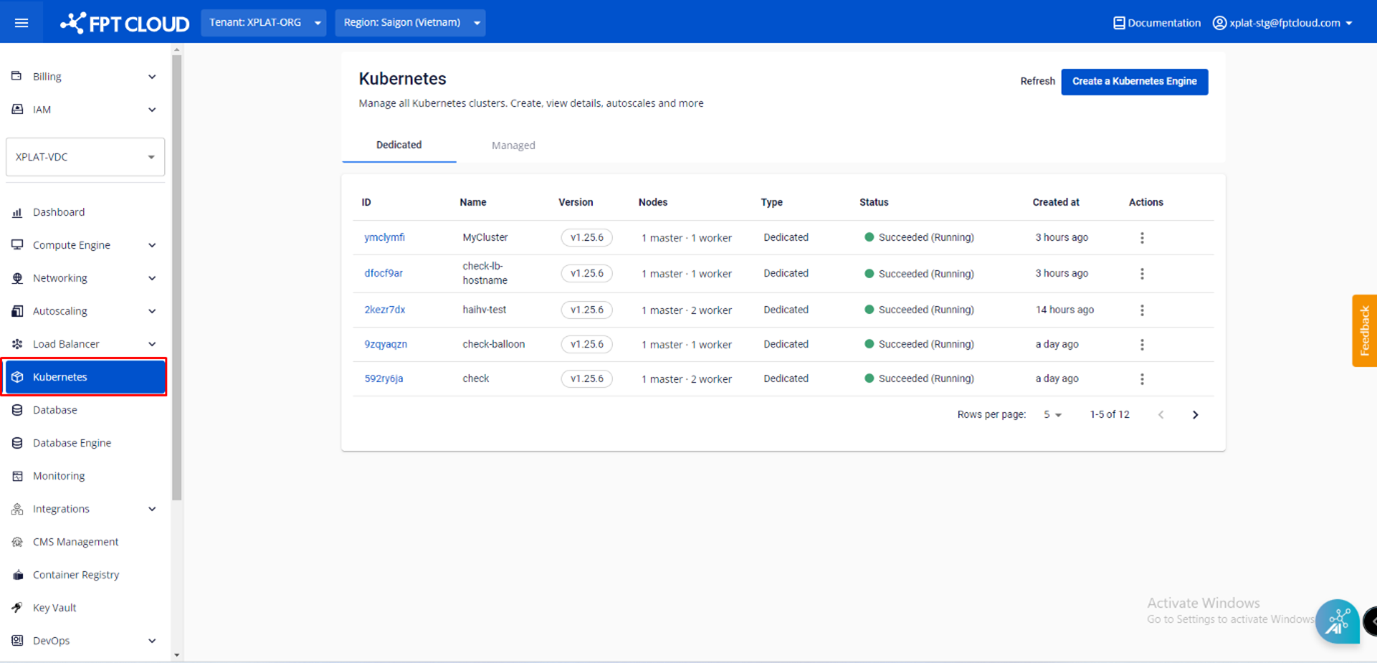
Step 1: From the menu, select Kubernetes. The Kubernetes Management page appears.
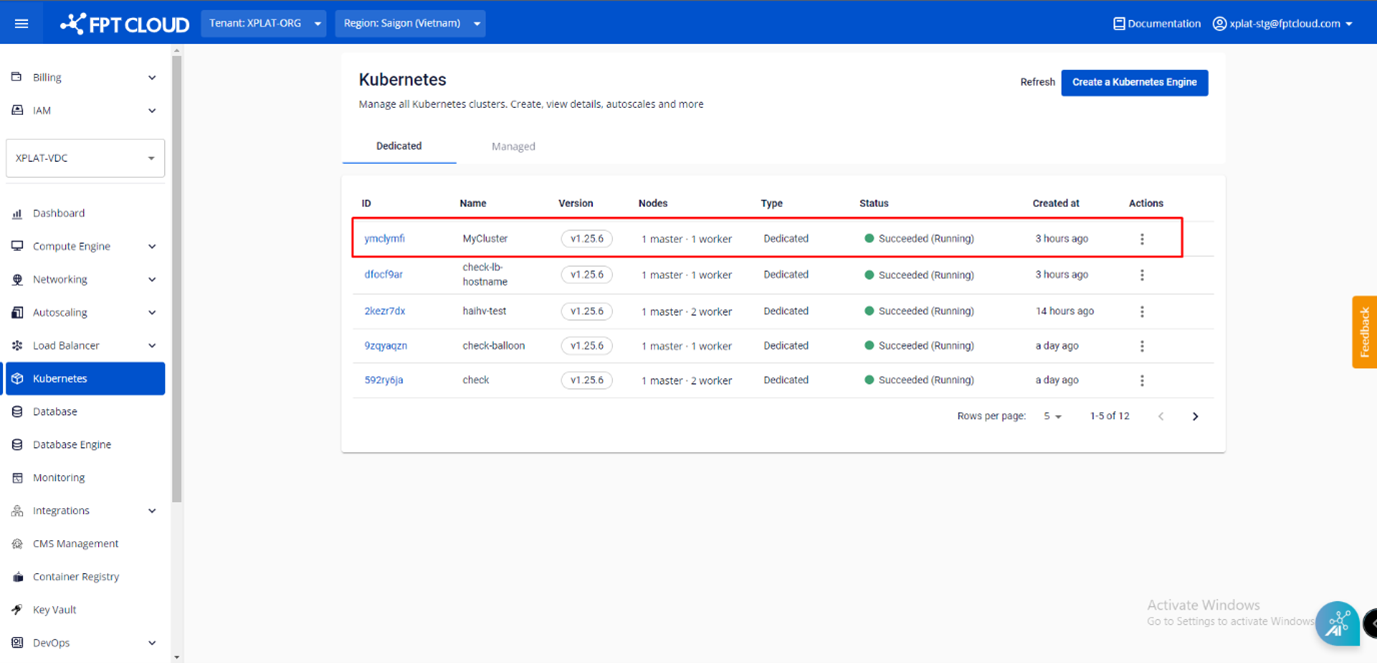
Step 2: Select the Cluster you want to upgrade from the list.
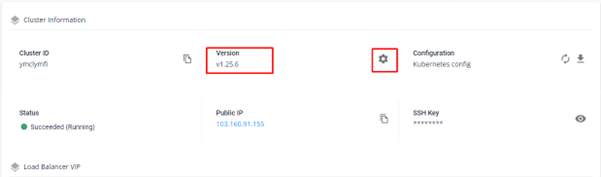
Step 3: Select the Essential Properties tab, then under Cluster Information > Version, click the Setting icon.
Step 4: Select the version to upgrade to, then click Upgrade.
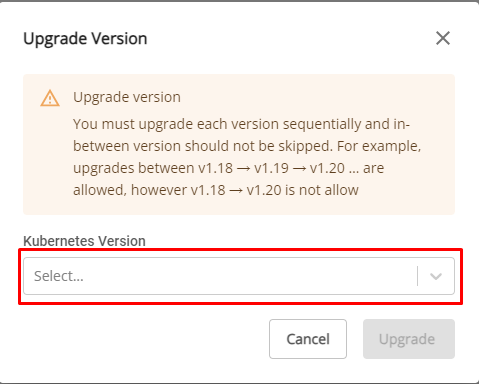
note
You can only upgrade to a higher version — downgrading is not supported.