Create jobs on Jenkins using FPT Cloud Agent
Configuration steps may vary depending on your Jenkins version.
From version 2.451.0 provided by FPT Cloud, using a Kubernetes agent requires creating a folder and configuring the agent to be available within that folder. For managing CI/CD projects on Jenkins, it is recommended to create a folder per project and configure services within that folder. This approach allows you to apply per-project permissions and simplifies project management.
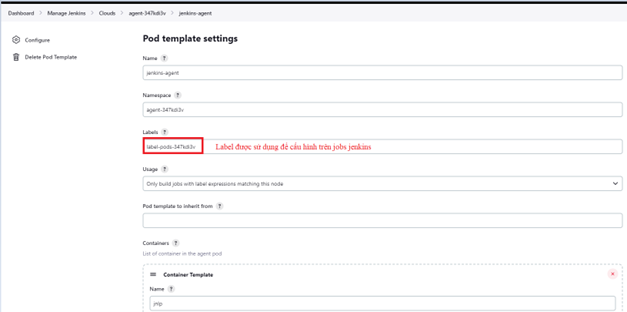
To create a Jenkins job, you need the following:
- Agent label:
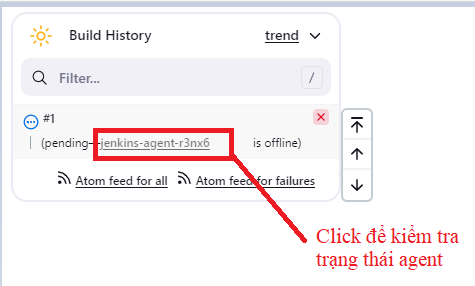
If you create a standard Freestyle job configured to run on an FPT Cloud agent without the correct setup, the following error will appear:
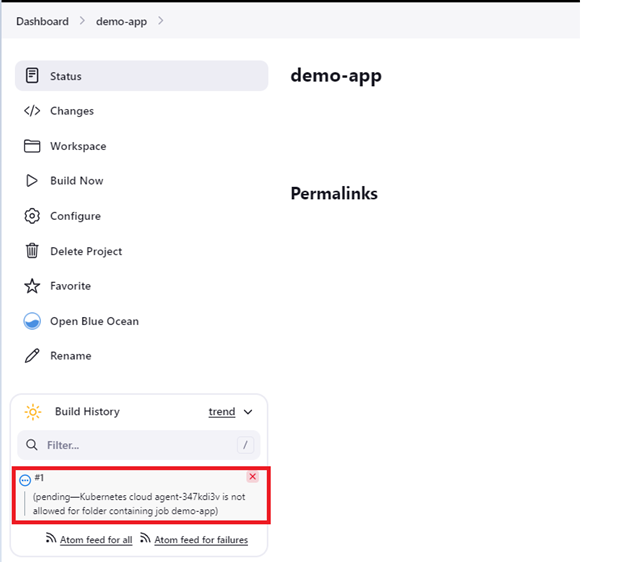
To create and run a job on Jenkins correctly, follow the steps below.
Step 1: Create a folder to manage jobs on Jenkins.
On the Jenkins Dashboard > New Item:
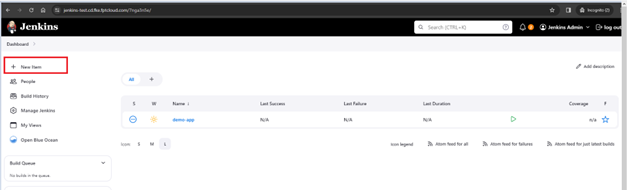
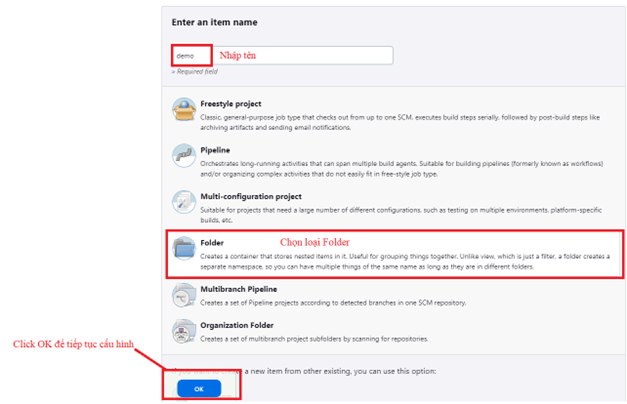
Create an item of type Folder:
Configure the Kubernetes agent to be used within the folder:
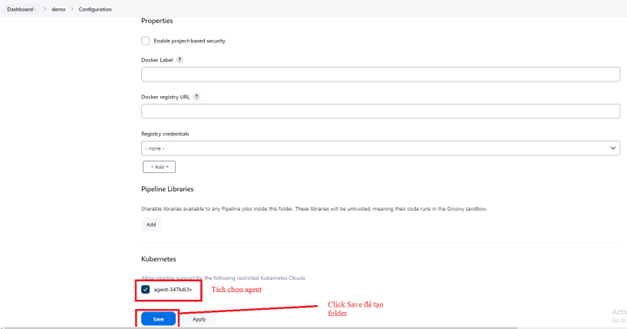
Step 2: Create a simple job inside the folder.
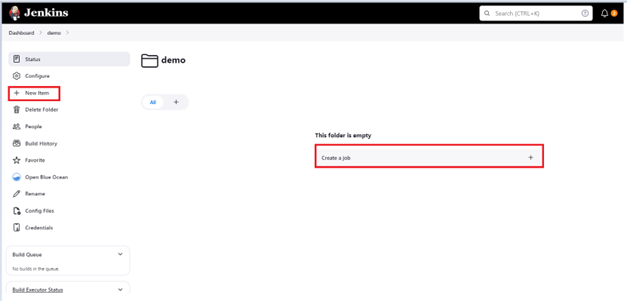
Inside the newly created folder > New Item / Create a job:
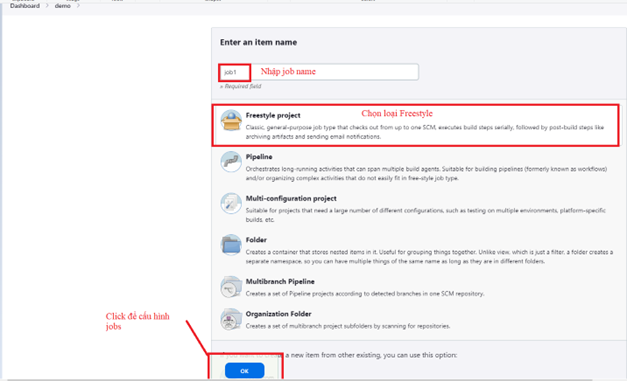
Create a Freestyle job:
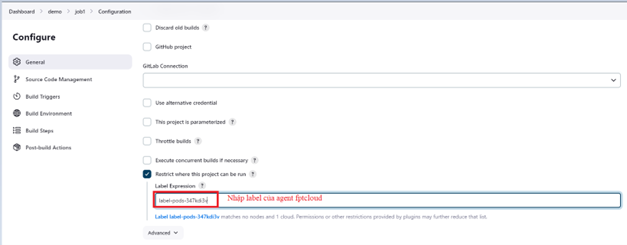
Enter the agent label for the job:
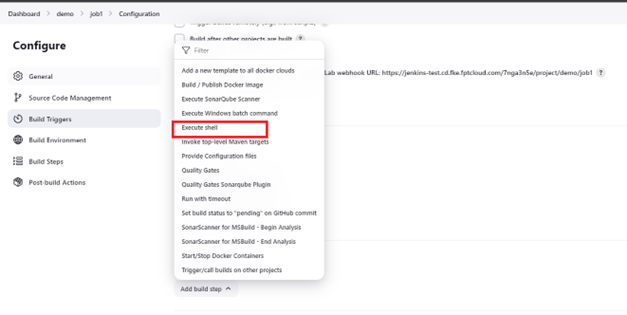
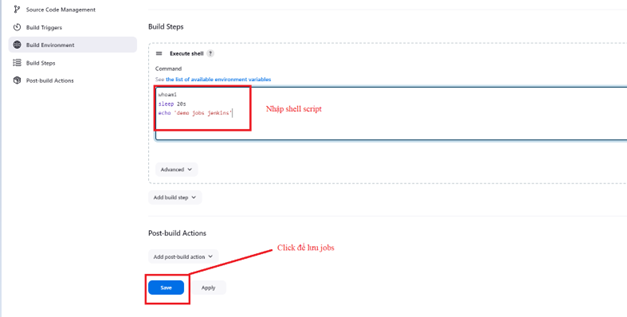
Configure an execute shell step to test the job:
Save the job configuration:
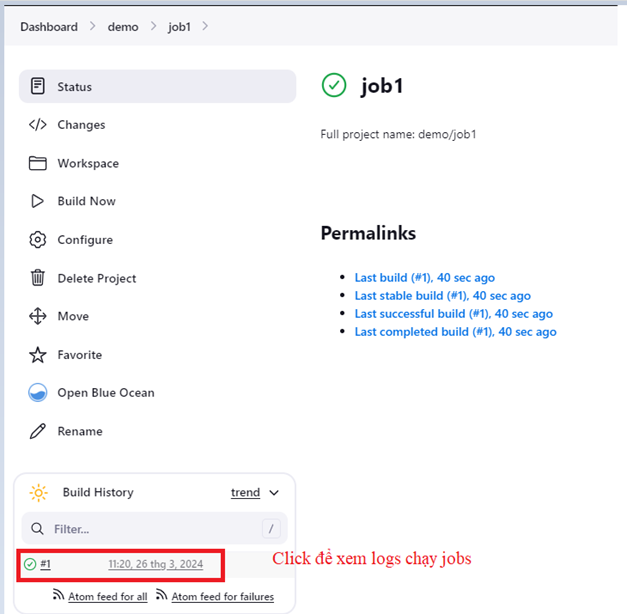
Step 3: Run the job.
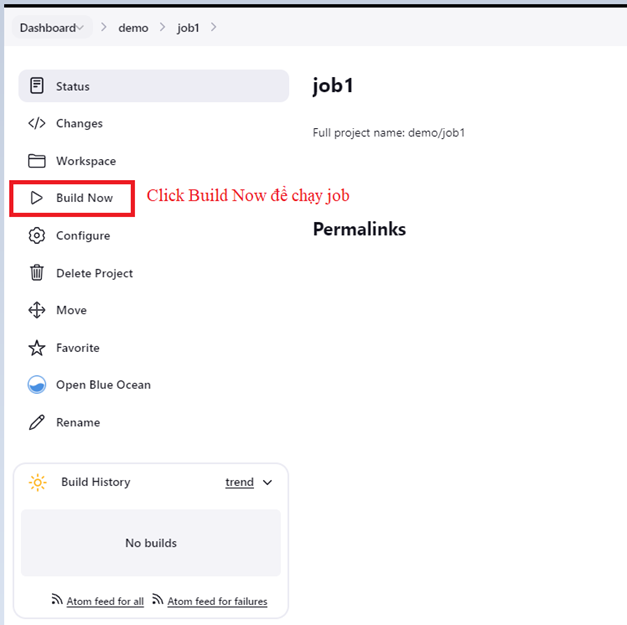
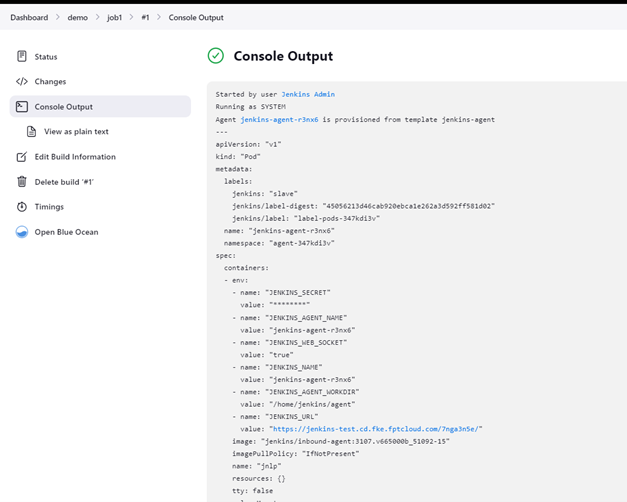
Step 4: Job execution result.