Dashboard templates
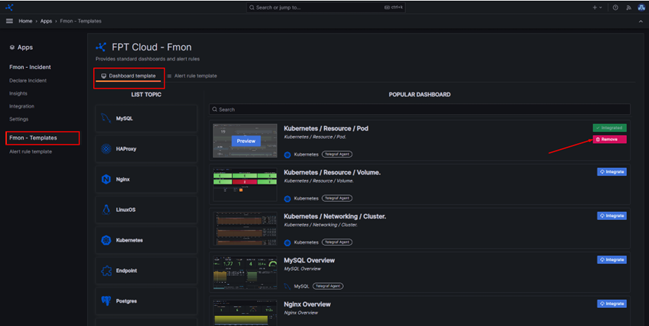
Dashboard templates let you deploy quickly using pre-built dashboards provided by FPT Cloud Monitoring.
Install a dashboard template
Step 1: Access the dashboard.
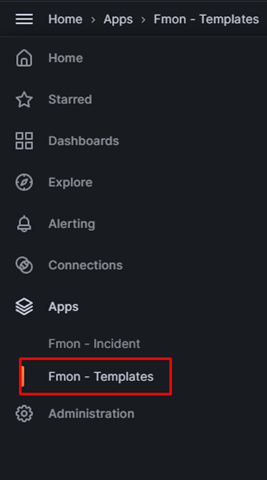
Step 2: In the left menu, click Apps > FMON Template.
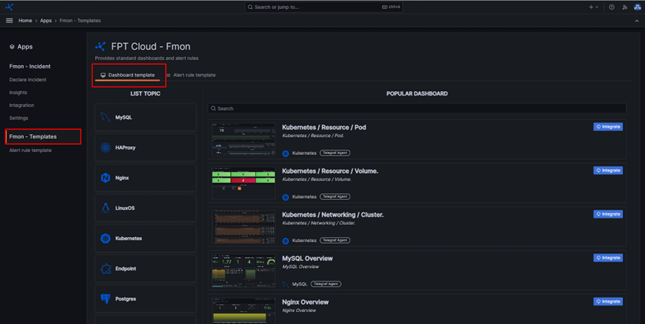
Step 3: Click Dashboard Template.
Step 4: Select a dashboard and click Integrate.
Remove a dashboard template
Step 1: Access the dashboard.
Step 2: In the left menu, click Apps > FMON Template.
Step 3: Click Dashboard Template.
Step 4: Select an installed dashboard and click Remove.