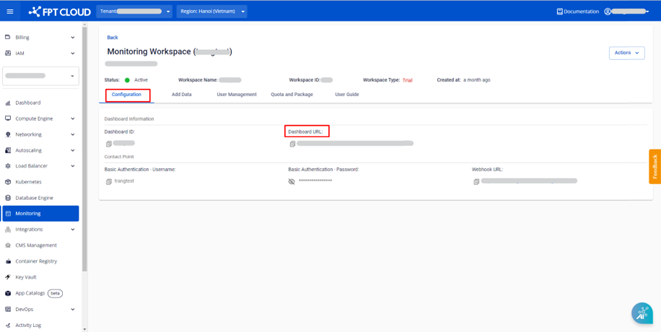
Access the dashboard
Step 1: Log in to FPT Cloud Portal at https://console.fptcloud.com.
Step 2: In the FPT Cloud Portal menu, click Monitoring.
Step 3: Click into a workspace, then navigate to the Configuration tab.
Step 4: Click the dashboard URL. The dashboard logs in automatically via Single Sign-On (SSO).