Manage security rule set
In addition to the default rule set provided by FPT Cloud WAF, you can create custom rule sets to suit the specific needs of a protected endpoint.
Create a security rule set
-
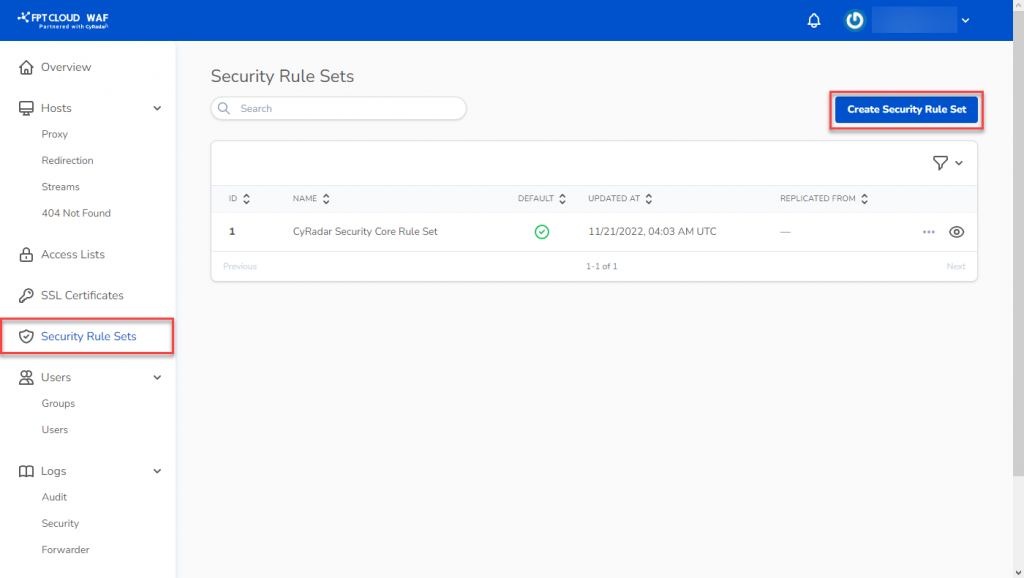
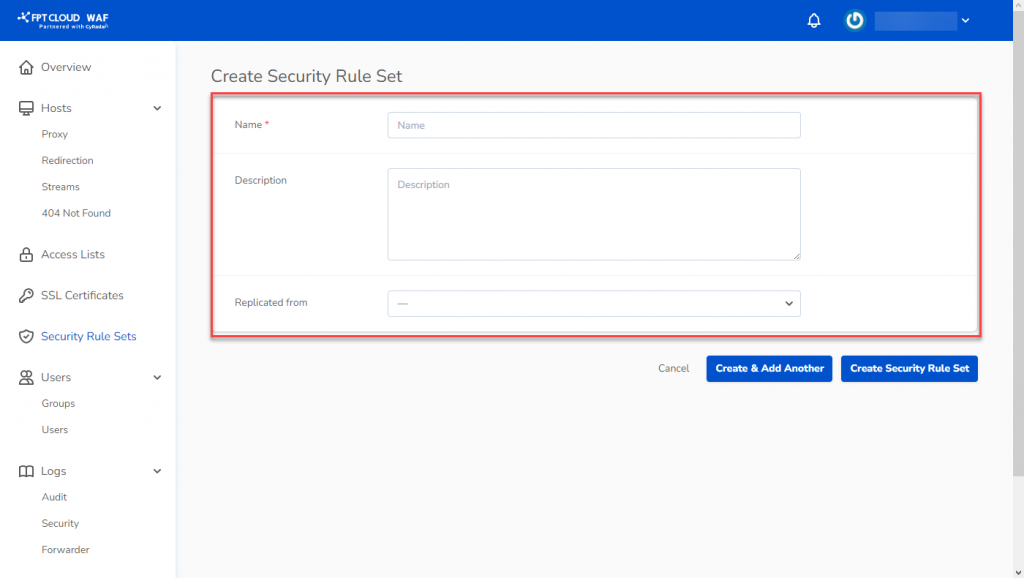
Select Security Rule Sets from the menu to open the management screen, then click Create Security Rule Set.
-
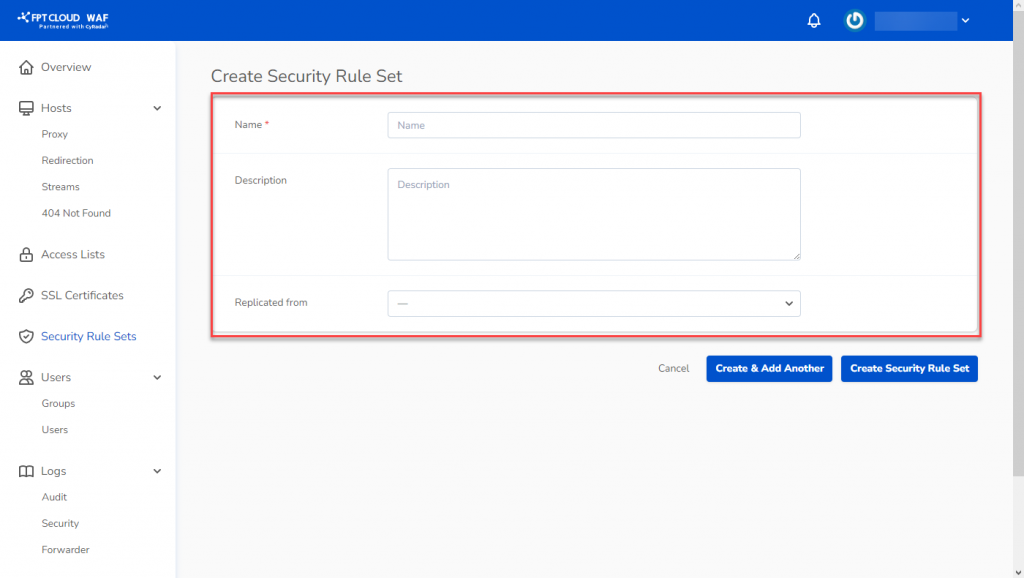
Fill in the required details:
- Name: Name of the new rule set.
- Description (optional): Description.
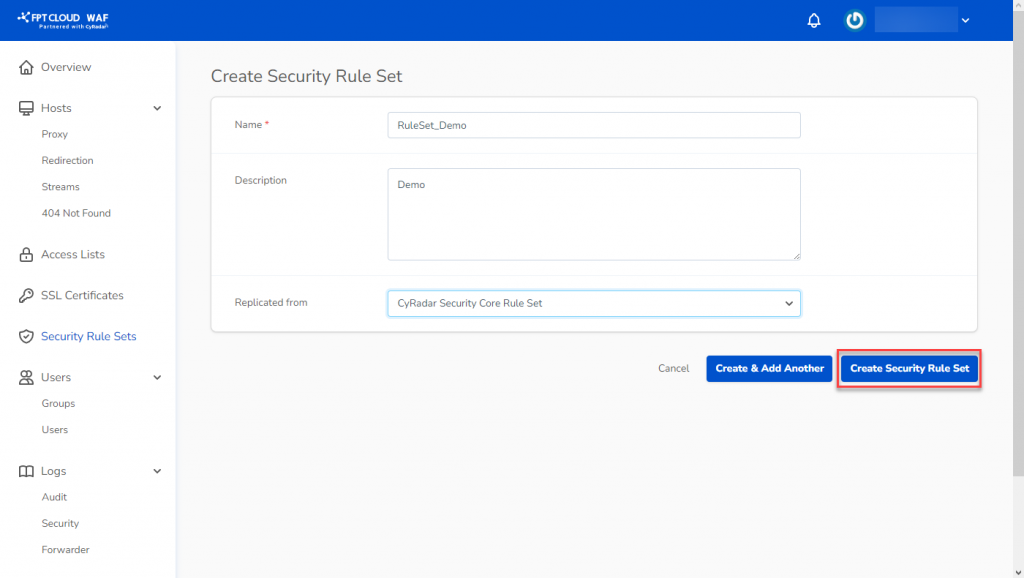
- Replicated From: Select a rule set to clone and modify.
-
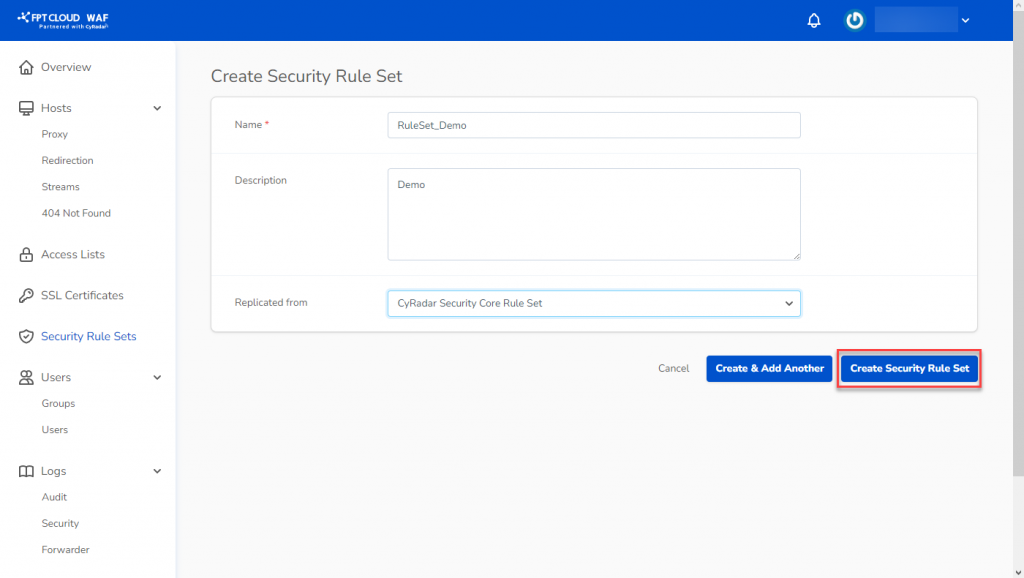
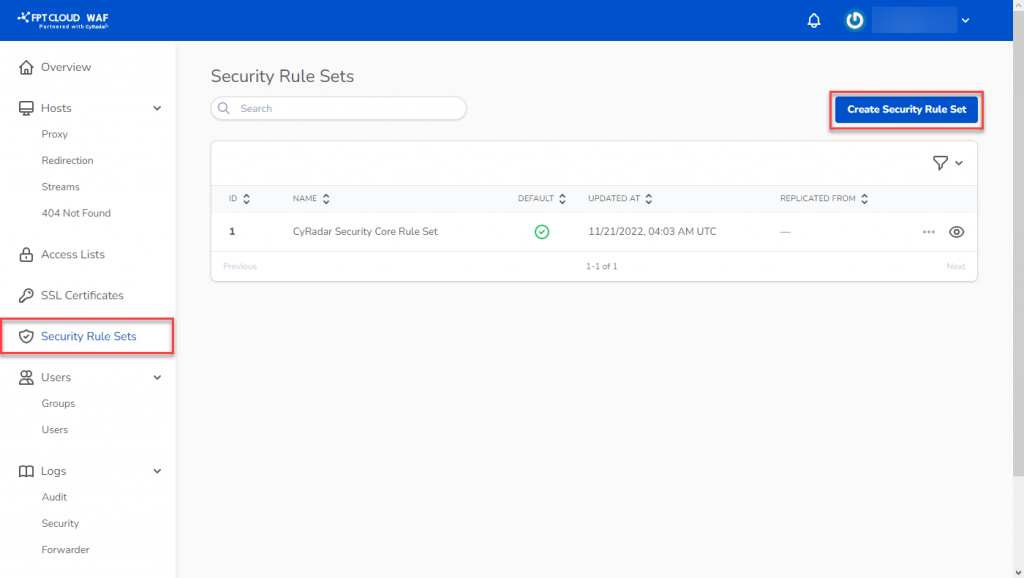
Click Create Security Rule Set to save.
Create custom rules in a rule set
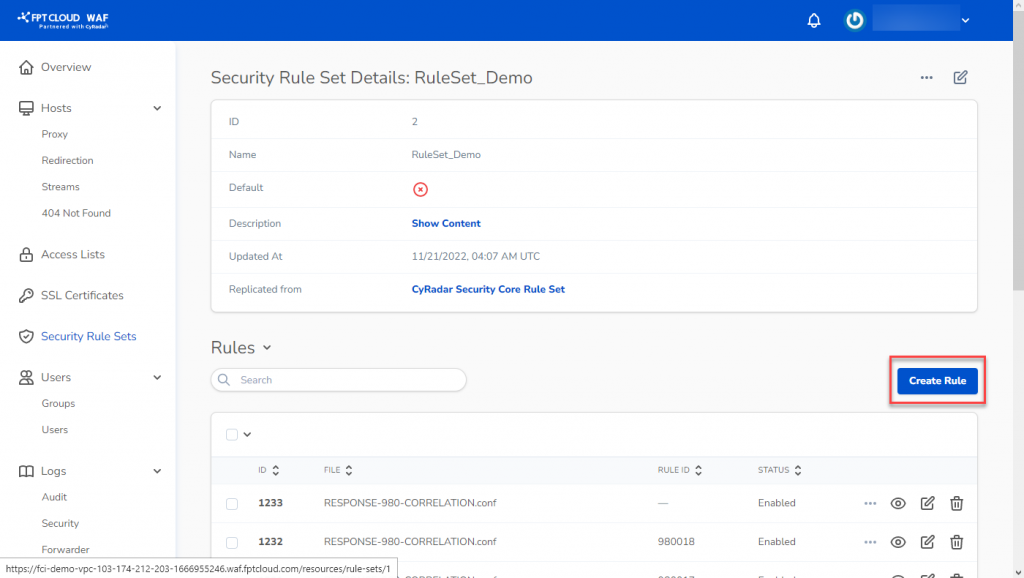
After creating a rule set, you can add custom rules as needed.
-
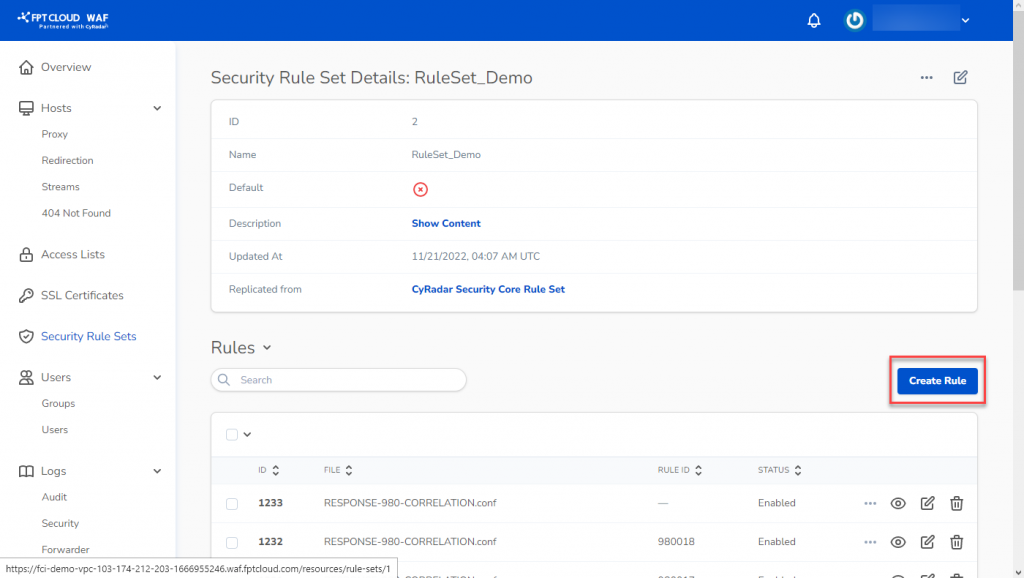
In the Rule Sets Detail screen, click Create Rule.
-
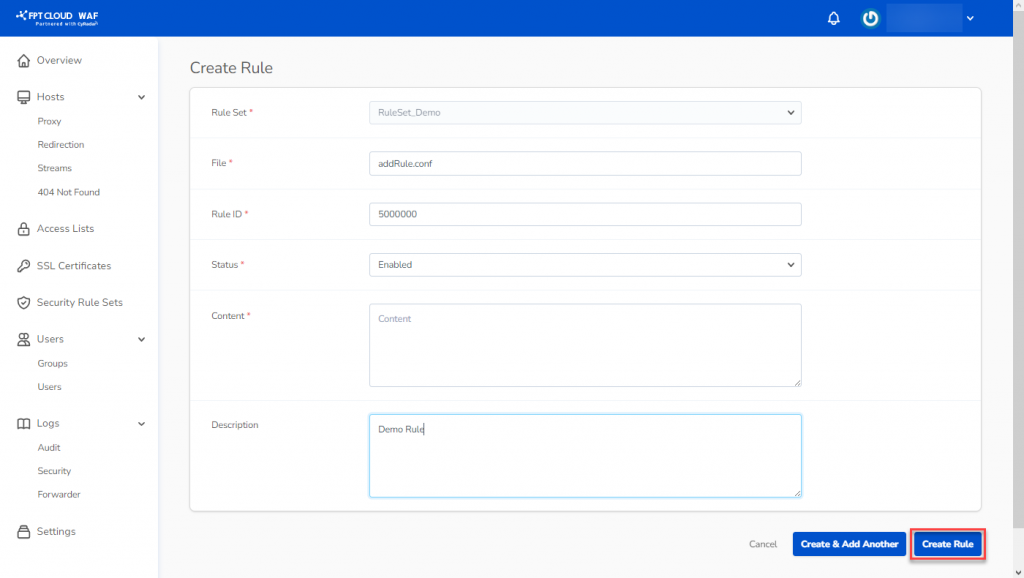
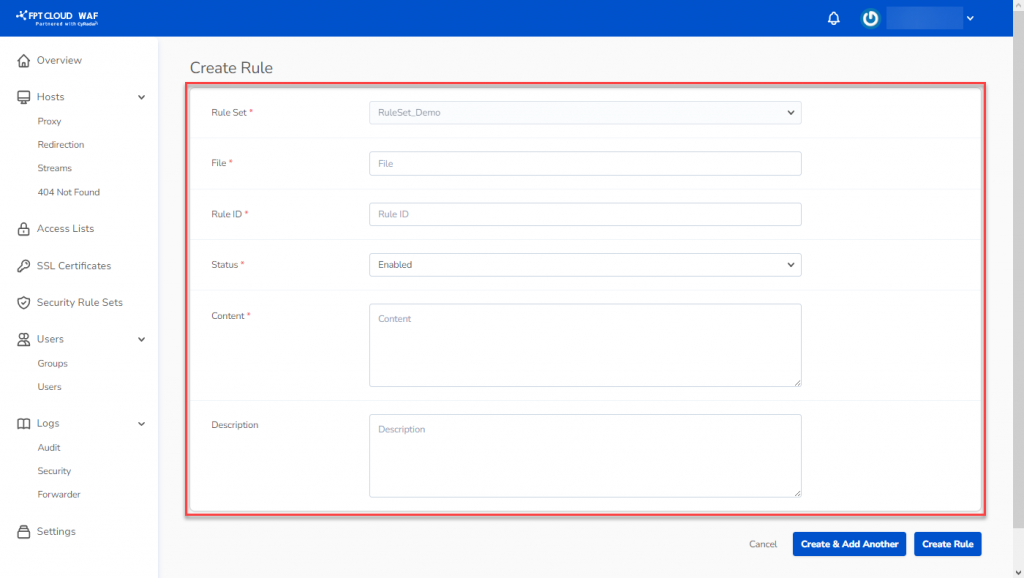
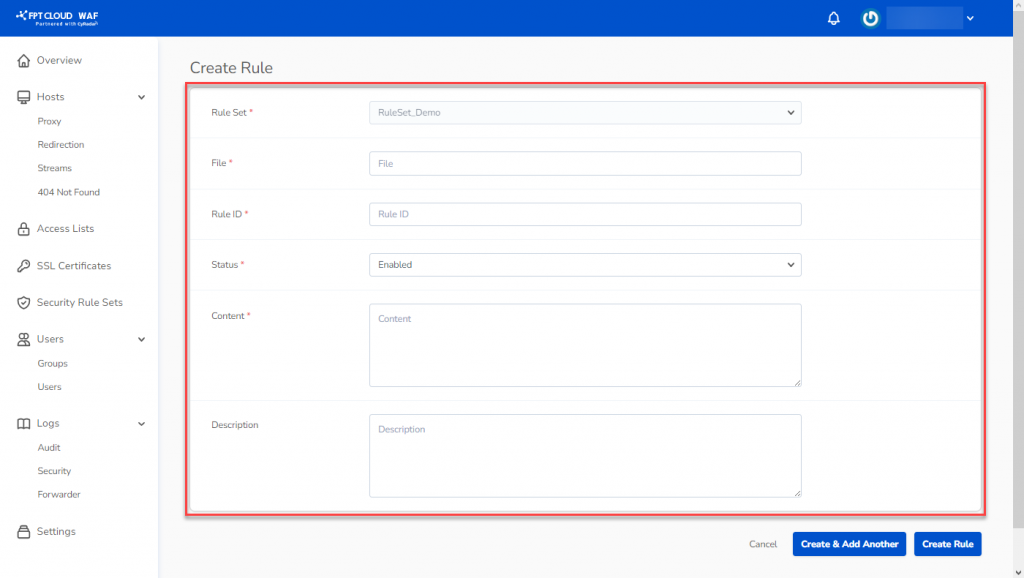
Enter the rule details:
- File: Rule name.
- Rule ID: Rule ID (range: 5,000,000 to 5,999,999).
- Status: Operational status (Enabled/Disabled).
- Content: Rule content.
- Description: Description for the rule.
-
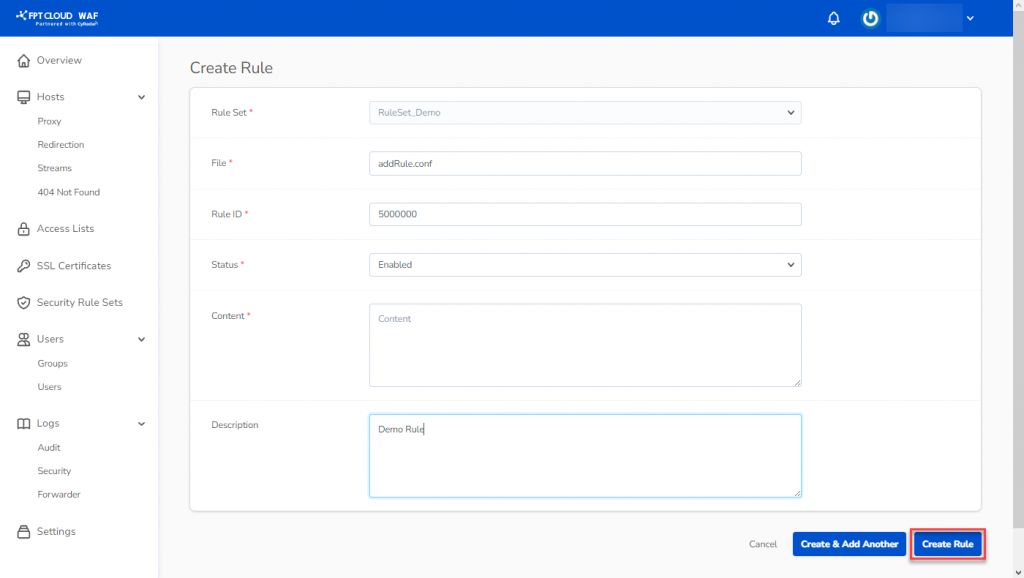
Click Create Rule to create the new rule.