Create a new WAF server
-
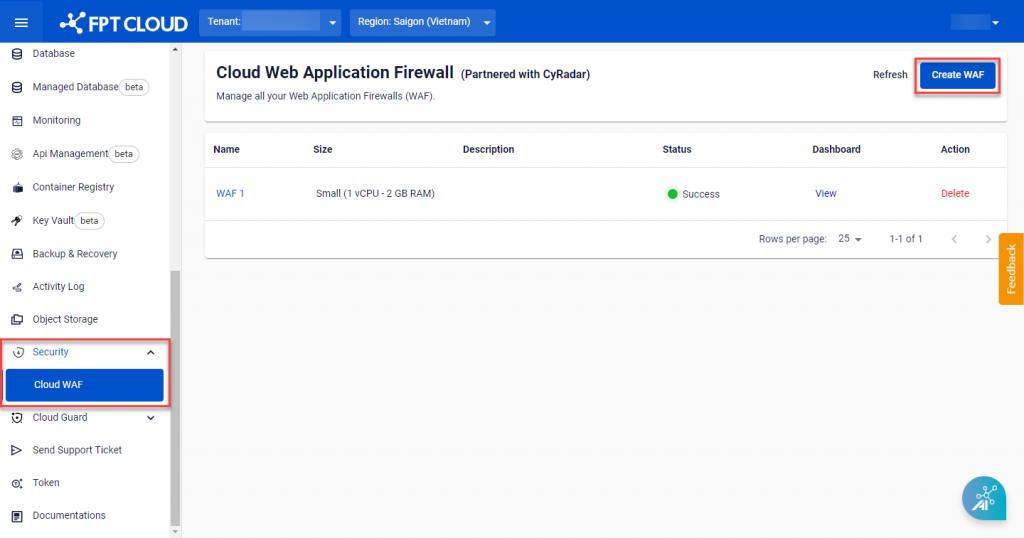
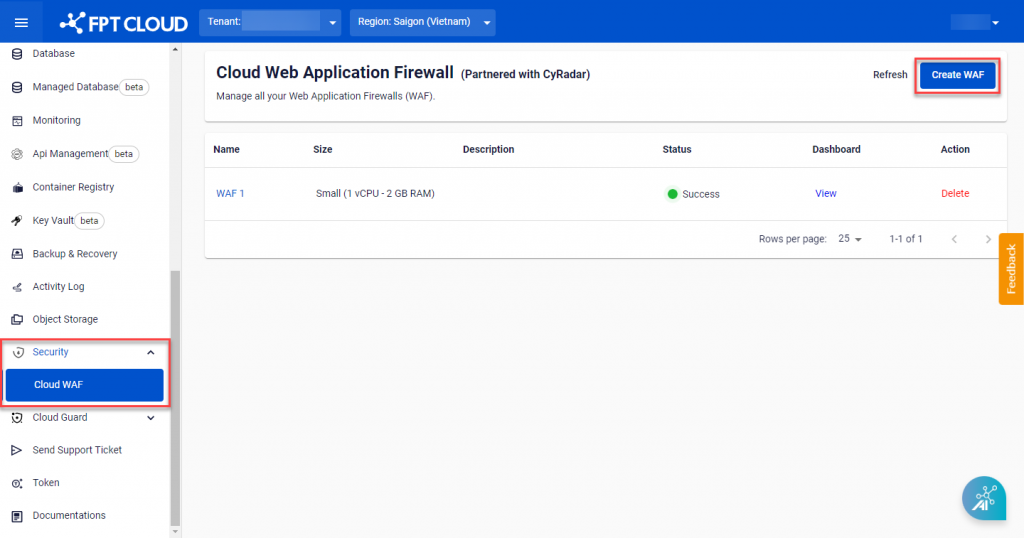
From the menu, select Security > Cloud WAF, then click Create WAF.
-
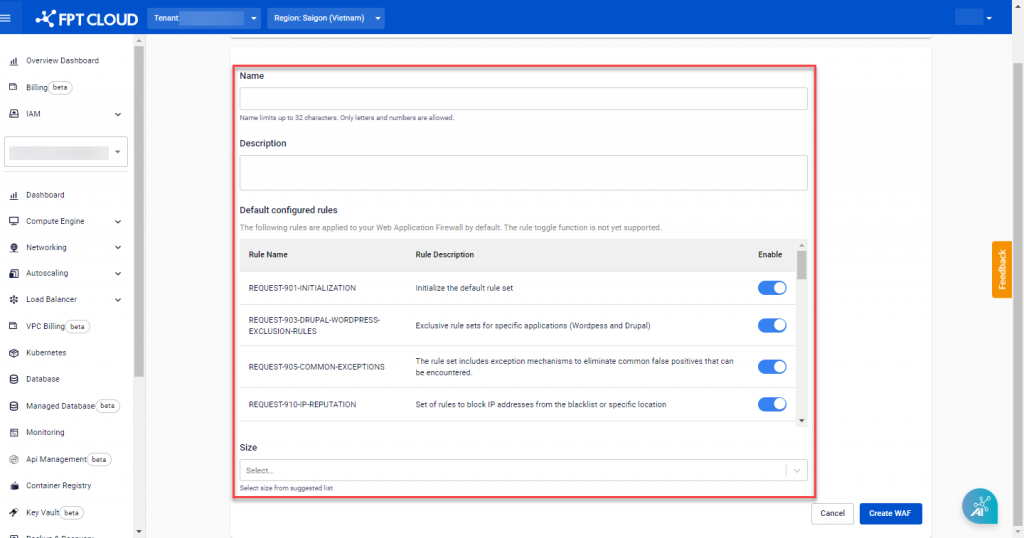
Enter the WAF information and select the appropriate size.
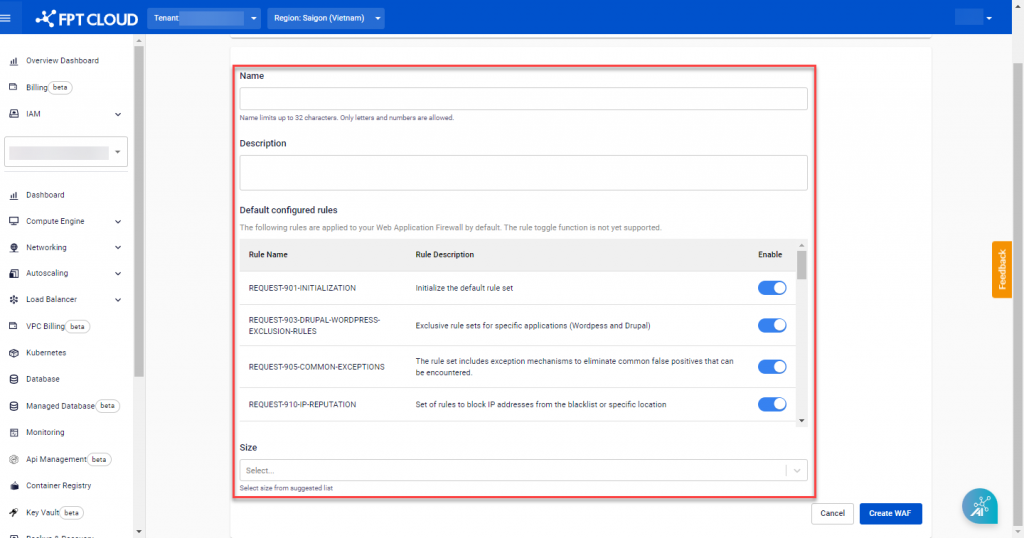
Field Description Value Name WAF server name Letters, numbers, and spaces only Description Detailed description of the WAF Default configured rules Pre-configured rule set applied at creation Size WAF server size based on your needs Small, Medium, or Large Specific configurations for each size:
Size Basic configuration Network bandwidth Requests per second Small 1 vCPU – 2 GB RAM – 50 GB 100 Mbps 50 Medium 2 vCPU – 4 GB RAM – 150 GB 200 Mbps 150 Large 8 vCPU – 8 GB RAM – 300 GB 500 Mbps 500 -
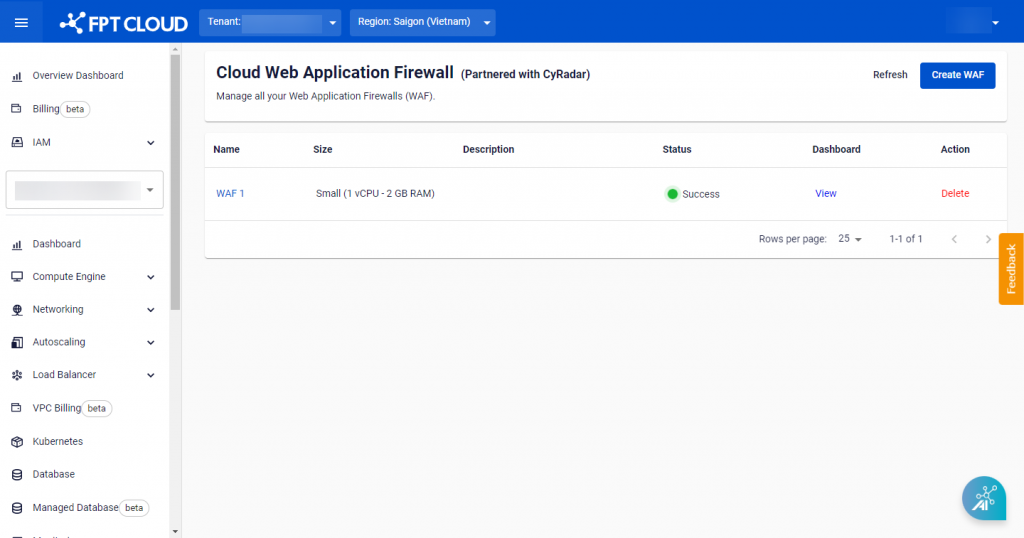
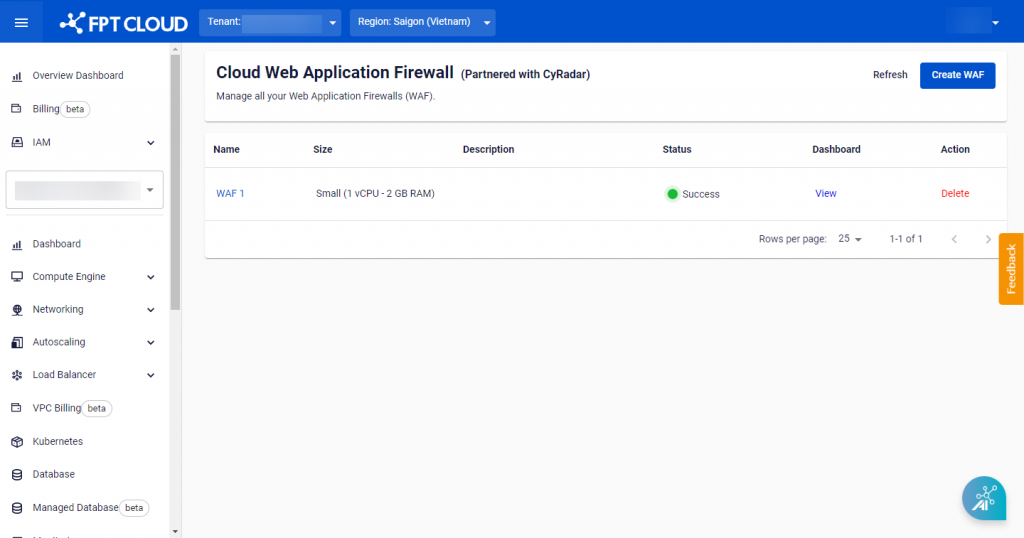
Click Create WAF to create the WAF server. Processing progress is updated in the Status field on the Cloud Web Application Firewall Management screen.
note
After the WAF server is created successfully, you will receive an email containing the username and password to log in to the WAF Dashboard. Check your inbox to retrieve this information.