Manage SSL certificate
An SSL certificate (TLS certificate) is an encryption key that allows your website traffic to be encrypted for end users.
Create an SSL certificate
-
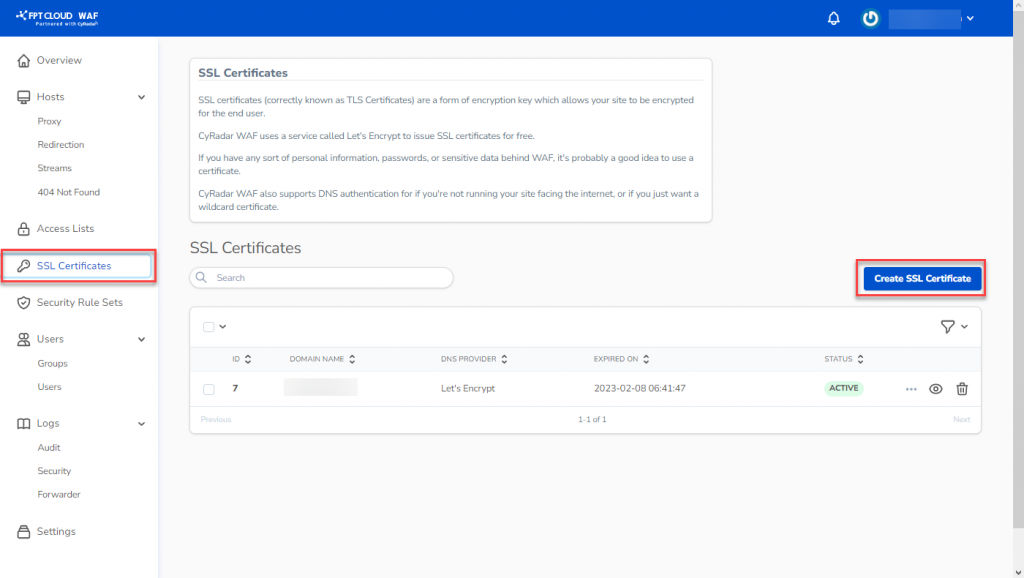
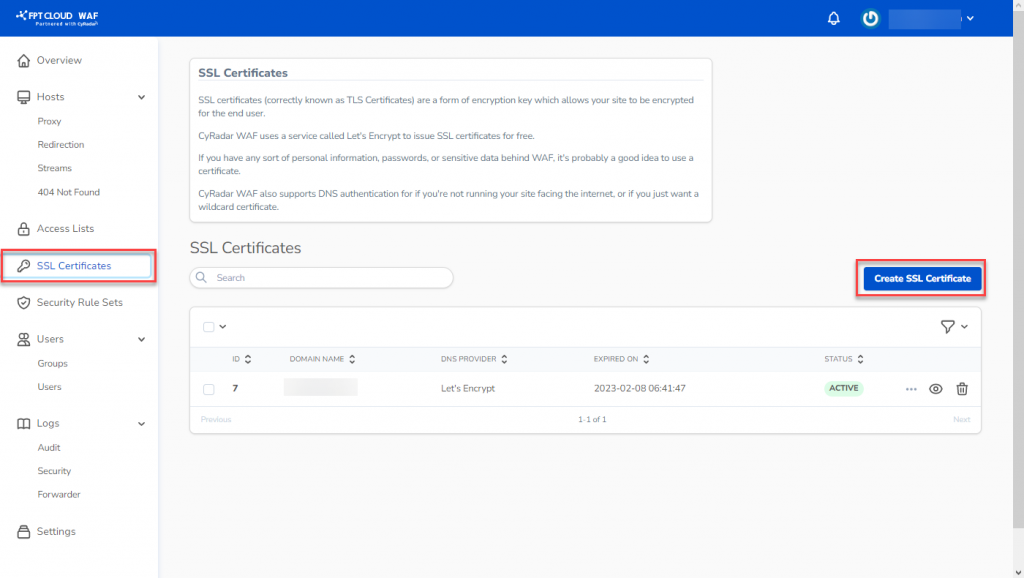
Select SSL Certificates from the menu to open the management screen.
-
Click Create SSL Certificates to open the creation screen. Two modes are available:
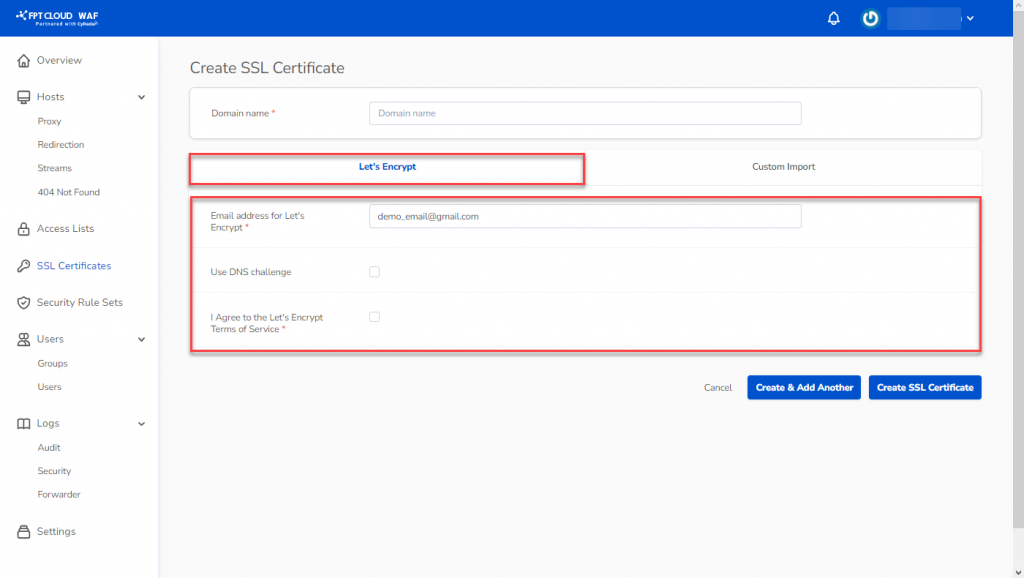
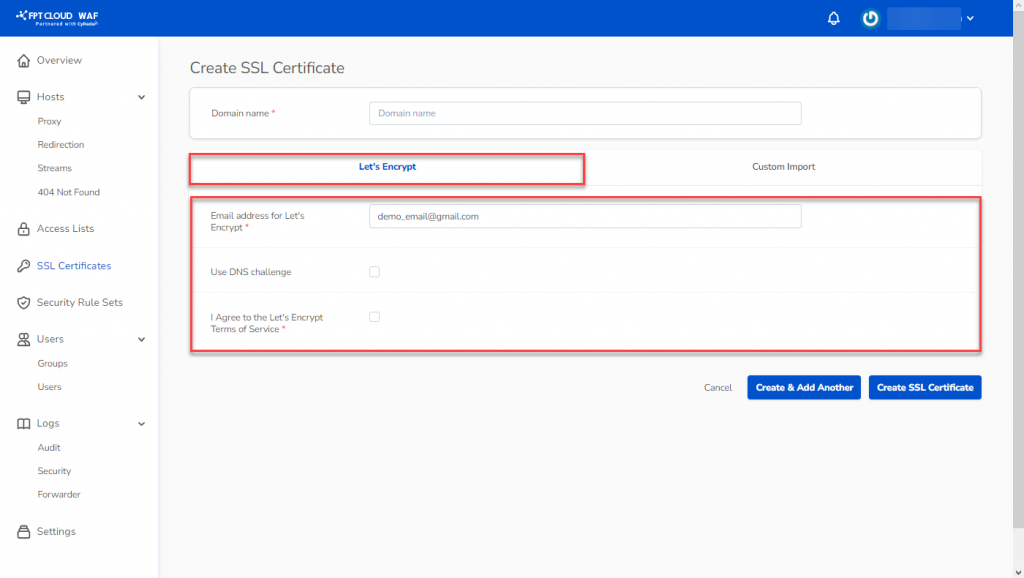
Mode 1: Let's Encrypt — A free, open, and automatic certificate authority available on FPT Cloud WAF.
- Domain Name: Domain or website to configure SSL for.
- Email Address for Let's Encrypt: Email for Let's Encrypt.
- Use a DNS Challenge (optional): Enable if needed.
- I Agree to the Let's Encrypt Terms of Service: Check to agree to the terms.
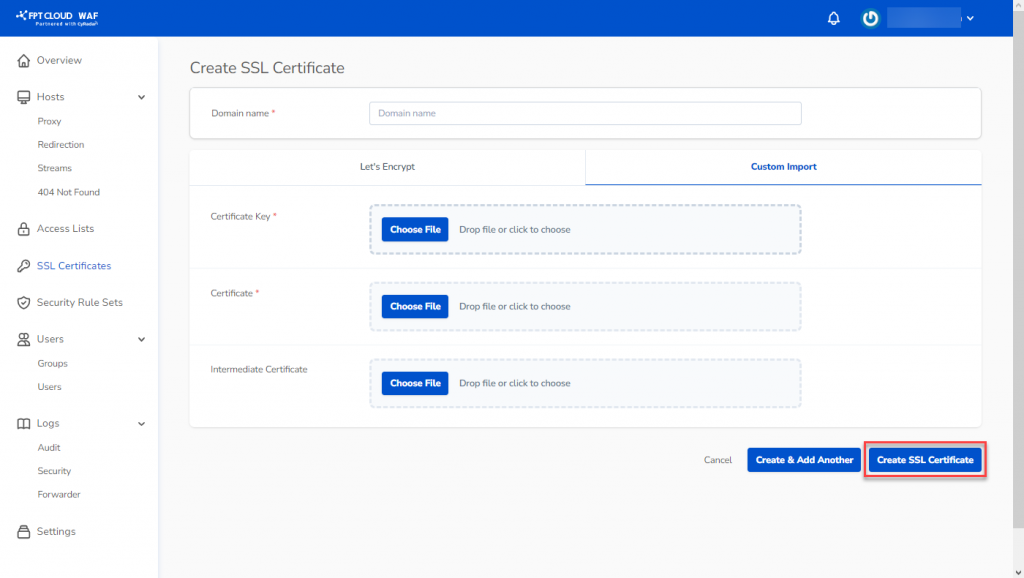
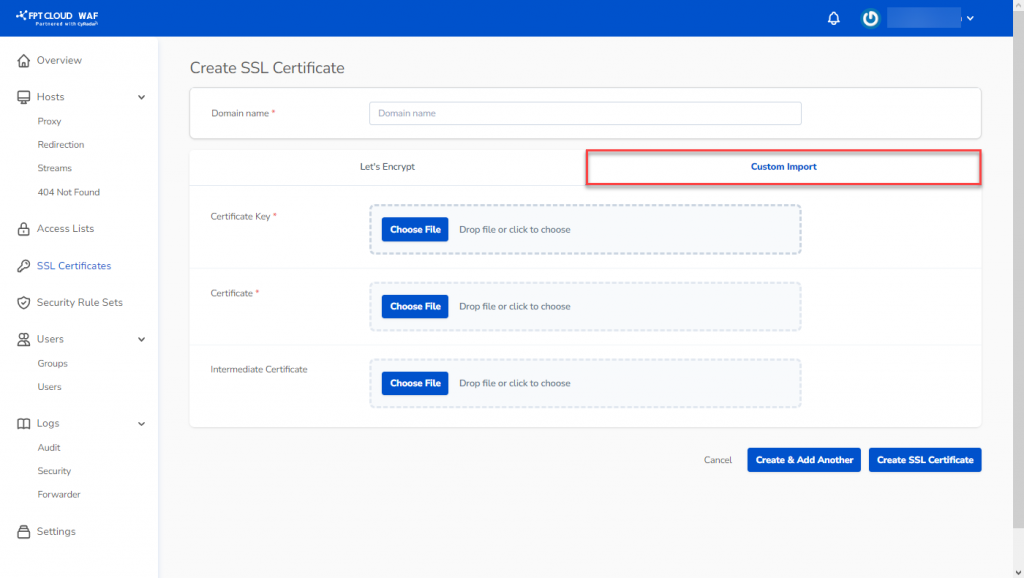
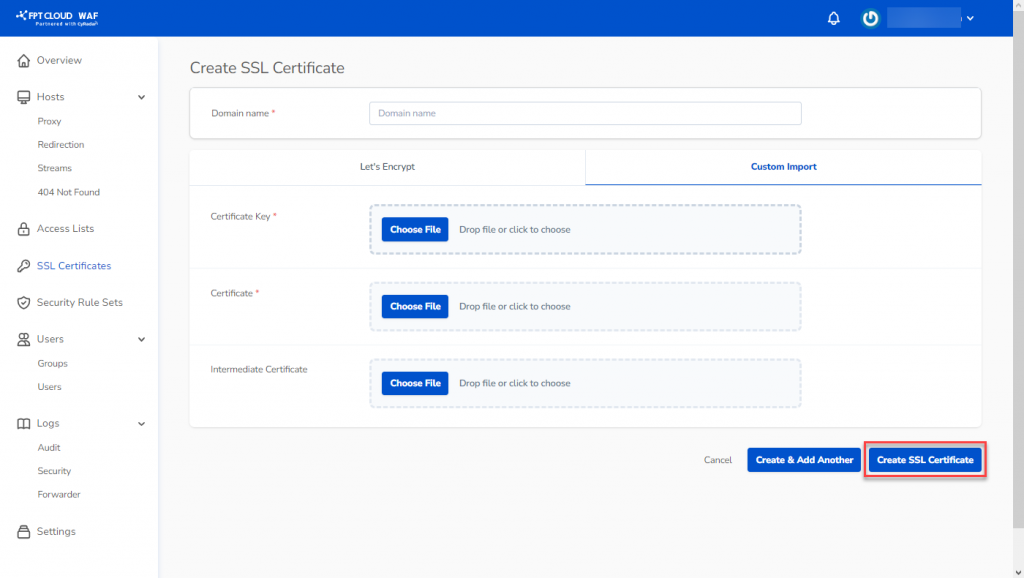
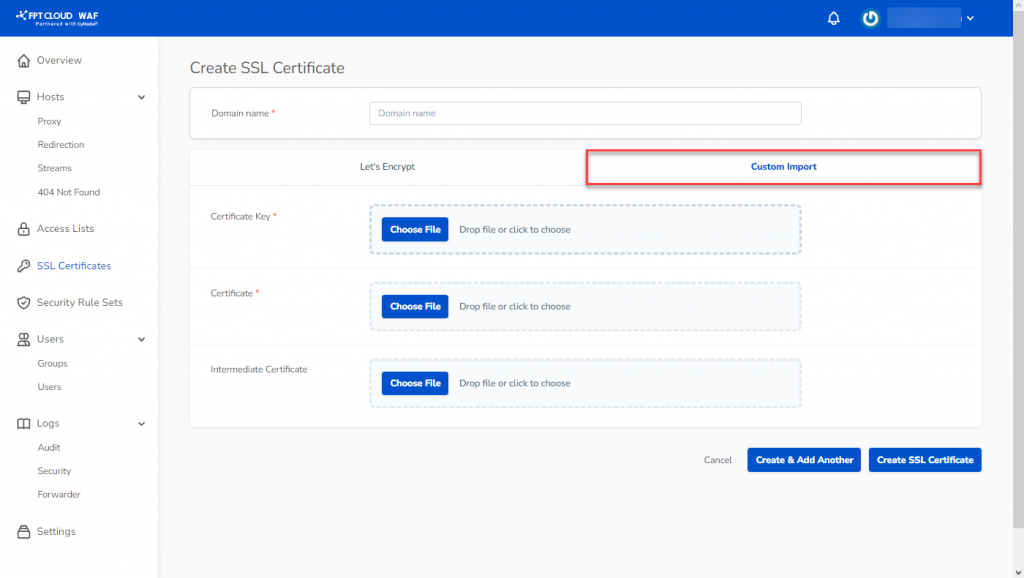
Mode 2: Custom — Configure a certificate from a third-party provider. The administrator is responsible for managing this certificate.
- Certificate Key: Upload the certificate key file.
- Certificate: Upload the certificate file.
- Intermediate Certificate: Upload the intermediate certificate file.
-
Click Create SSL Certificate to save and complete.