Get cluster access information
The Kube-config file stores connection information for the Kubernetes cluster, allowing tools such as kubectl, kubelet, and kubeadm to determine how to communicate with the Kubernetes API Server. The kubeconfig file is critical for managing access to Kubernetes and must be kept secure.
To download the Kube-config file, follow these steps:
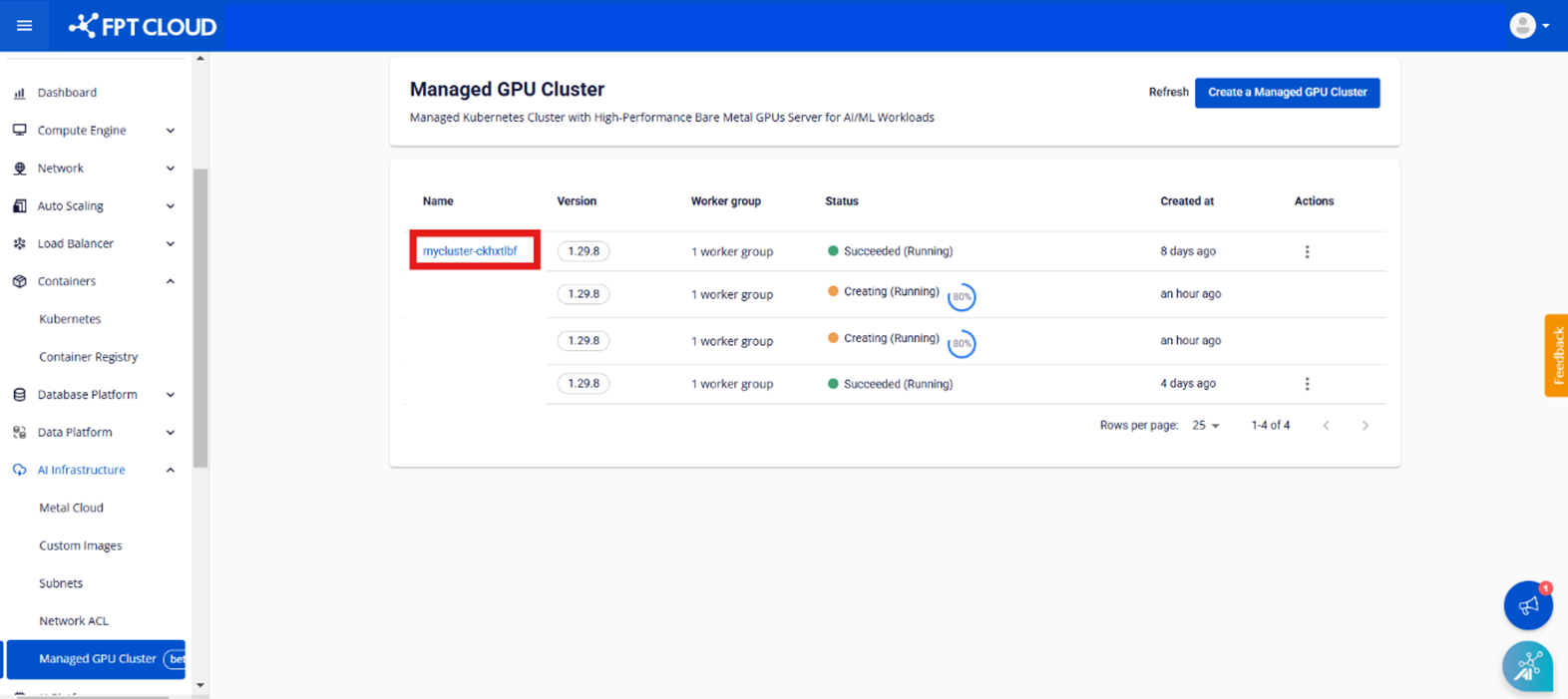
Step 1: In the menu, select AI Infrastructure > Managed GPU Cluster. The system will display the GPU Cluster Management page. Select the cluster you want to retrieve access information for.
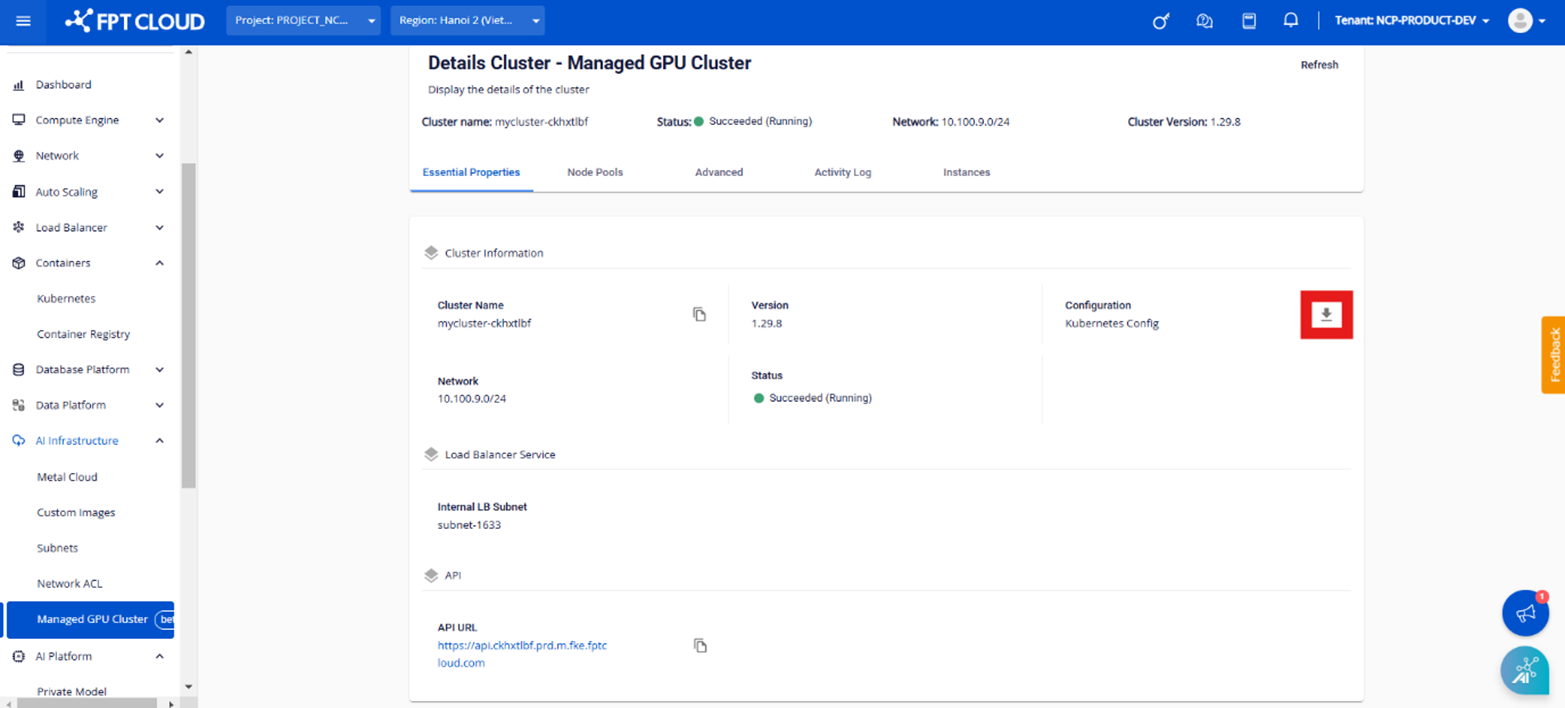
Step 2: Under Essential Properties > Cluster Information > Configuration, you can download the kubeconfig file to log in to the cluster via kubectl or other tools.
Note:
Managed GPU Cluster uses Native Kubernetes Cluster as its core. Users interact with the cluster using kubectl and dashboards just as they would with a standard Kubernetes cluster.