Change the base worker group
When a user wants to change the base Worker Group, system components (coredns, metrics servers, CNI controller, etc.) will be redeployed on the Worker nodes of the new base Worker Group. This feature is useful when a user wants to increase or decrease the flavor configuration of the Worker nodes in the base Worker Group — in that case, the user creates a new Worker Group with the desired Worker node configuration, promotes it to base, and then deletes the old base Worker Group.
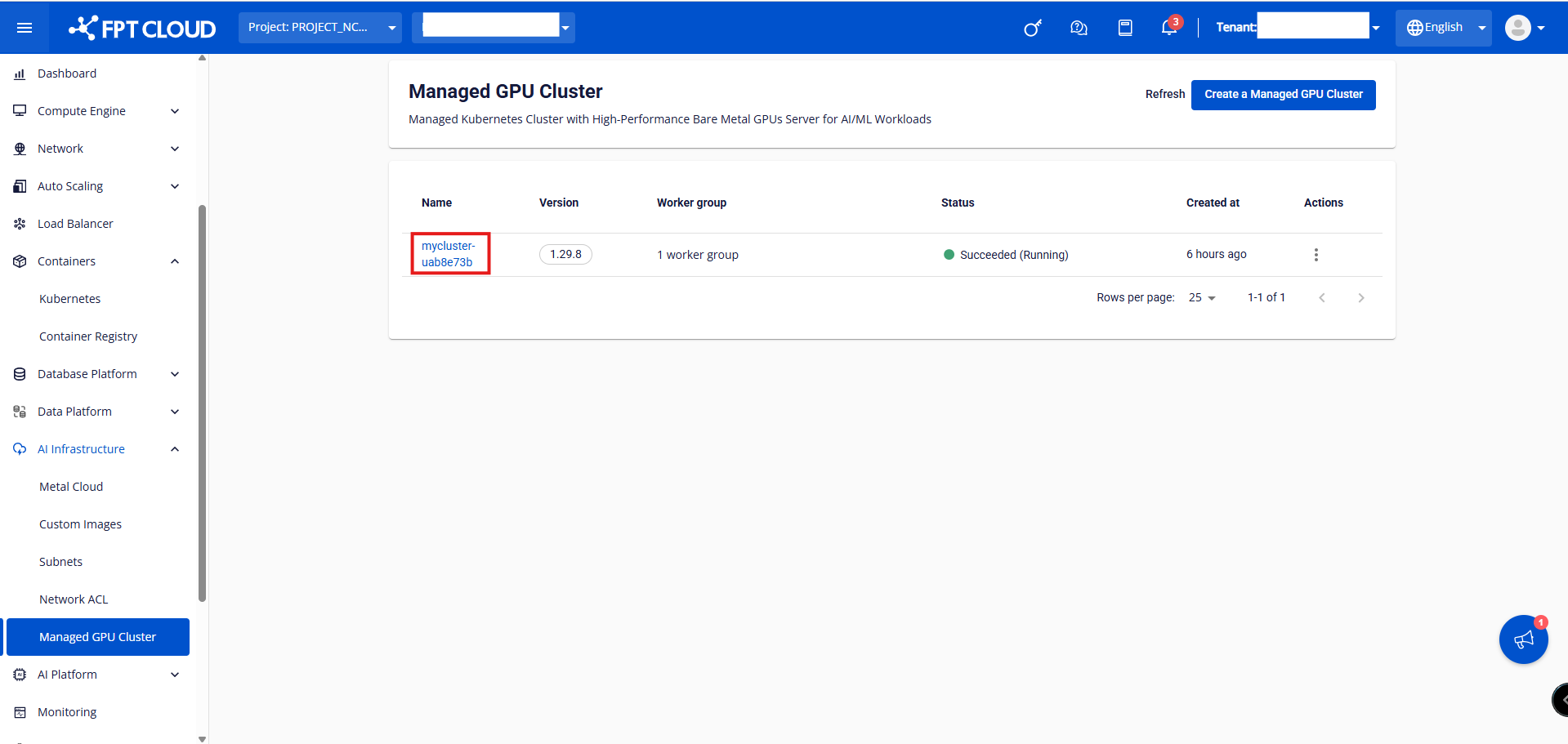
Step 1: In the menu, select AI Infrastructure > Managed GPU Cluster. The system will display the Managed GPU Cluster Management page. Select the cluster whose Worker Group configuration you want to change.
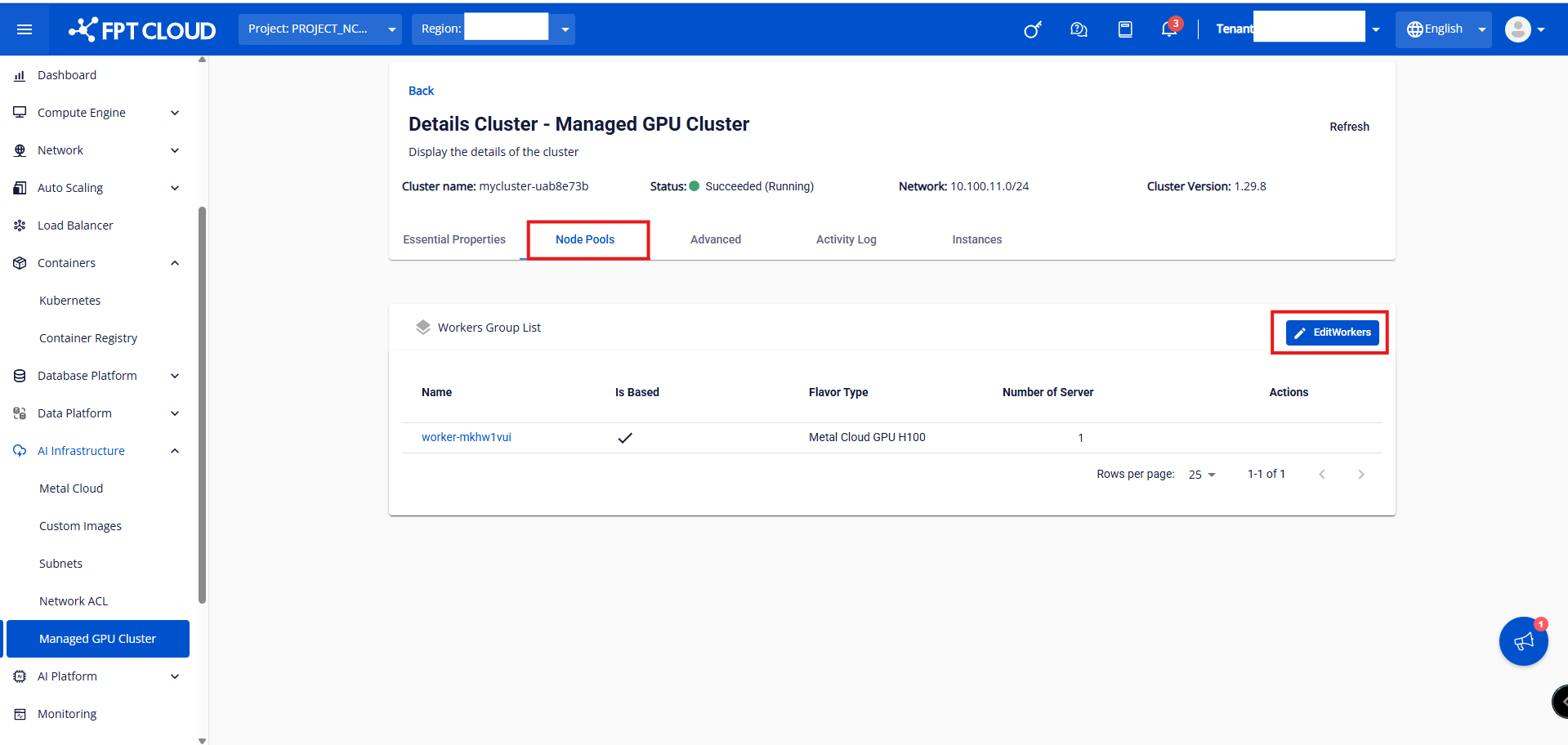
Step 2: Select Node Pools > Edit Workers.
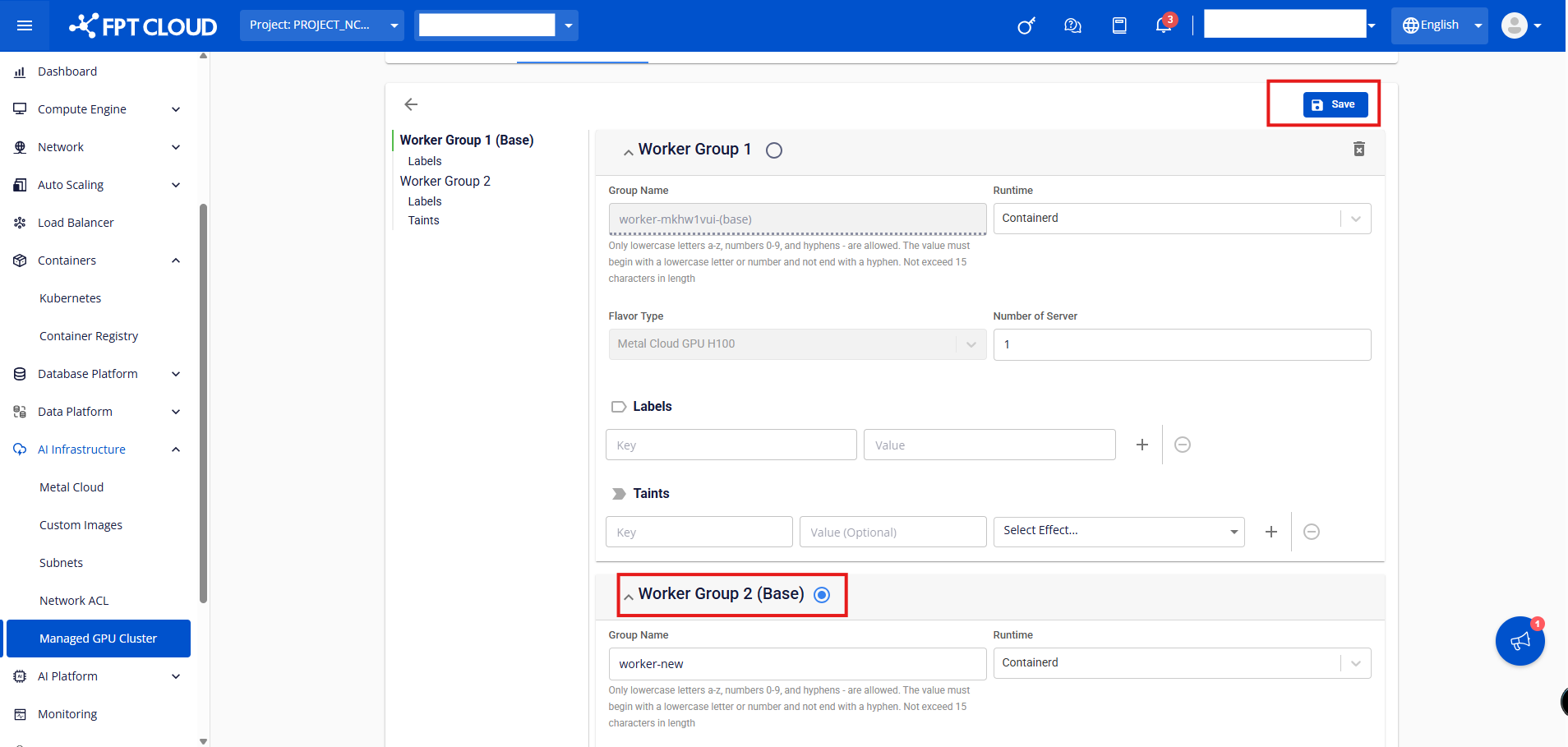
Step 3: Select the Worker Group you want to promote to base, then click Save.
Note:
- The process of changing the base Worker Group will run while users cannot edit the cluster until the process is complete.
- When changing the Worker Group parameters, the system first creates new Worker nodes with the desired configuration. Once the new Worker nodes are successfully created, the old Worker nodes are removed from the system. Pods will be migrated from the old Worker nodes to the new ones.