Create Veeam Recovery Media
Windows
-
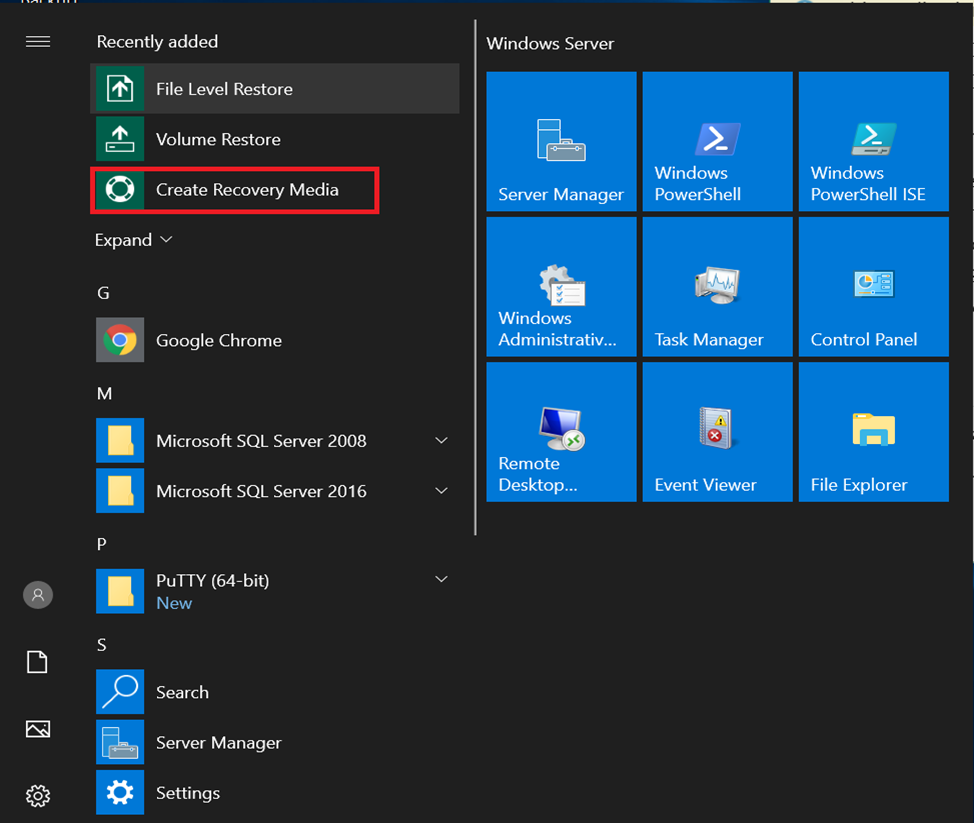
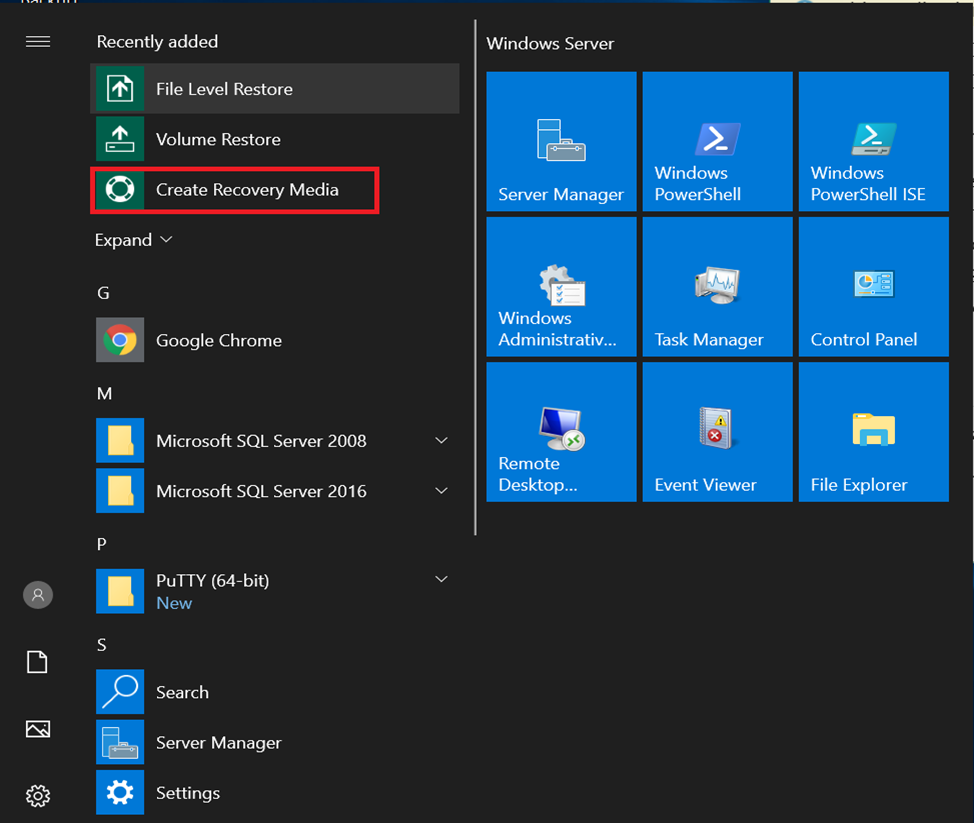
Launch the Create Recovery Media application.
-
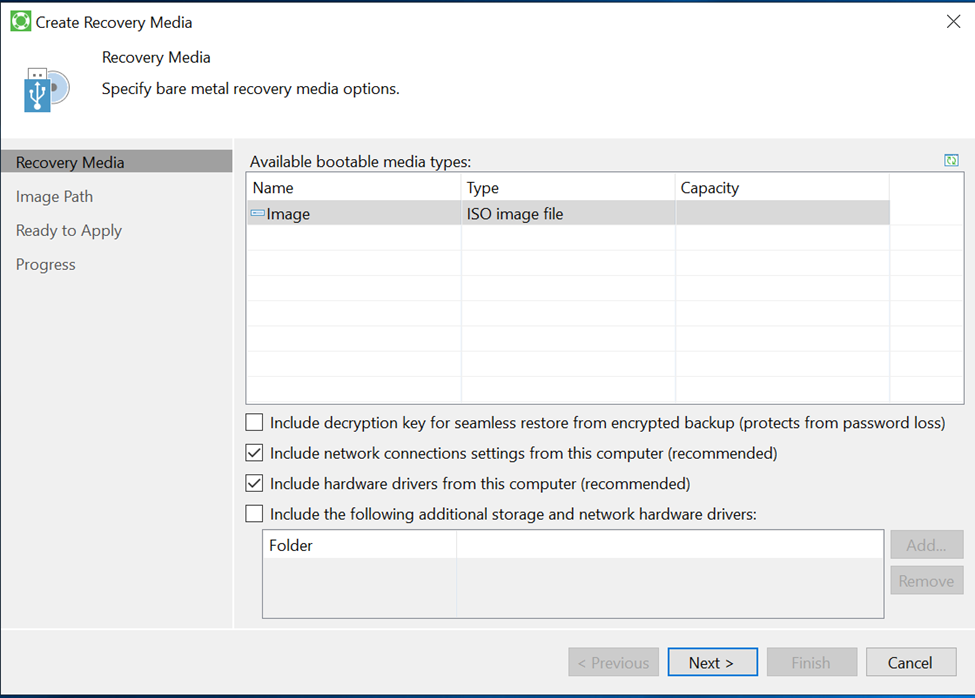
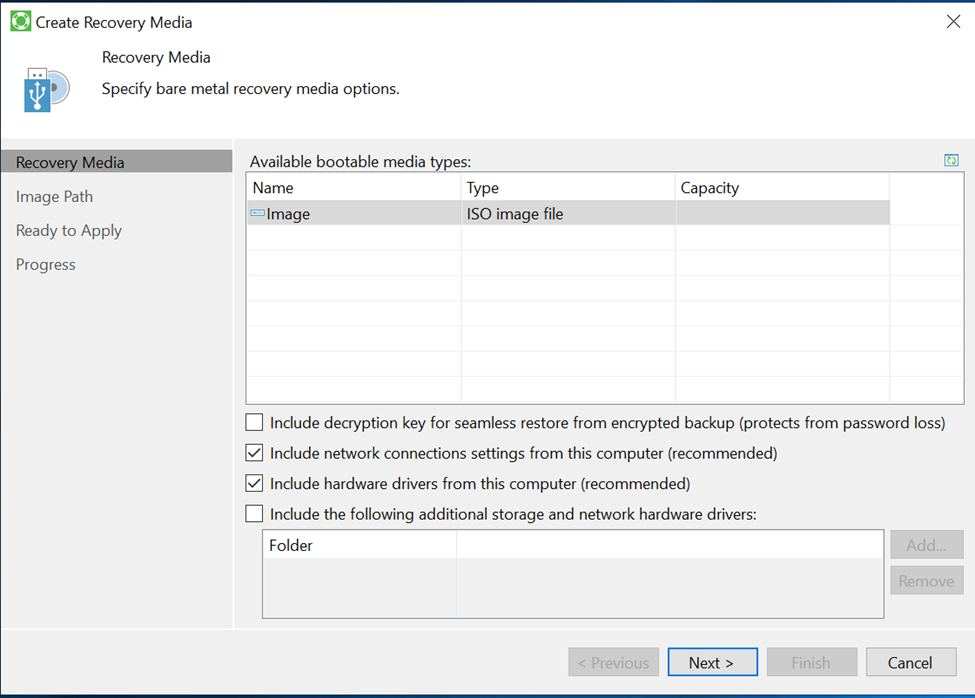
In the window that appears, select the network connections and drivers you want to include in the Veeam Recovery Media file, then click Next.
-
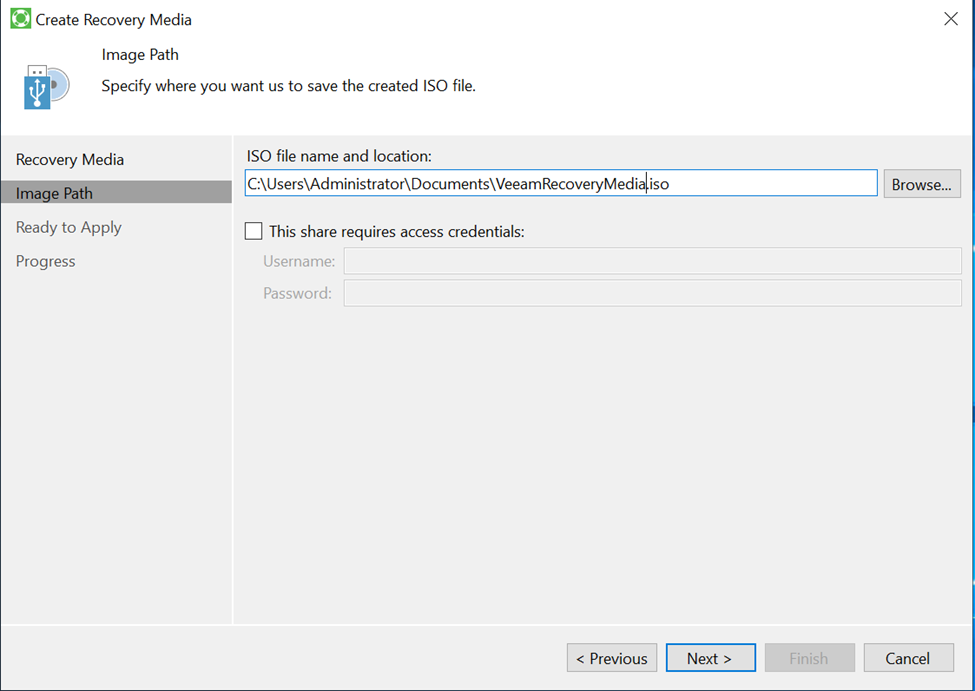
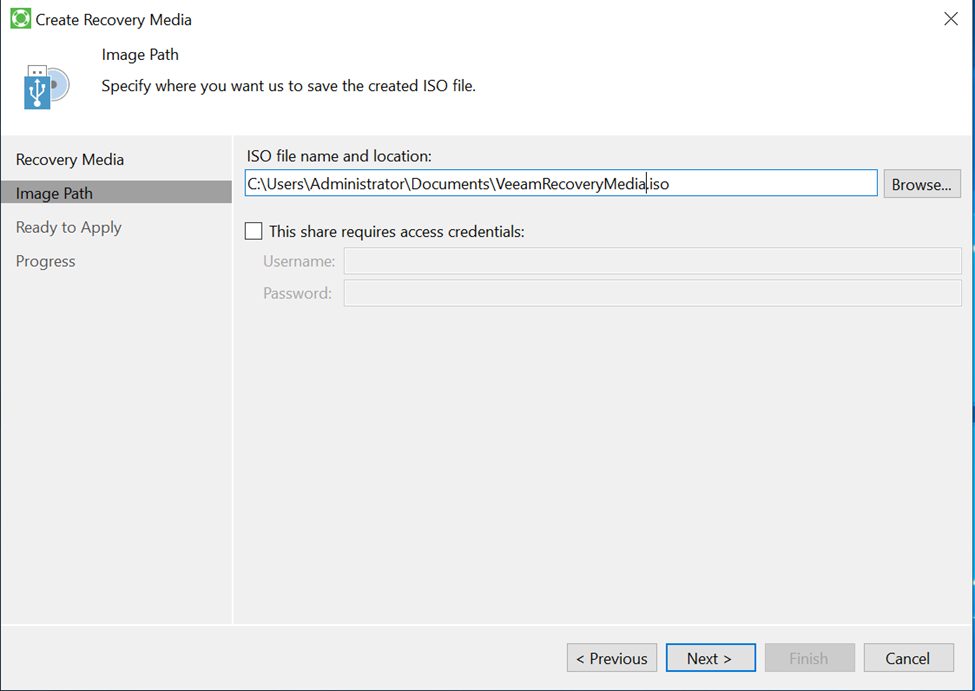
Enter a name and choose a location to save the ISO file, then click Next.
warningDo not save the Veeam Recovery Media file on the server you are backing up. If the server is deleted or fails to start, you will not be able to access the file.
-
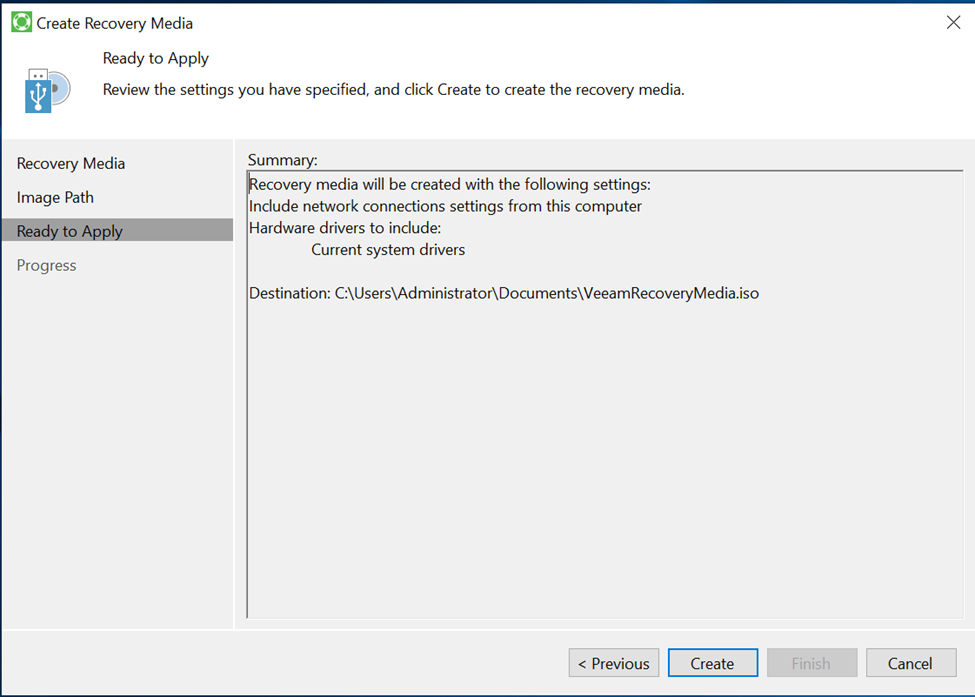
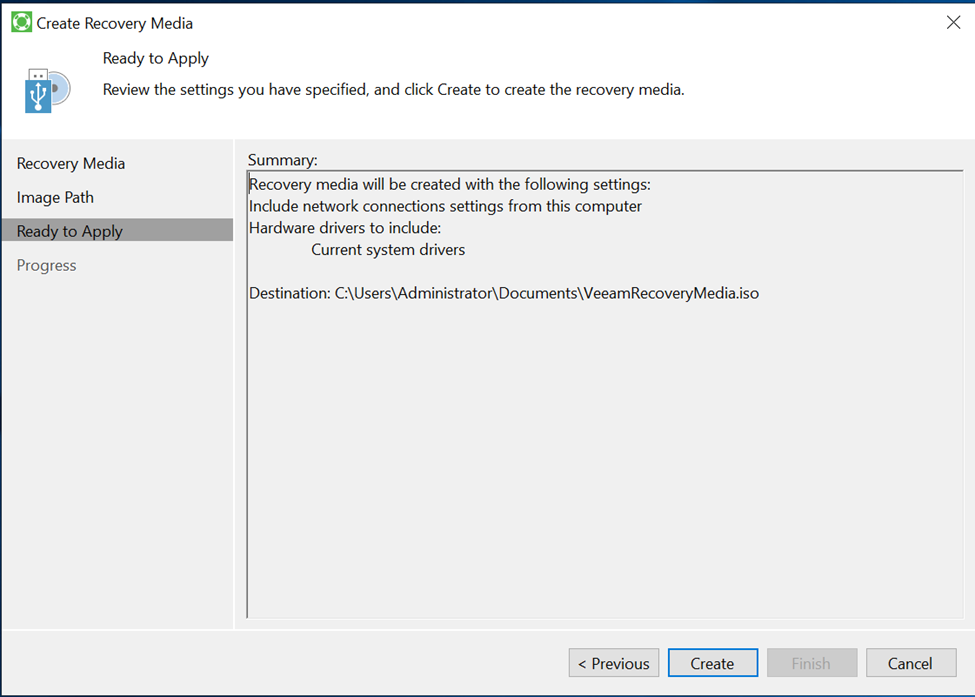
Review the configuration, then click Create.
-
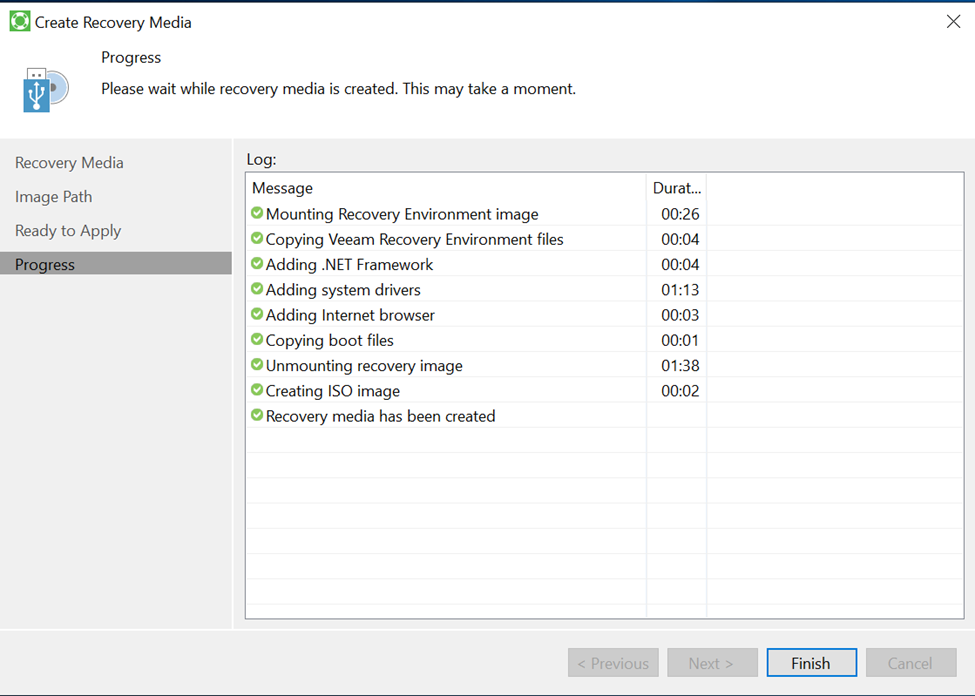
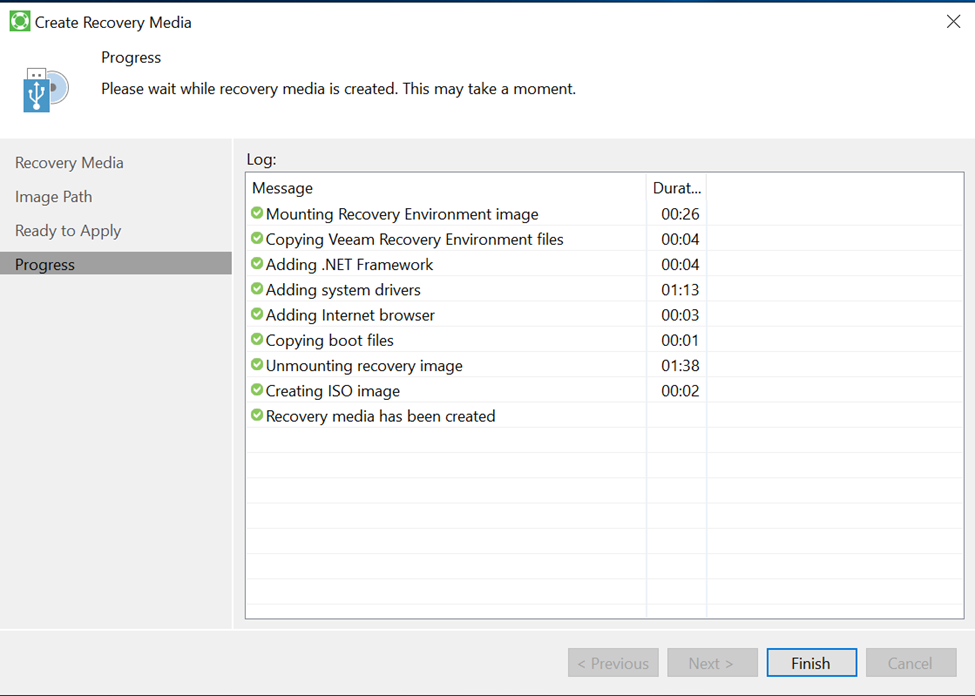
After the process completes, click Finish.
Linux
For Linux, download the recovery media ISO directly from the link below:
https://download2.veeam.com/VAL/v5/veeam-recovery-media-5.0.0.4318_x86_64.iso