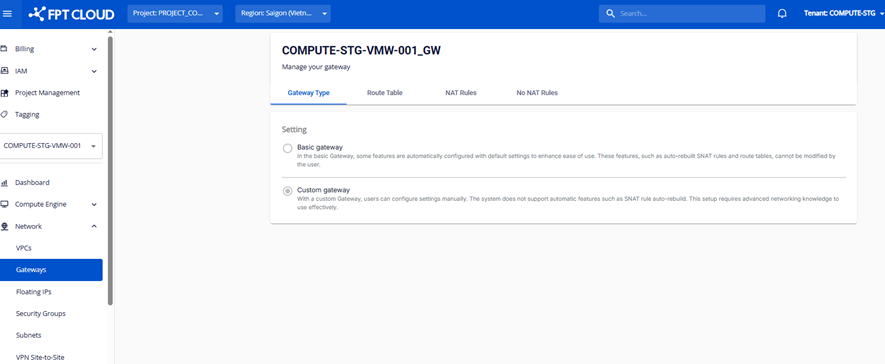
Managing the Gateway List
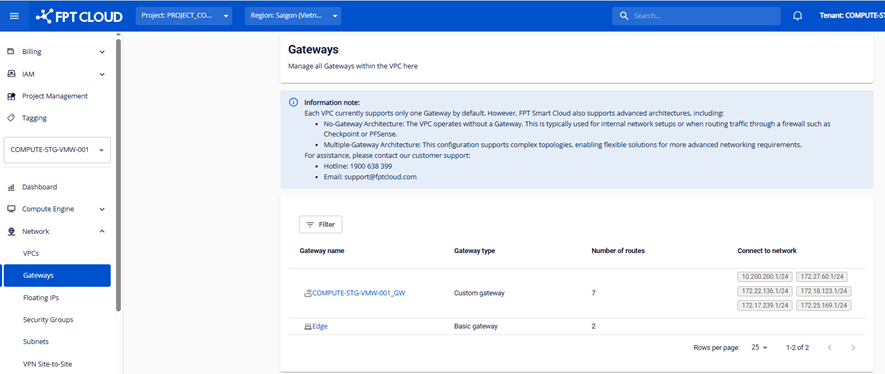
On this screen you can manage the list of Gateways for a VPC. The information displayed for each Gateway includes:
- Gateway name: The name of the Gateway. Click the name to view the detail page.
- Gateway type: There are two types:
- Basic: A Gateway that is set up automatically with default configuration.
- Custom: A Gateway that lets you configure settings according to your specific needs.
- Number of Route: The number of Routes associated with the Gateway.
- Connect to Network: The network the Gateway is connected to.
The Gateway Type tab shows Gateway type information: