Managing Gateway NAT Rules
Viewing the NAT Rule List
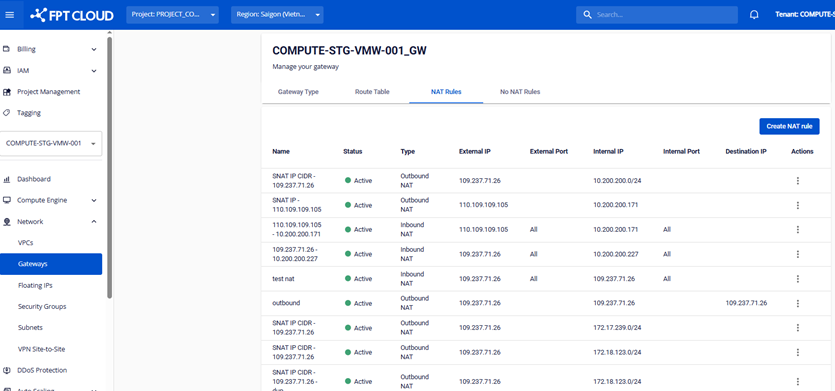
Creating a NAT Rule
Click the Create NAT Rule button to create a new NAT Rule.
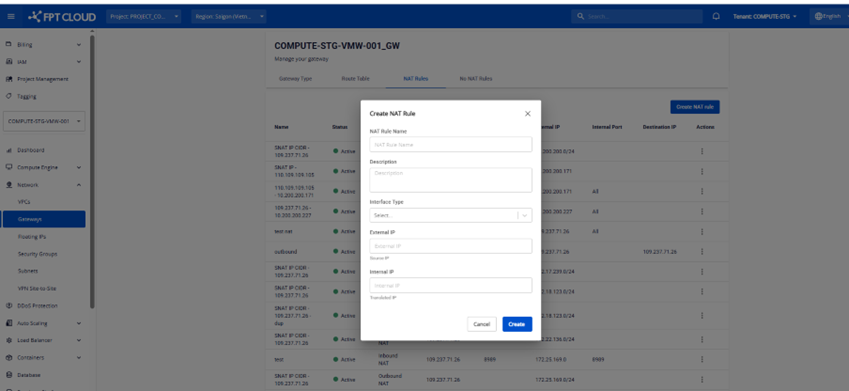
There are two types of NAT:
- Inbound NAT: Manages traffic coming from outside into the internal network.
- Outbound NAT: Manages traffic going from the internal network to the outside.
Editing a NAT Rule
In the Actions column, click the Edit button to edit the NAT Rule information.
note
Basic type Gateways do not support NAT Rule editing. You can only edit NAT Rules when the Gateway is of type Custom.
Deleting a NAT Rule
In the Actions column, click the Delete button to delete the NAT Rule.
note
Basic type Gateways do not support NAT Rule deletion. You can only delete NAT Rules when the Gateway is of type Custom.