Managing Gateway Routes
Viewing the Route List
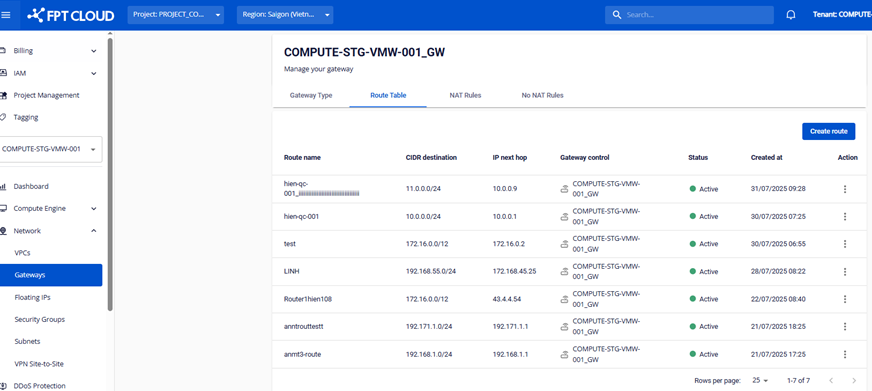
The information displayed for each Route includes:
- Route name
- CIDR Destination
- IP next hop
- Status
- Created at
Creating a Route
Click the Create route button to create a new Route.
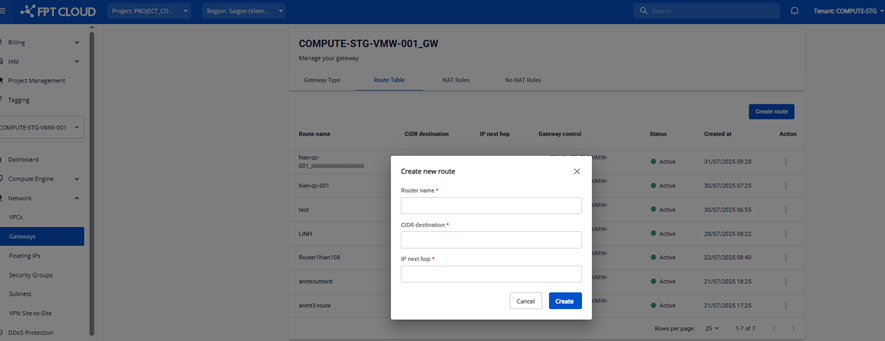
note
Basic type Gateways do not support Route creation. You can only create Routes when the Gateway is of type Custom.
Editing a Route
In the Actions column, click the Edit button to edit the Route information.
note
Basic type Gateways do not support Route editing. You can only edit Routes when the Gateway is of type Custom.
Deleting a Route
In the Actions column, click the Delete button to delete the Route.
note
Basic type Gateways do not support Route deletion. You can only delete Routes when the Gateway is of type Custom.