Accessing the Service
The steps are as follows:
Step 1: Log in to FPT Cloud Portal at https://console.fptcloud.com
Step 2: In the FPT Cloud Console Portal menu, click Monitoring. The list of workspaces is displayed as shown below.
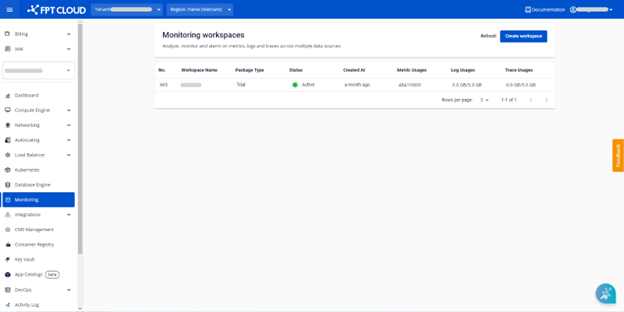
Step 3: Click the workspace name to view its details. The workspace detail screen will be displayed.
Step 4: Click the "Configuration" tab.
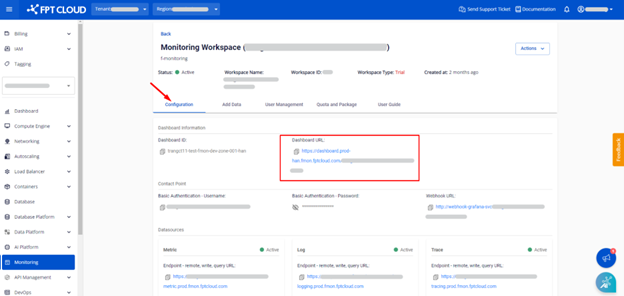
Here you can see the Dashboard URL. Click that link to go to the dashboard page.
The dashboard page is displayed as follows:
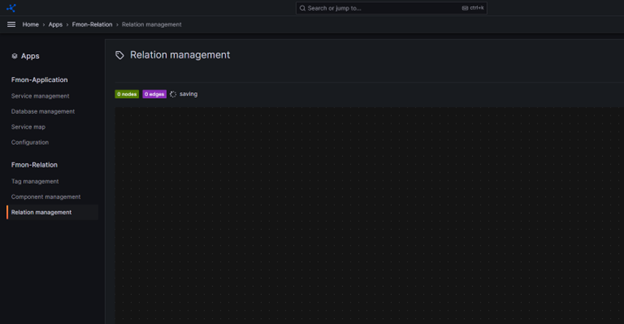
Step 5: In the menu, click App > Fmon - Relation. You can now use our service.