Alert
To create an alert, follow the instructions below:
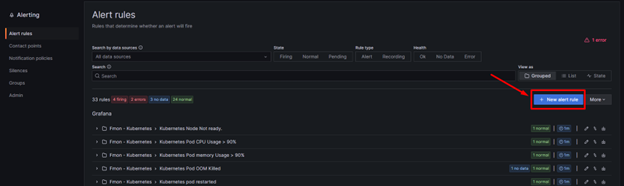
Step 1: Go to Home >> Alerting >> Alert rules >> Click New alert rule
Step 2: Configure the alert information.
Example: Creating an alert when a k8s node in the FMON-DEMO tag is not ready.
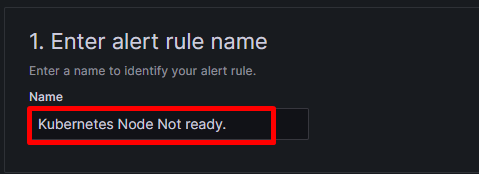
- First, enter the alert name in section 1. Enter alert rule name
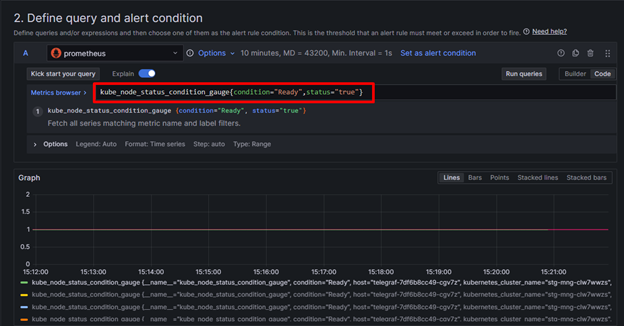
- Next, configure the information in section 2. Define query and alert condition
For the above example, enter a query to retrieve the list of ready nodes (referred to as table A) >> Preview
- Next, click Add query, select the datasource as fci-relation-datasource >> Select the tag, component, and enter the response key. The system will return the clusters in the FMON-DEMO tag with their corresponding components (referred to as table C).

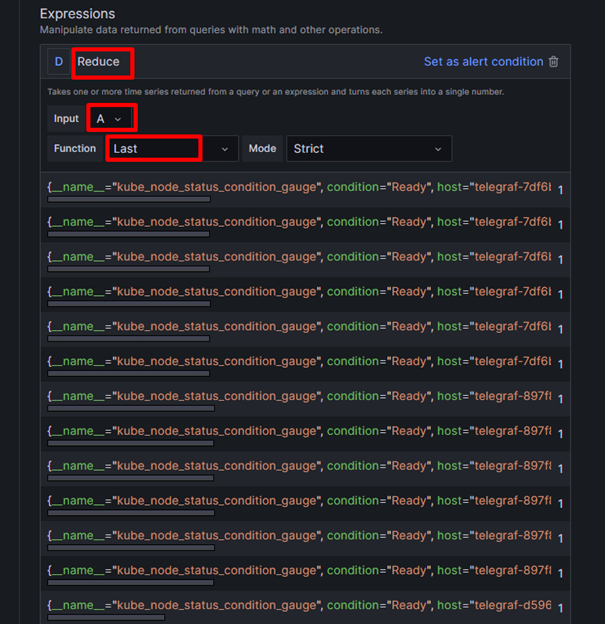
- Then, add an expression of type Reduce, function = Last to get the latest value of the time series (referred to as table D).
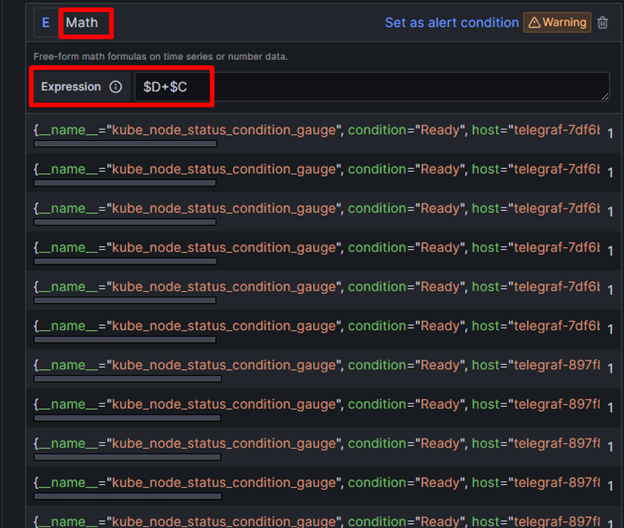
- Add an expression of type Math, merging tables D and C to filter out metrics whose cluster name is in the component of table C (referred to as table E).
- Finally, add an expression of type Threshold with input E and the condition IS_BELOW 1. This means that if the value satisfies the condition of being less than 1, an alert will be triggered; otherwise, a value of >= 1 is Normal.
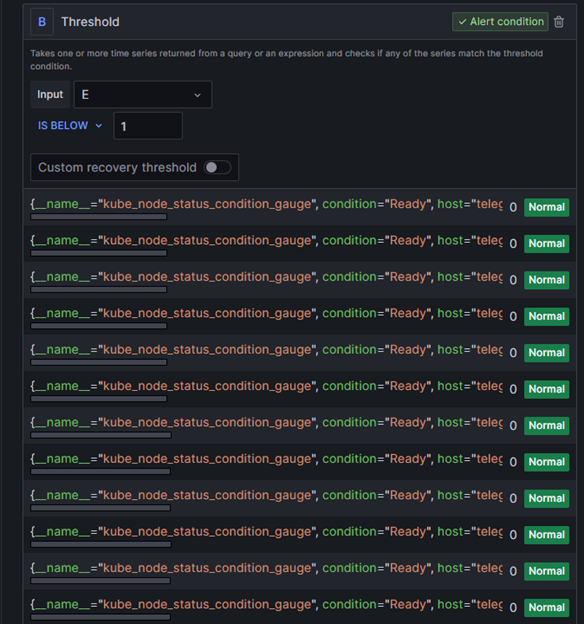
In the example above, all metrics in table E have a value of 1, so the status is Normal.
Step 3: After finishing the configuration, click Save rule to preserve the information.