Configuring auto scale using GPU custom metrics
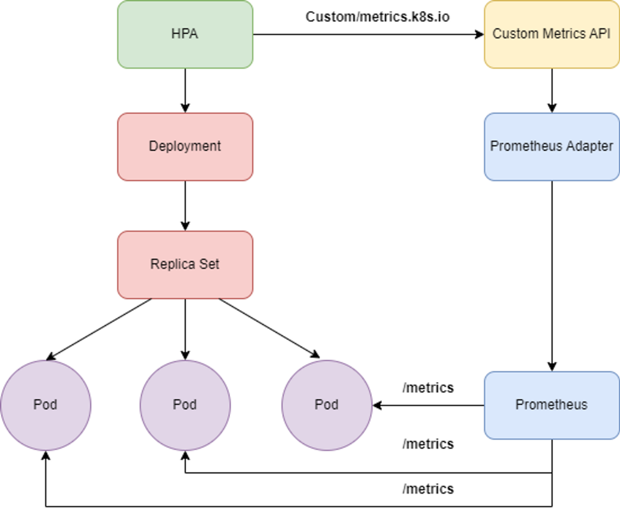
Kubernetes supports automatic scaling based on custom metrics such as GPU metrics by integrating with Prometheus. This guide explains how to configure auto scaling for GPU-based applications running on the FPT Kubernetes Engine platform.
Prerequisites
- A Kubernetes cluster with GPU attached
- A GPU application currently in the running state
Configuration steps
Step 1: Install kube-prometheus-stack and prometheus-adapter
Using FPT App Catalog:
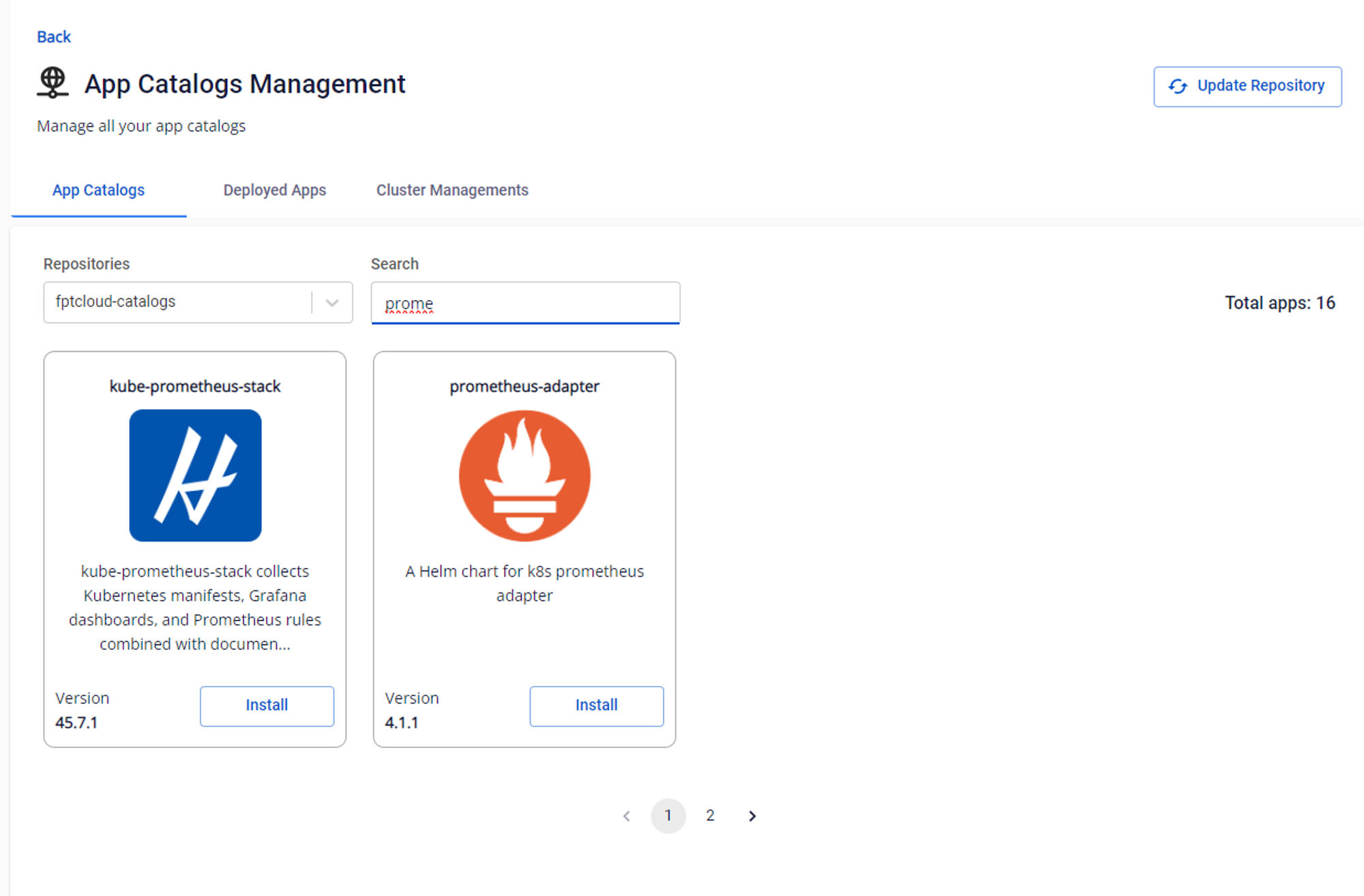
- Use the FPT App Catalog service to create an App Catalog, then select "Connect Cluster" to connect to the GPU cluster.
- In the App Catalogs menu, select the fptcloud-catalogs repository, search for prometheus, then install the kube-prometheus-stack package by filling in the release name and namespace.
Using Helm chart:
helm repo add xplat-fke https://registry.fke.fptcloud.com/chartrepo/xplat-fke && helm repo update
helm install --wait --generate-name \
    -n prometheus --create-namespace \
    xplat-fke/kube-prometheus-stack
prometheus_service=$(kubectl get svc -n prometheus -lapp=kube-prometheus-stack-prometheus -ojsonpath='{range .items[*]}{.metadata.name}{"\n"}{end}')
helm install --wait --generate-name \
    -n prometheus --create-namespace \
    xplat-fke/prometheus-adapter \
    --set prometheus.url=http://${prometheus_service}.prometheus.svc.cluster.local
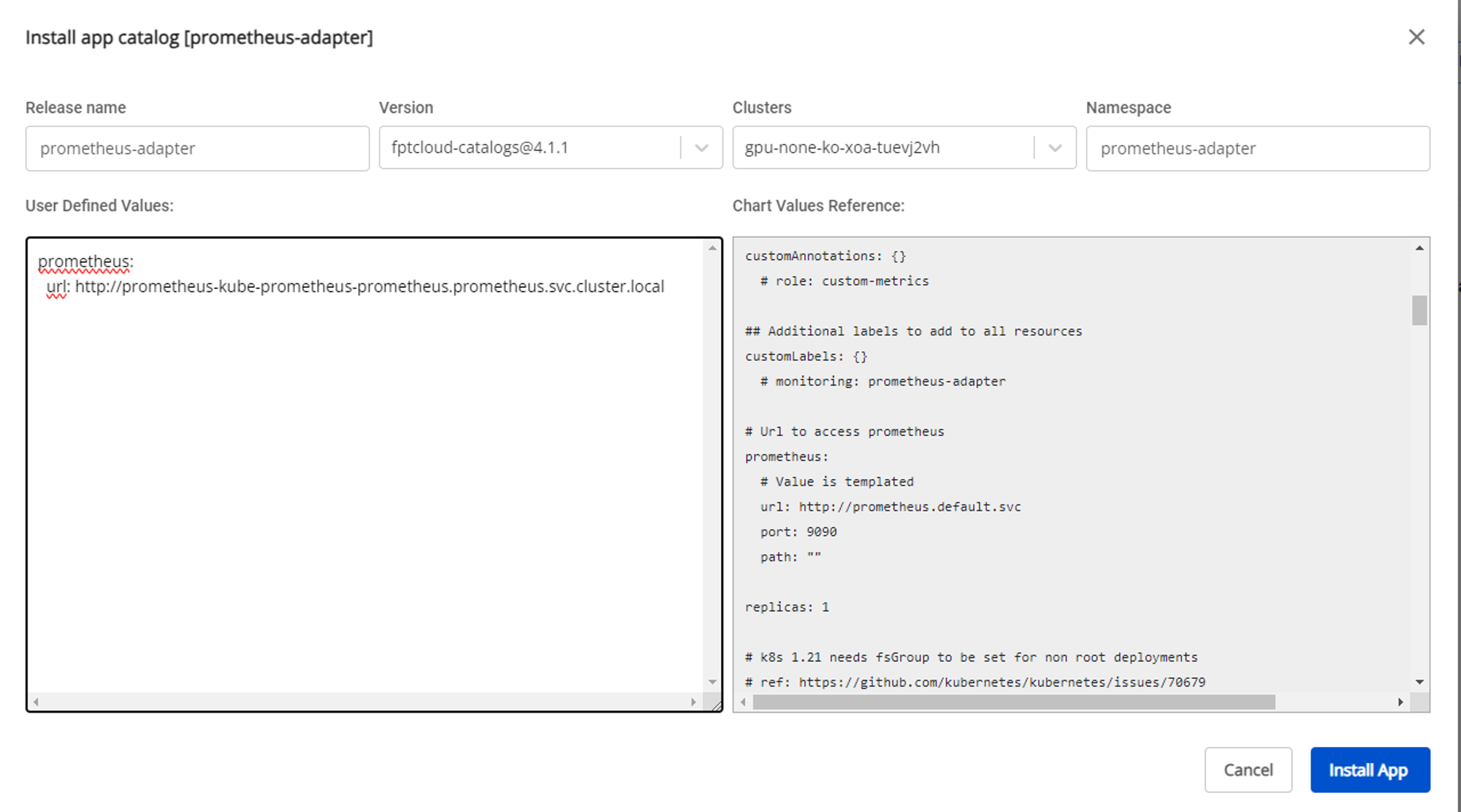
After deploying kube-prometheus-stack, deploy prometheus-adapter. You need to update the values to point to the correct Prometheus service. For example, if the kube-prometheus-stack namespace is prometheus, the value to enter is:
prometheus-kube-prometheus-prometheus.prometheus.svc.cluster.local
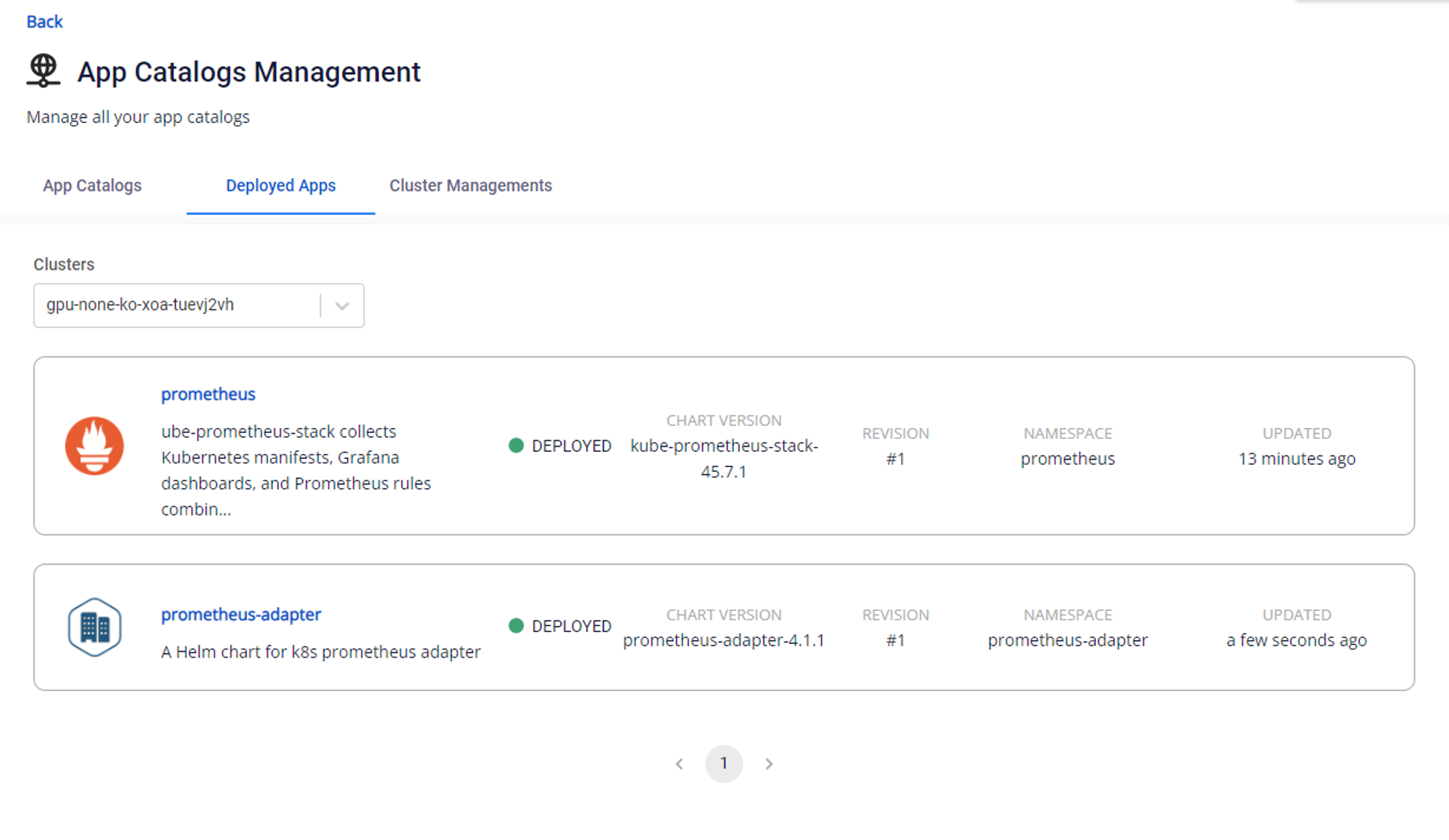
Then check the status of both packages:
Step 2: Configure Horizontal Pod Autoscaler for the GPU application
Horizontal Pod Autoscaler (HPA) automatically scales pods to meet the conditions specified in the configuration. Once prometheus-adapter is configured, it exports DCGM custom metrics to monitor GPU workloads.
Example HPA manifest:
apiVersion: autoscaling/v2
kind: HorizontalPodAutoscaler
metadata:
 name: my-gpu-app
spec:
 maxReplicas: 3  # Update this accordingly
 minReplicas: 1
 scaleTargetRef:
   apiVersion: apps/v1beta1
   kind: Deployment
   name: my-gpu-app # Add label from Deployment we need to autoscale
 metrics:
 - type: Pods  # scale pod based on gpu
   pods:
     metric:
       name: DCGM_FI_PROF_GR_ENGINE_ACTIVE # Add the DCGM metric here accordingly
     target:
       type: AverageValue
       averageValue: 0.8
For more information on DCGM metrics, refer to the NVIDIA documentation.
After creating the HPA, verify it with:
kubectl get hpa -A