Manage container registry
A. Add a new container registry
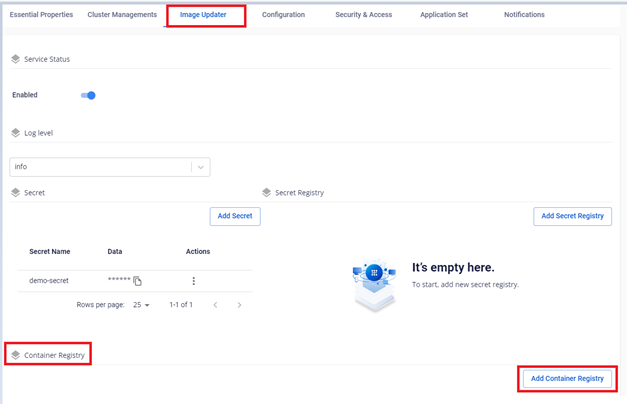
- On the Image Updater > Container Registry > Add Container Registry screen.
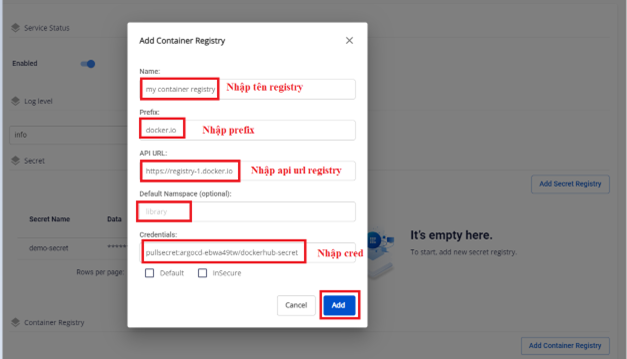
- Enter the container registry information:
- Name: the container registry name, e.g.
My Custom Registry - Prefix: the registry prefix, must match the DNS and be unique, e.g.
docker.io - API URL: the docker registry API URL (http/https), e.g.
https://registry-1.docker.io - Default namespace: the default namespace (especially for Docker Hub), e.g.
library - Credentials: used to authenticate to the registry, e.g.
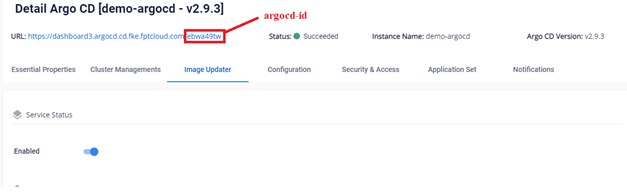
pullsecret:argocd-[argocd-id]/dockerhub-secret - Set Default: if
true, this registry is the default registry - Set insecure: used to disable TLS verification for the registry
- Name: the container registry name, e.g.
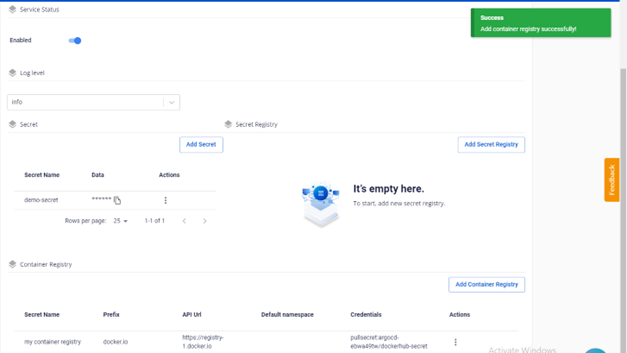
- The result after adding:
B. Update a container registry
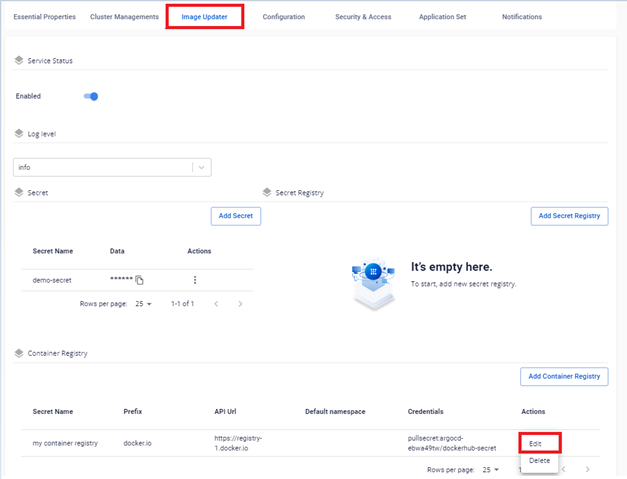
- On the Image Updater screen, select the Container Registry to update > Edit.
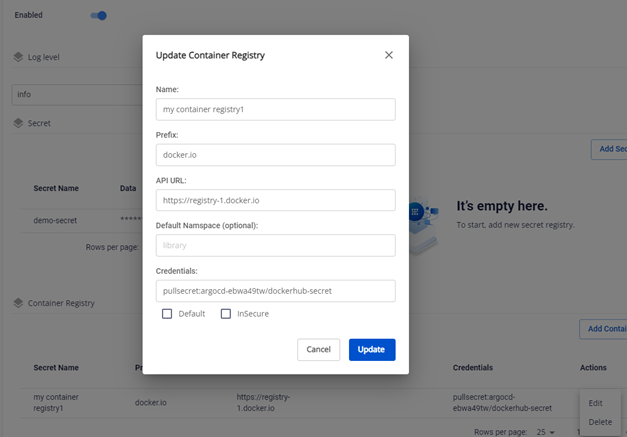
- Edit the configuration parameters such as Name, Prefix, Set Default, or Insecure.
note
Only one container registry can be set as default.
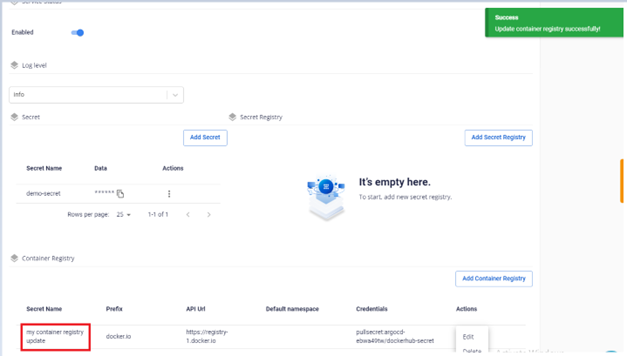
- The result after updating:
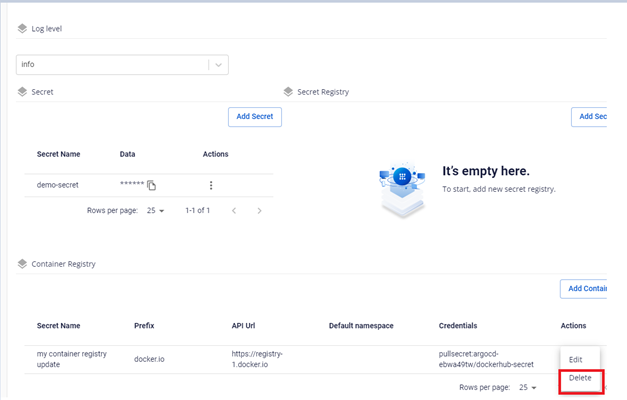
C. Delete a container registry
danger
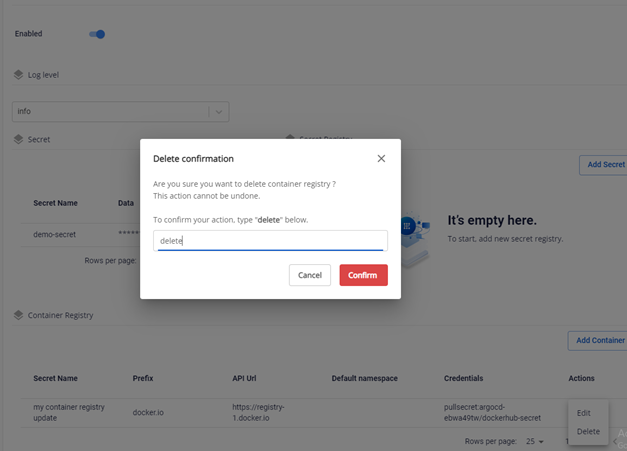
This action cannot be undone.
- On the Image Updater > Container Registry screen, select the registry to delete.
- Enter the confirm text to confirm.
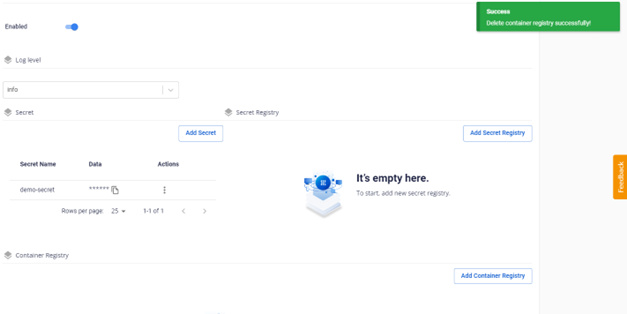
- The result after deletion: