Manage registry secrets
When using an internal container registry, ArgoCD Image Updater needs to authenticate with the registry. FPT ArgoCD supports creating registry secrets for this authentication.
A. Create a new registry secret
- On the Image Updater > Add Secret Registry screen, add a new secret.
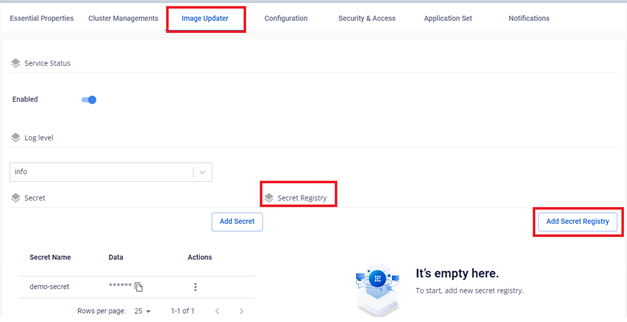
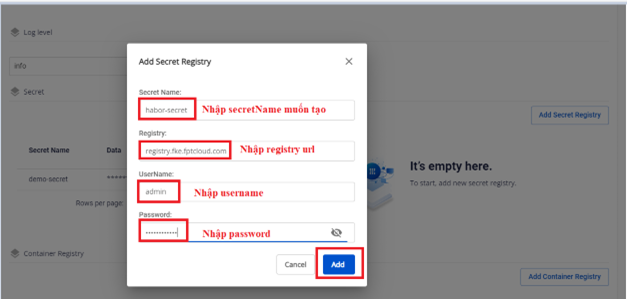
- Enter the information to create the secret:
- Secret Name: the name of the secret created under Kubernetes
- Registry: the container registry URL, e.g.
registry.fke.fptcloud.com - Username: username for registry authentication
- Password: password for registry authentication
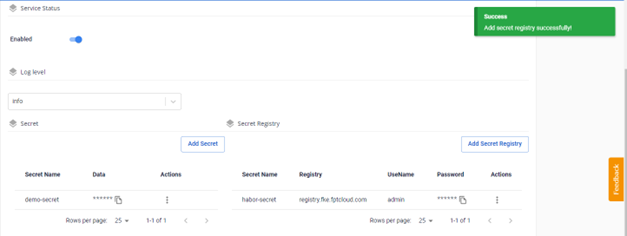
- The result after creation:
B. Update a registry secret
- On the Image Updater screen, select the secret to update > Edit.
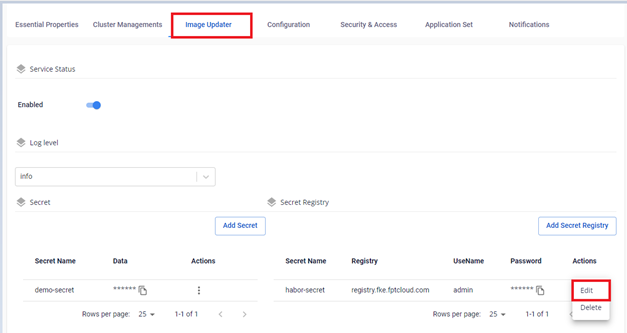
- Edit the Registry URL, username, or password.
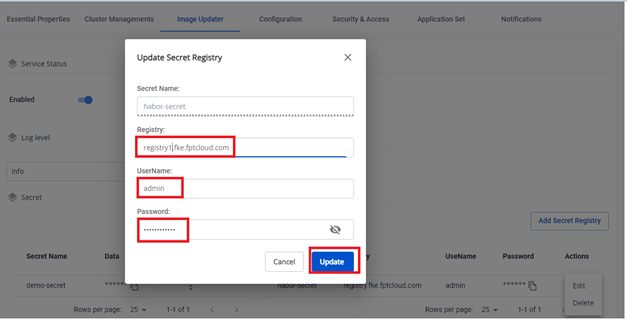
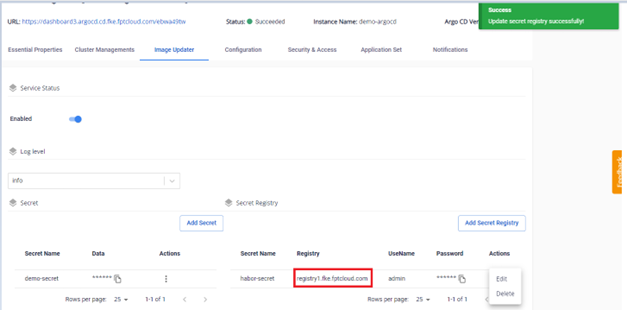
- The result after updating:
C. Delete a registry secret
danger
This action cannot be undone.
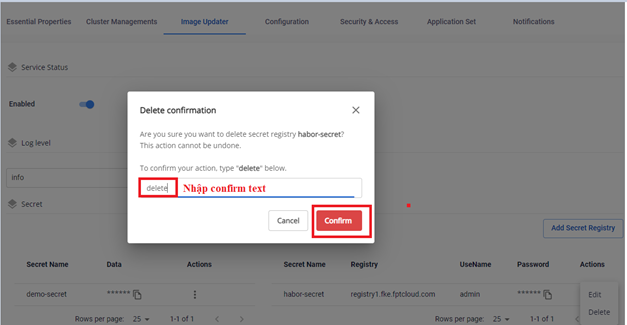
- On the Image Updater screen, select the secret to delete > Delete.
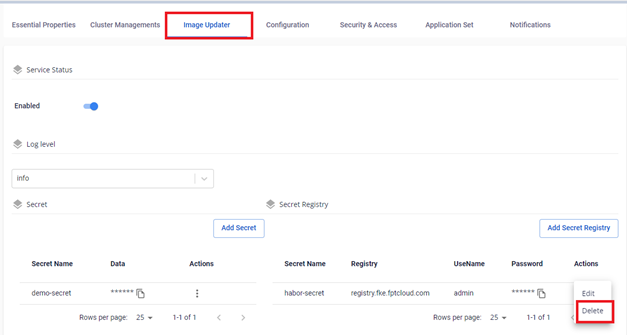
- Enter the confirm text to confirm deletion.
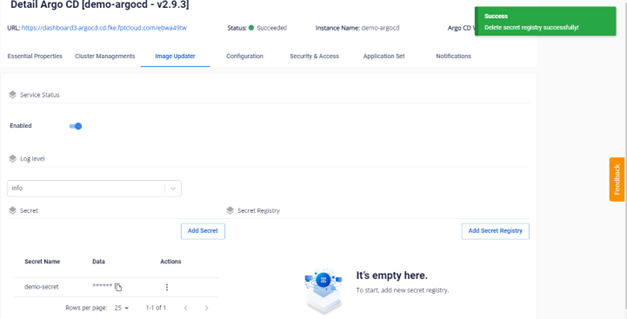
- The result after deletion: