Manage secrets
This feature allows you to add secret data to the argocd-image-updater-secret file in ArgoCD.
A. Add a new secret
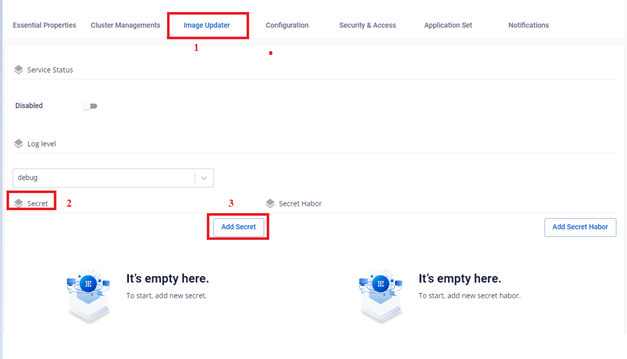
- On the Image Updater > Secret screen, click to add a new secret.
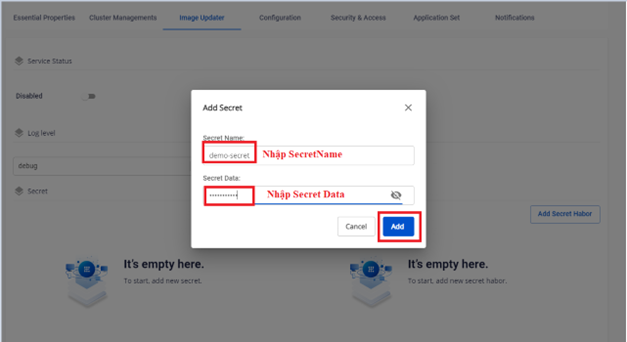
- Enter the secret information.
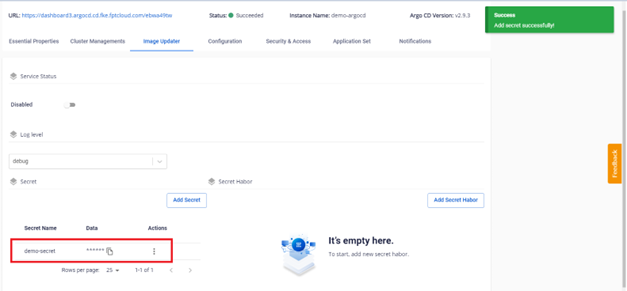
- The result after creating the secret:
B. Update a secret
- On the Image Updater > Secret screen, select the secret to update.
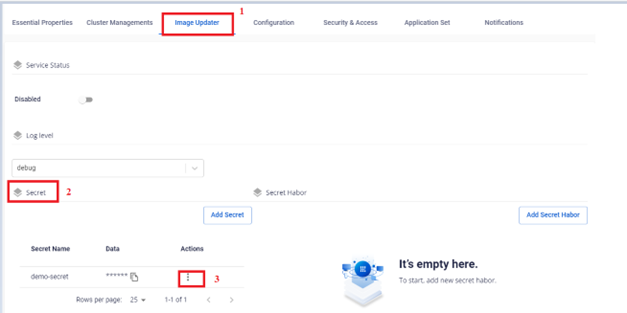
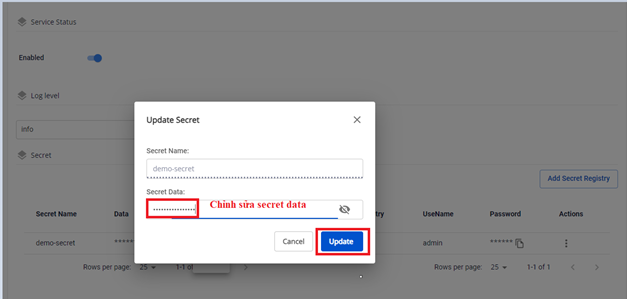
- Update the secret information.
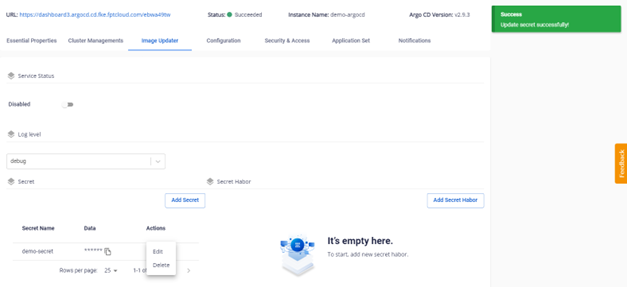
- The result after updating:
C. Delete a secret
danger
This action cannot be undone.
- On the Image Updater > Secret screen, select the secret to delete.
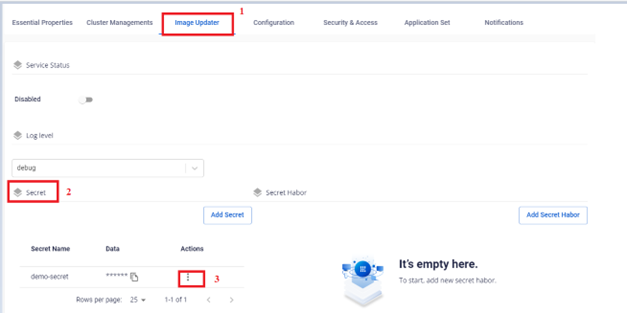
- Select the secret to delete and confirm.
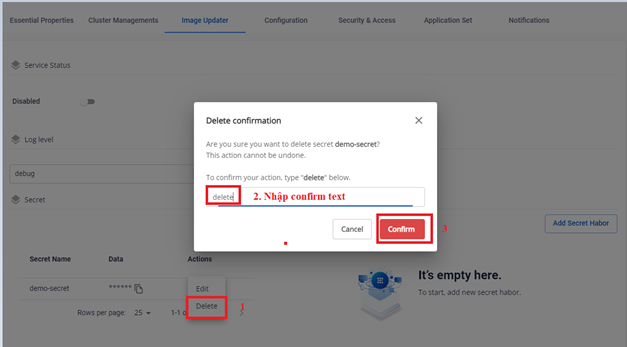
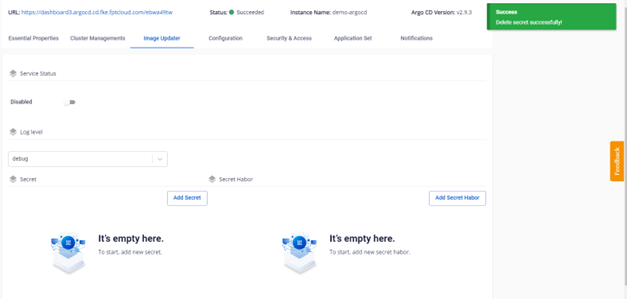
- The result after deletion: