Configuration tab
Step 1: Log in to FPT Cloud Portal at https://console.fptcloud.com.
Step 2: In the FPT Cloud Portal menu, click Monitoring to display the workspace list.
Step 3: Click a workspace name to view its details.
Step 4: Select the Configuration tab.
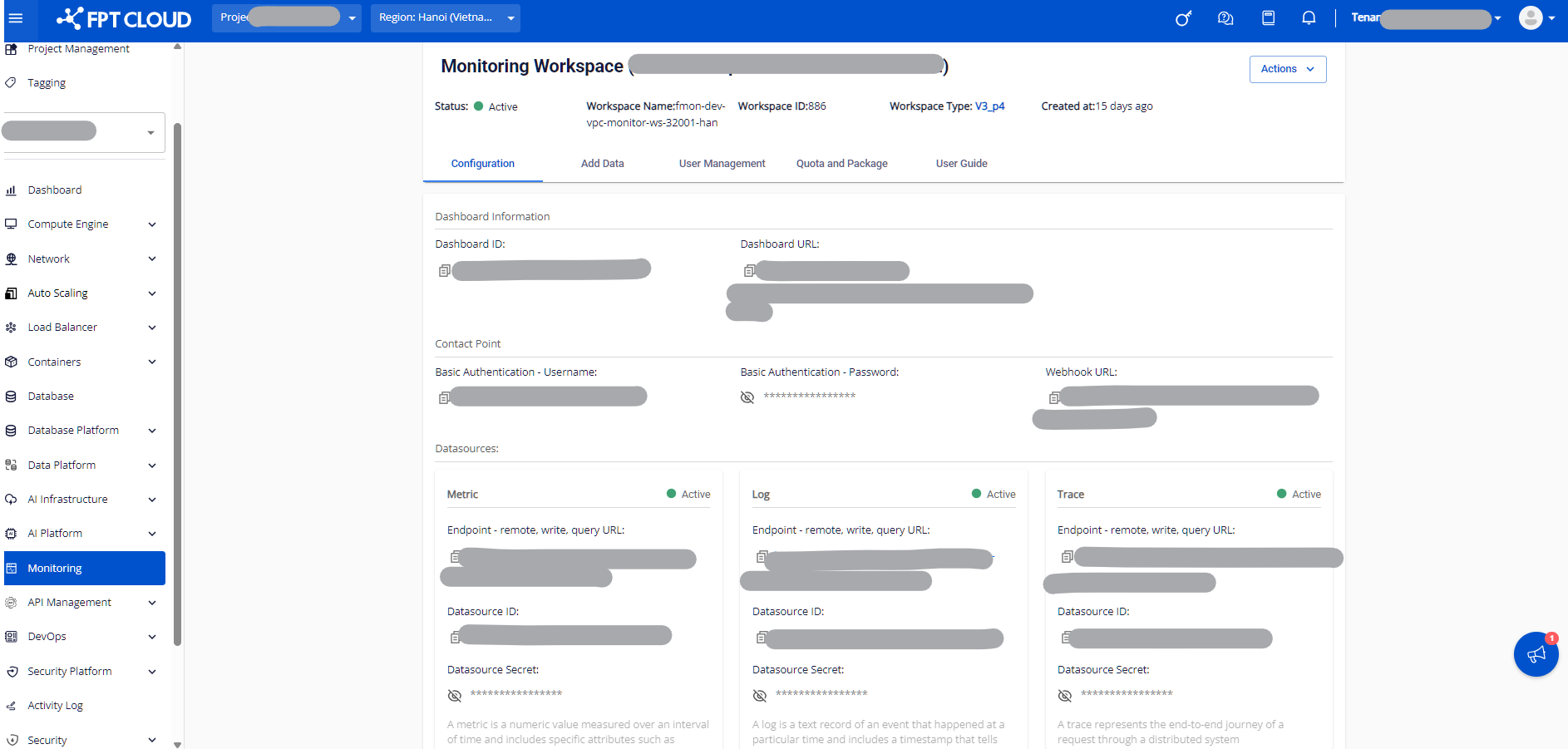
The Configuration tab displays the following information:
Dashboard information
- Dashboard ID: The dashboard page ID.
- Dashboard URL: The dashboard page URL.
Contact Point
- Basic Authentication – Username: The username for authentication.
- Basic Authentication – Password: The password for authentication (masked with
*). - Webhook URL: The Webhook URL.
Datasources
- Endpoint – remote_write / query URL: The endpoint URLs for Metrics, Logs, and Traces.
- Datasource ID: The ID for Metrics, Logs, and Traces.
- Datasource Secret / Password: The datasource password (masked with
*).