Create object
Objects define the hosts, network ranges, ports, and other entities used when setting up rules.
Step 1: In the Object Pane (F11) > click New > select Network.
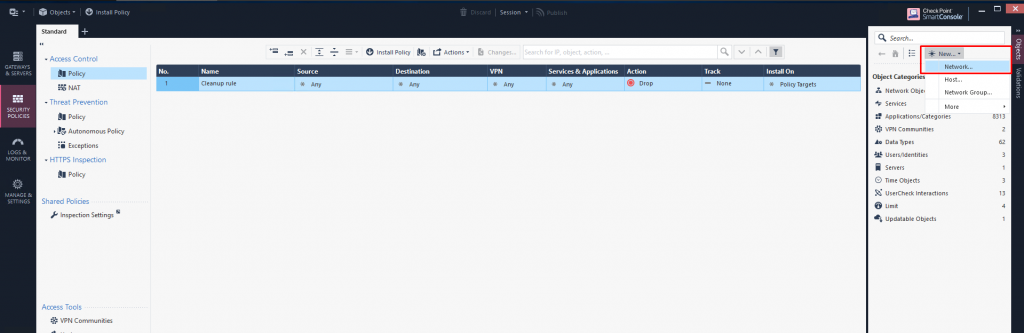
Step 2: Enter the name, address, mask, and comment for the network range > click OK.
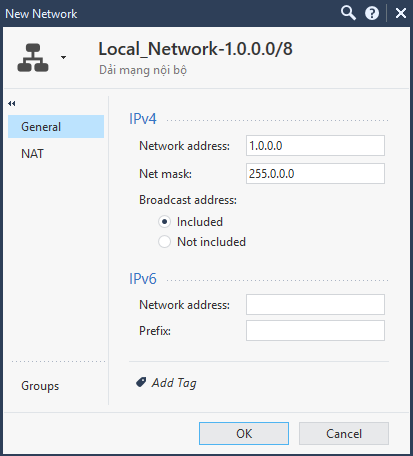
Step 3: Install Policy.
Step 1: In the Object Pane (F11) > click New > select Host.
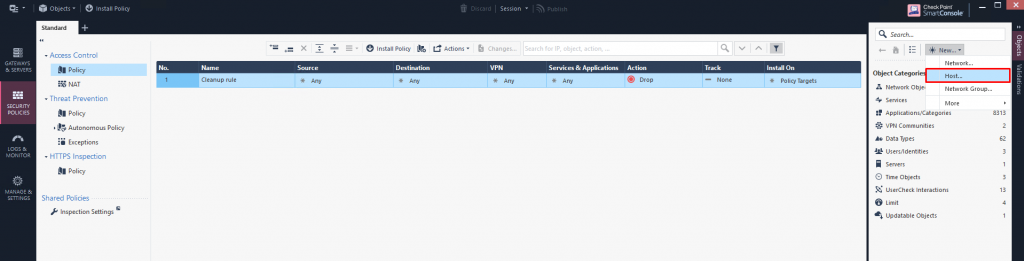
Step 2: Enter the name, IPv4 address, and comment for the host > click OK.
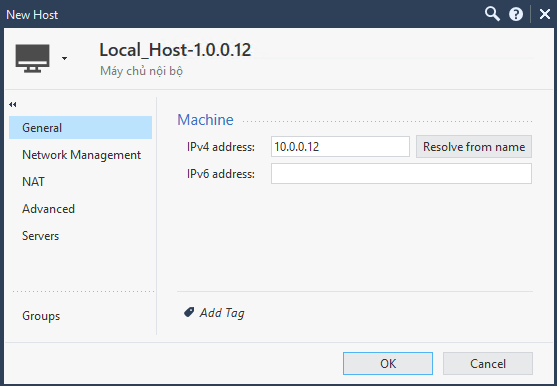
Step 3: Install Policy.
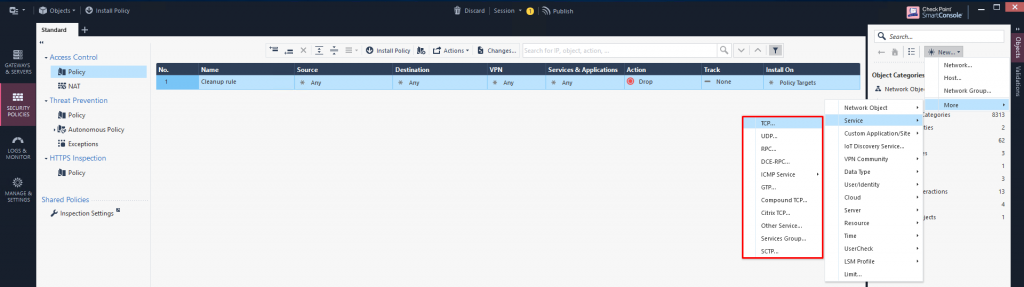
Step 1: In the Object Pane (F11) > click New > More > Service > select the service type (UDP/TCP/RPC/...).
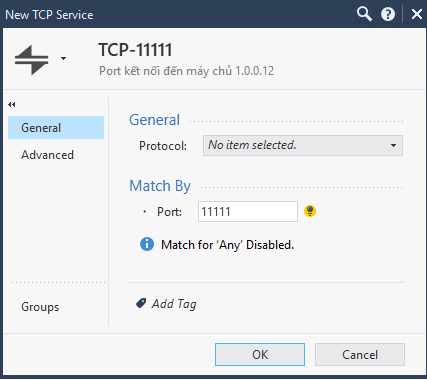
Step 2: Enter the name, port, and comment for the service > click OK.
Step 3: Install Policy.