Create firewall rule
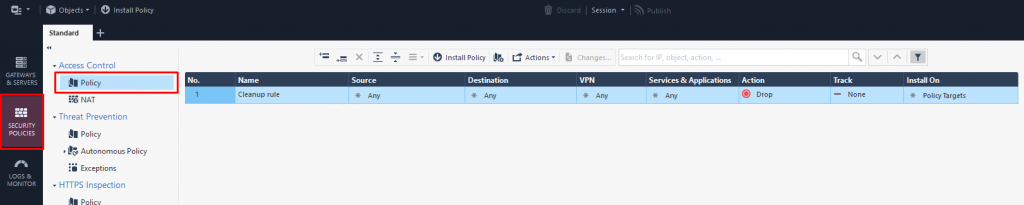
Step 1: In the Menu, select Security Policies (Ctrl + 2) > select Access Control > select Policy.
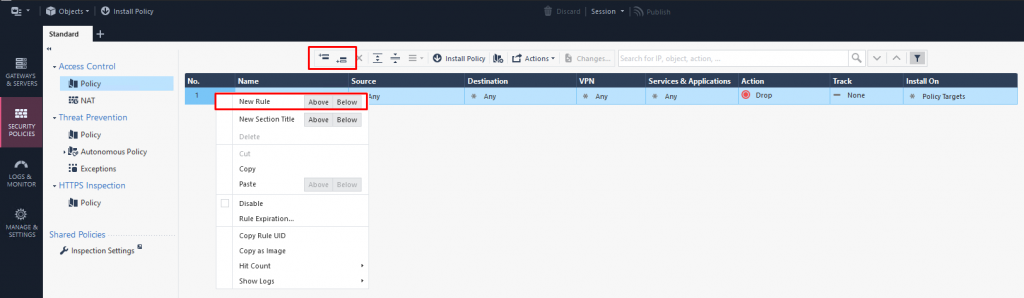
Step 2: Click Add rule above/below or right-click an existing rule and select New rule Above/Below to add a new rule above or below the current one.
Step 3: Configure the new rule:
- Name:

- Source (source IP):

- Destination (destination IP):

- Service (service/port):

- Action:

- Track:







New rule created:
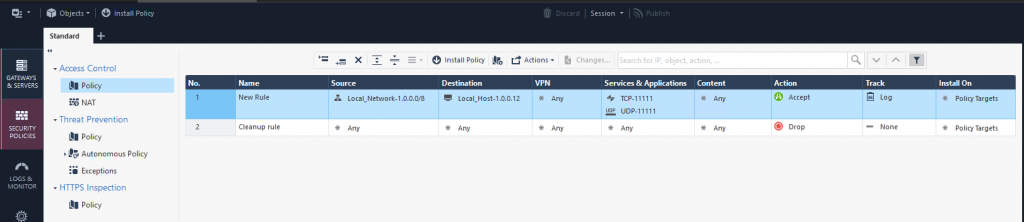
Step 4: Install Policy.