Create a proxy host
-
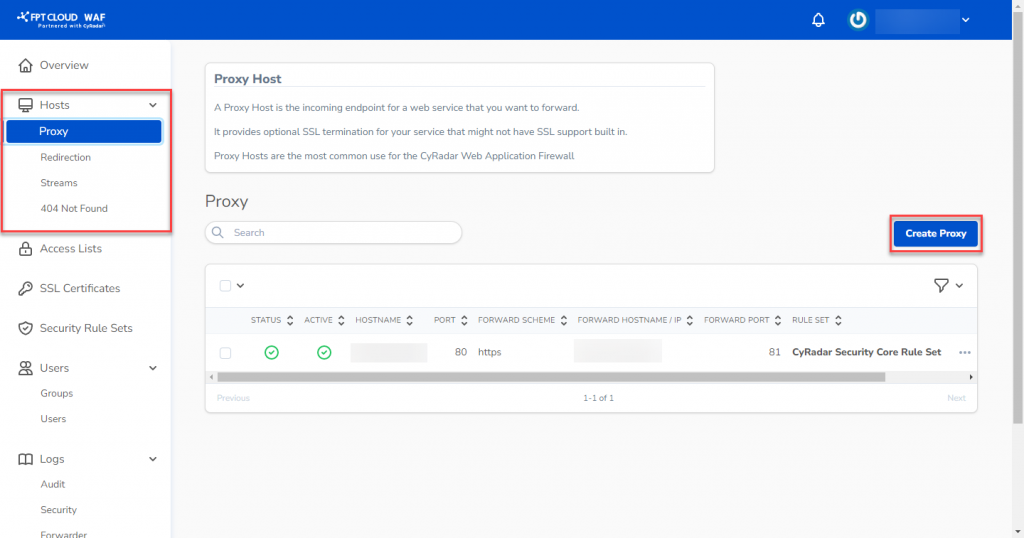
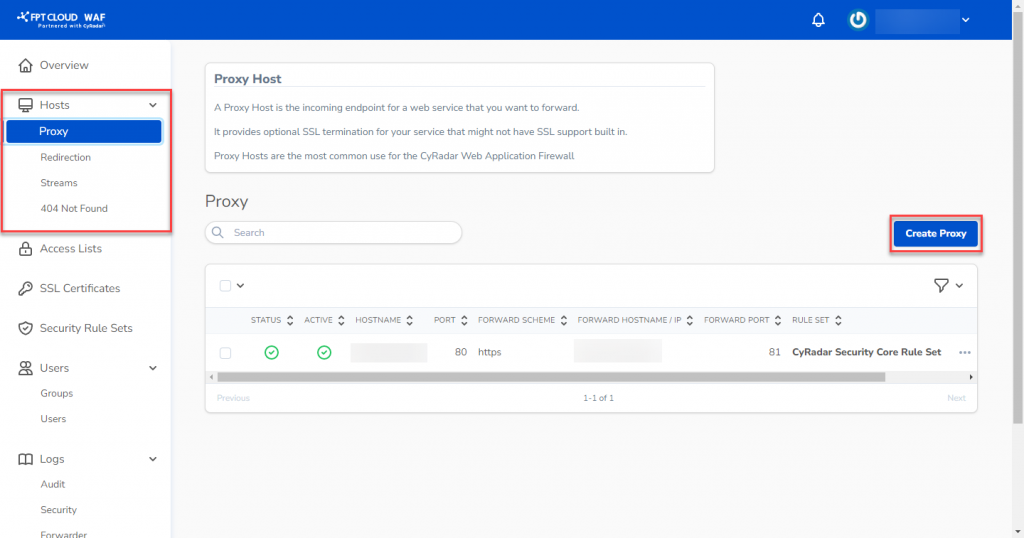
In the WAF Dashboard, select Hosts > Proxy, then click Create Proxy.
-
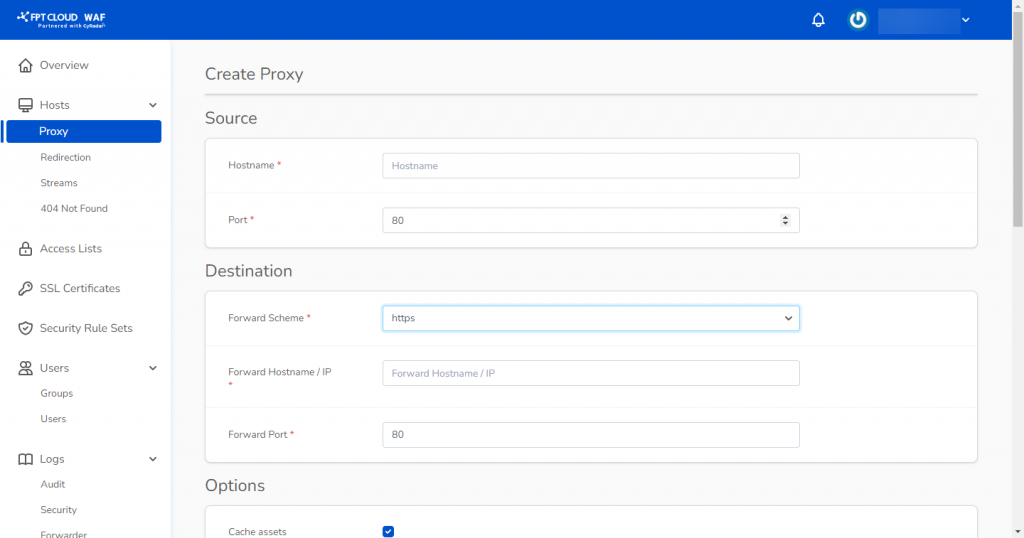
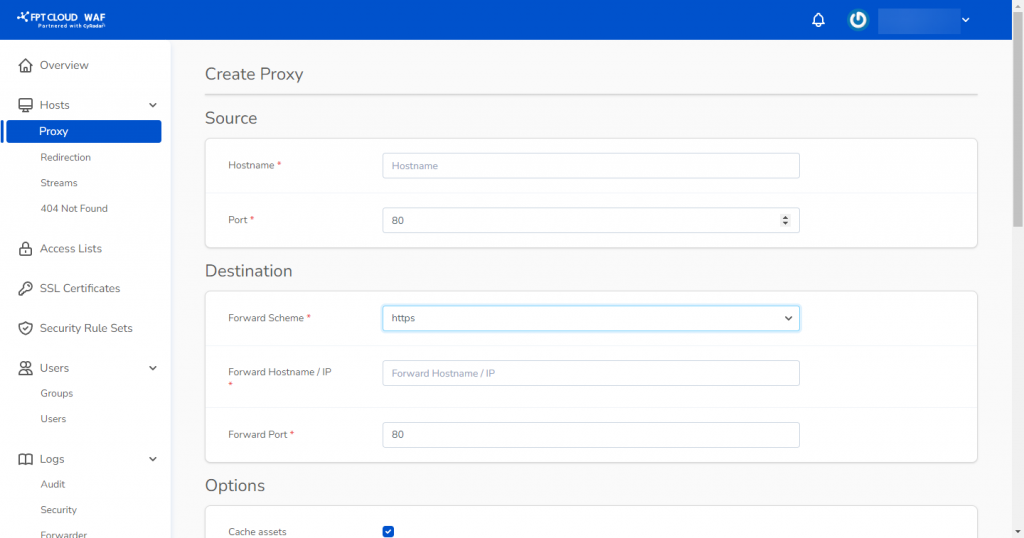
Enter the required information:
- Source:
- Hostname: Enter the domain name.
- Port: Default is 80; select port 443 if using an SSL certificate.
- Destination:
- Forward Scheme: Choose http or https.
- Forward Hostname/IP: Enter the public IP or domain of the web server. If the WAF and web server share the same subnet, you can use the private IP.
- Forward Port: Enter the port used by the web server.
noteForward Port must be a port already open for connections on the web server.
Optional features:
- Cache Assets
- Block Common Exploits
- Websockets Support
Additional fields:
- Rule Set: FPT Cloud WAF's default rule set is applied. You can select a custom rule set if one has been created.
- Access List: Select an existing access list to apply to this proxy host.
- SSL Certificate: Select the SSL certificate for the domain/website. If none exists, select None.
- Source:
-
Click Create Proxy to create, or Create & Add Another to create and add another proxy host.