Create a Storage Disk
Creating a new Storage Disk lets you expand the storage capacity for an Instance — useful when you need more space for data or applications.
Create a Storage Disk
-
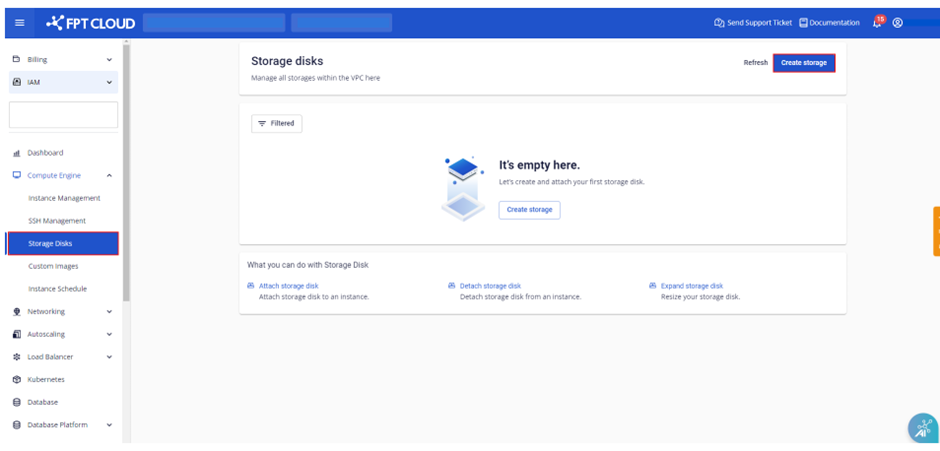
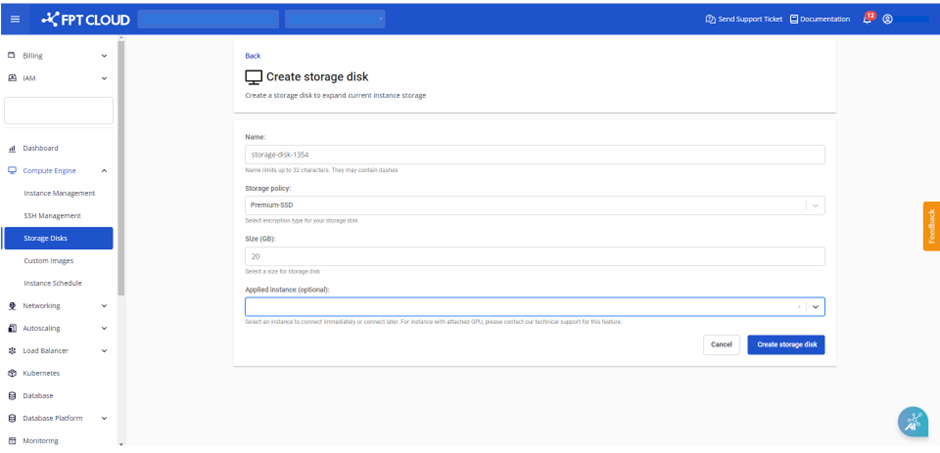
Select Compute Engine → Storage Disk, then click Create Storage.
-
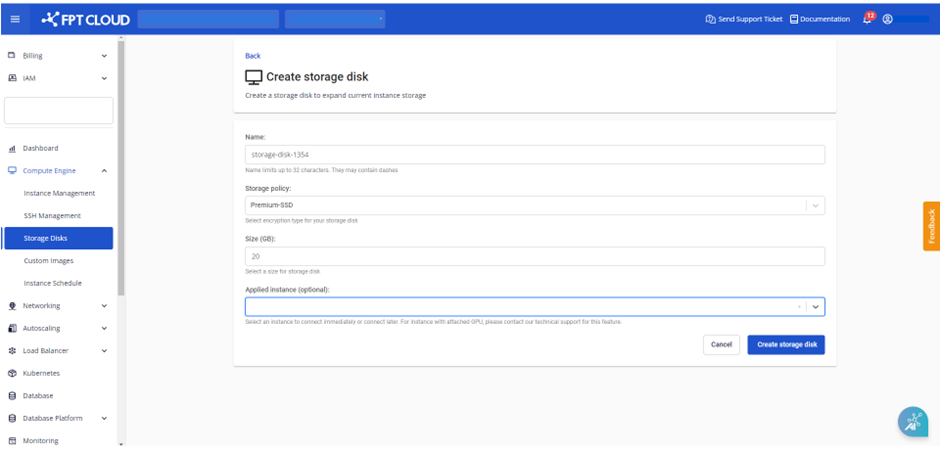
Enter the details:
- Name: Name of the Storage Disk.
- Storage Policy: Type of storage.
- Size: Storage size.
- Applied instance (optional): The Instance to attach to (you can attach it later).
-
Click Create storage disk.
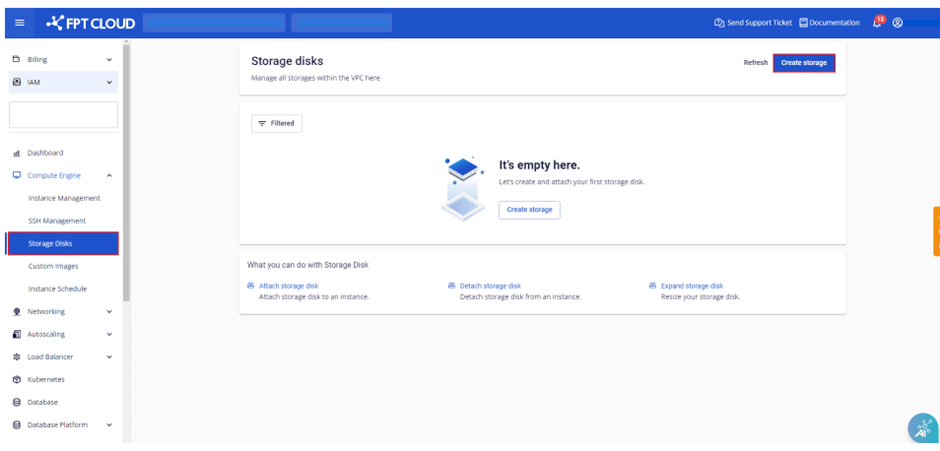
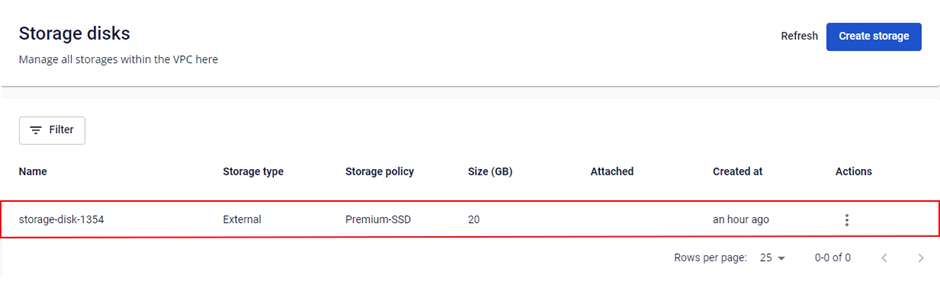
The new Storage Disk appears on the Storage Disk Management page.